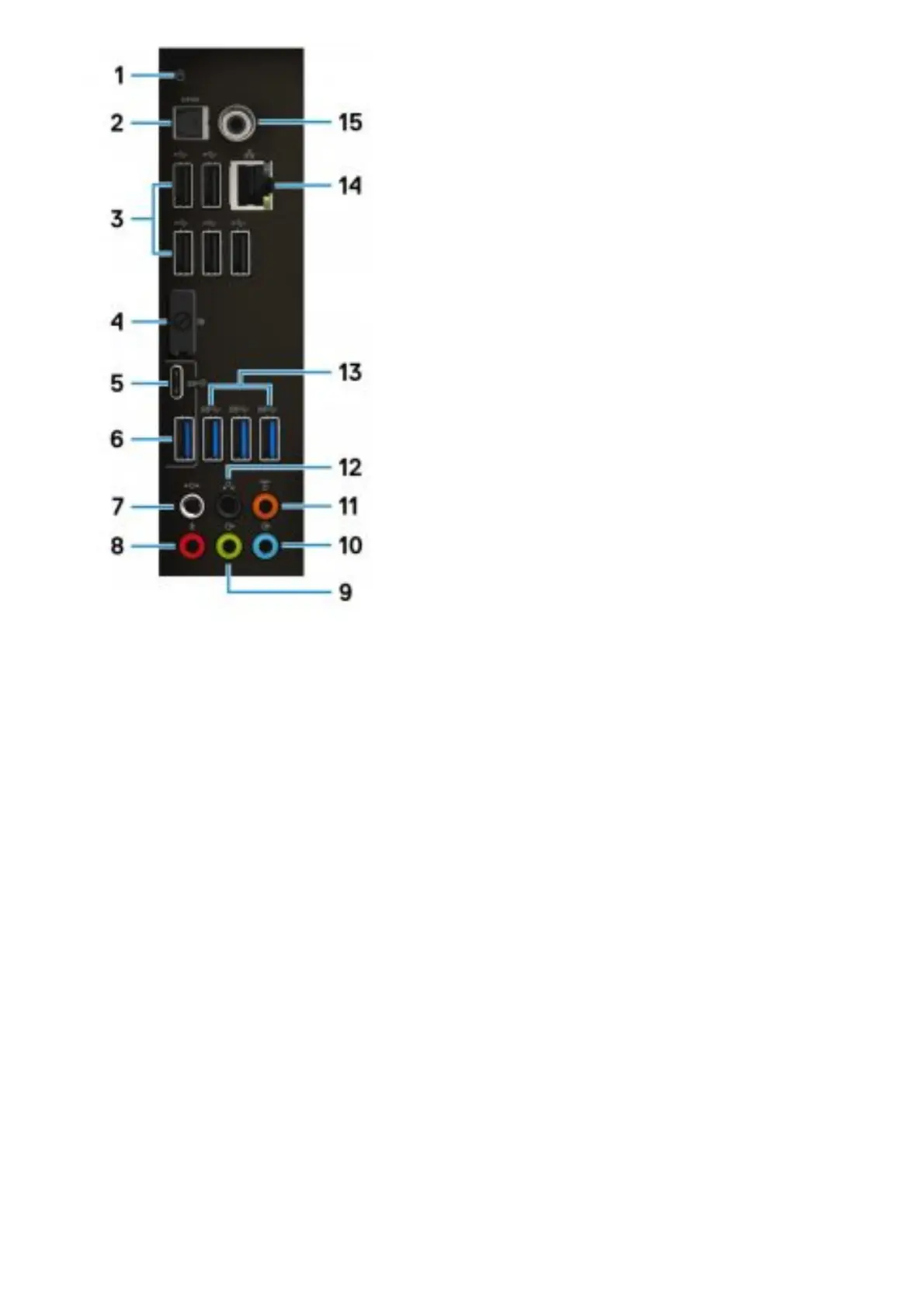
1. Hard-drive activity light
Turns on when the computer reads from or writes to the hard drive.
2. Optical S/PDIF port
Connect an omº¢fi½Ę speakers, or a TV for digital audio output through an optical cable.
3. USB 2.0 ports (5)
Connect peripherals such as external storage devices and printers. Provides data transfer speeds
up to 480 Mbps.
4. Display Port
Connect an external display or a projector.
NOTE: The DisplayPort on the back panel of your computer is covered. Connect the display to the
discrete graphics card of your computer.
5. USB 3.1 Gen 2 Type-C port
Connect peripherals, such as external storage devices and printers. Provides data transfer speeds
up to 10 Gbps.
NOTE: This port does not support video/audio streaming or power delivery.
6. USB 3.1 Gen 2 port
Connect peripherals, such as external storage devices and printers. Provides data transfer speeds
up to 10 Gbps.
7. Side L/R surround port
Connect audio-output devices such as speakers and omº¢fi½Áĝ In a 7.1 speaker channel setup,
connect the side-left and side-right speakers.
8. Microphone port
Connect an external microphone to provide sound input.
9. Front L/R surround line-out port
Connect audio-output devices such as speakers and omº¢fi½Áĝ In a 2.1 speaker channel setup,
connect the left and right
speakers. In a 5.1 or a 7.1 speaker channel setup, connect the front-left and front-right speakers.
10. Line-in port
Connect recording or playback devices such as a microphone or CD player.
11. Center/subwoofer LFE surround port















 To Next Page