34 | Setting up the monitor
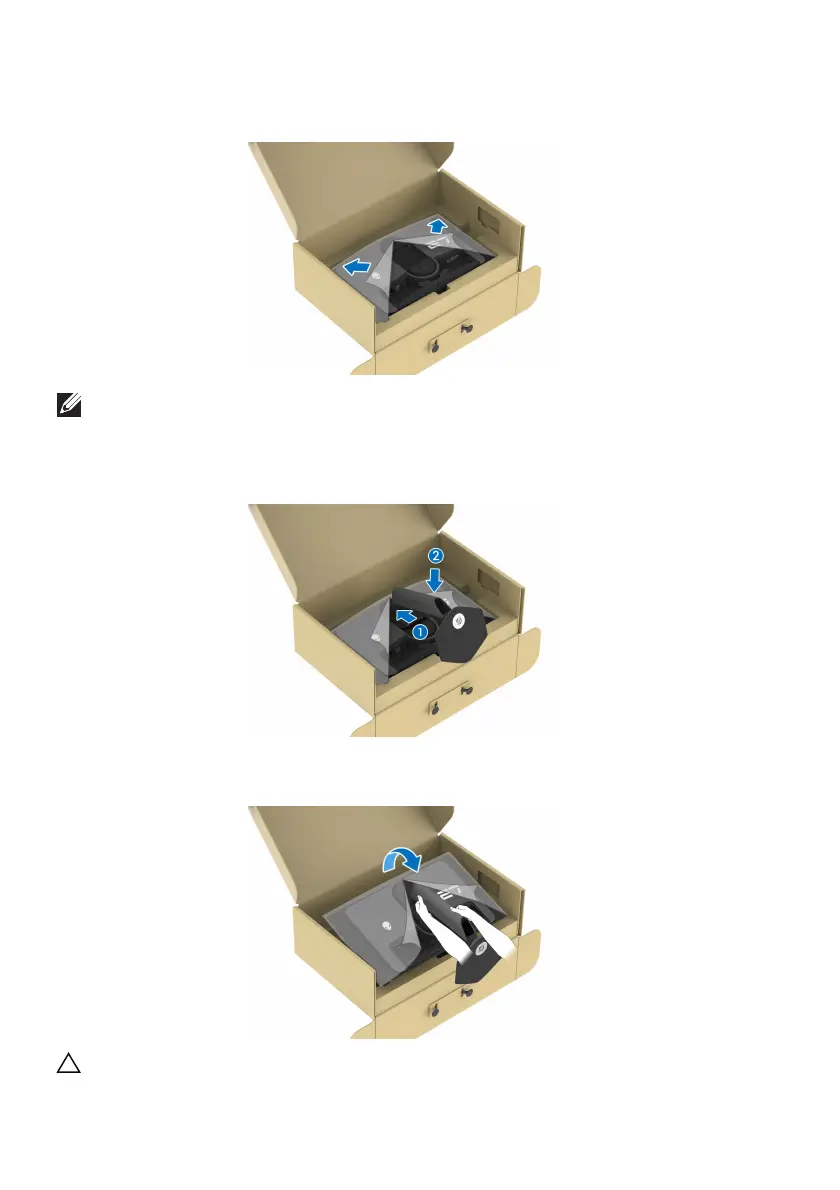
5. Open the protective cover on the monitor to access the VESA slot on the
display back-cover.
NOTE: Before attaching the stand assembly to the display, ensure that
the front plate flap is fully opened to allow space for assembly.
6. C
arefully insert the tabs on the stand riser into the slots on the display back-
cover and press down the stand assembly to snap it into place.
7. Hold the stand riser and lift the monitor carefully, then place it on a flat
surface.
CAUTION: Hold the stand riser firmly when lifting the monitor to avoid
any accidental damage.















 To Next Page