Setting up the monitor | 27
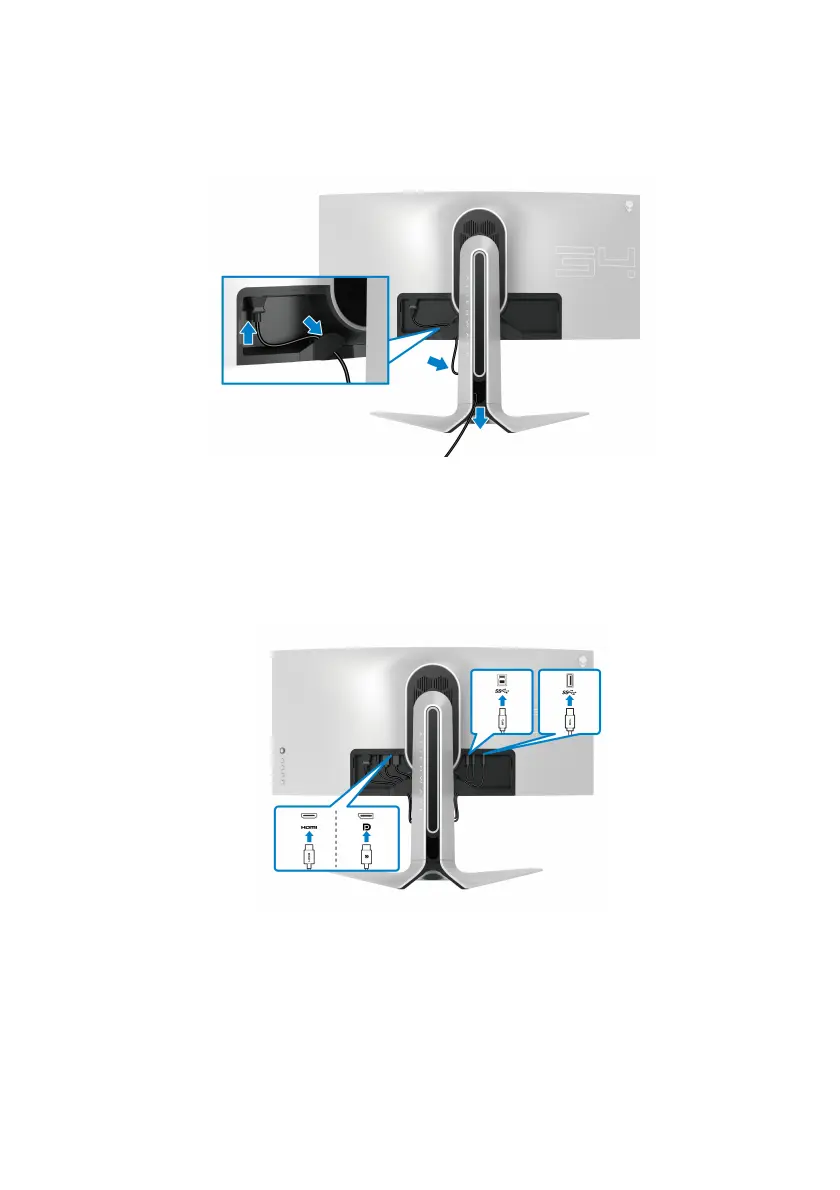
9. Route the power cable through the cable-management slot on the stand
and through the cable-management clip on the back of the display.
10.Connect the power cable to the monitor.
11. Connect
the necessary cables to the monitor:
• HDMI cable (optional, cable is not included)
• DisplayPort cable or Mini-DisplayPort to DisplayPort cable
• USB upstream cable
• USB downstream cables (optional, cables are not included)















 To Next Page