28 | Setting up the monitor
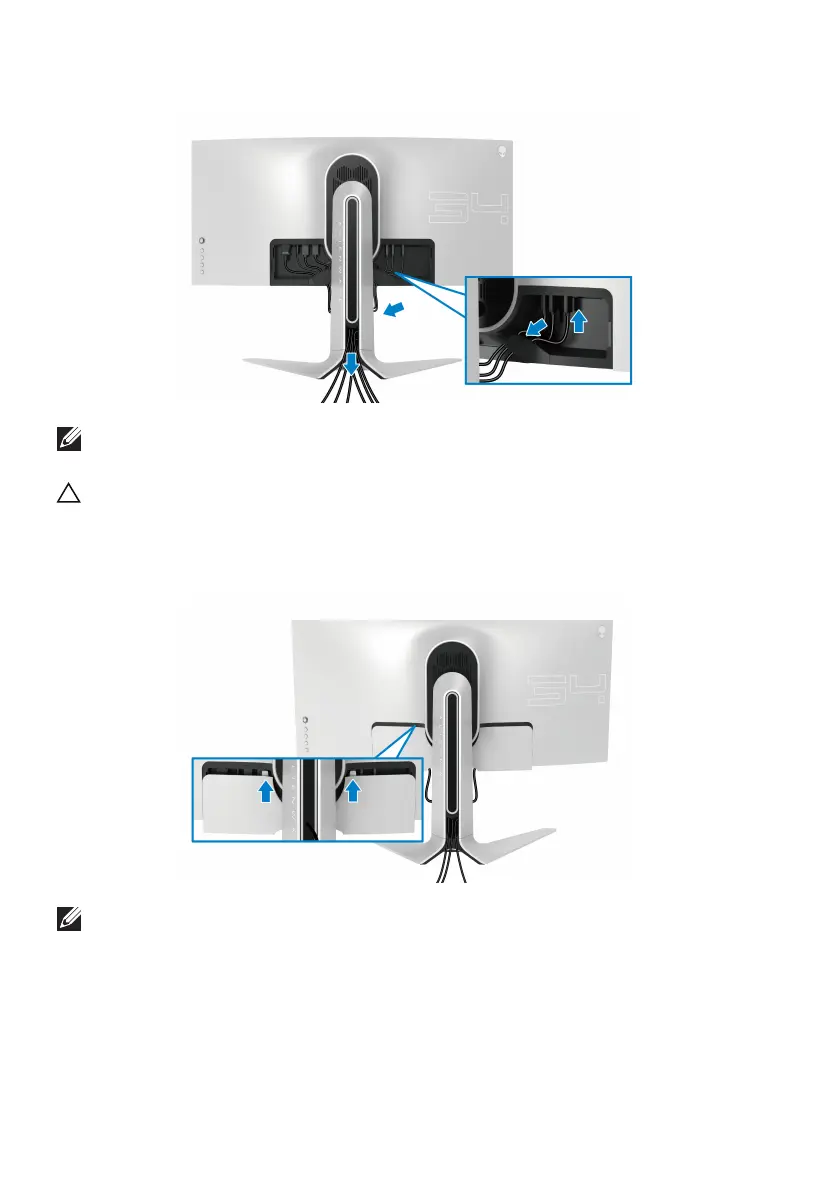
12. Route the cables through the cable-management slot on the stand riser.
NOTE: Route each cable neatly so that the cables are organized before
the I/O cover is attached.
CAUTION: Do not plug the power cable into the wall outlet or turn on the
mon
itor until you are instructed to do so.
13. Slide the slots on the I/O cover into the slots on the display back cover until
it snaps into place.
NOTE: Ensure that all cables pass through the I/O cover and cable-
management slot on the stand riser.















 To Next Page