10 │ Alienware Control Center
Configuring the Lighting
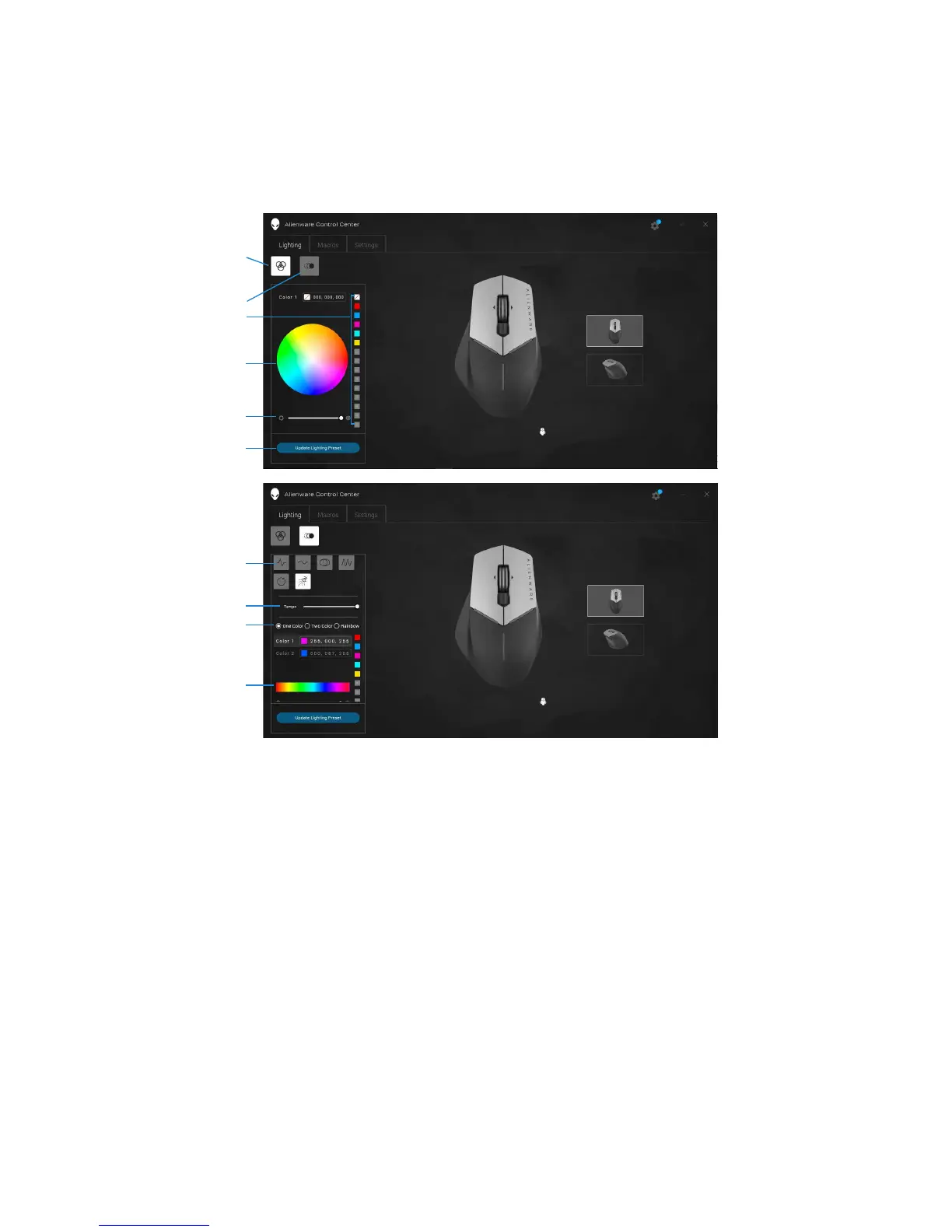
The Lighting tab allows you to customize the lighting effects on your Alienware
gaming device.
1 Static button 2 Animation button
3 Color preset 4 Color wheel
5 Intensity slider 6 Update Lighting Preset
7 Animation preset 8 Tempo slider
9 Color radio buttons 10 Color bar
1
2
3
4
5
6
7
8
9
10


 To Next Page