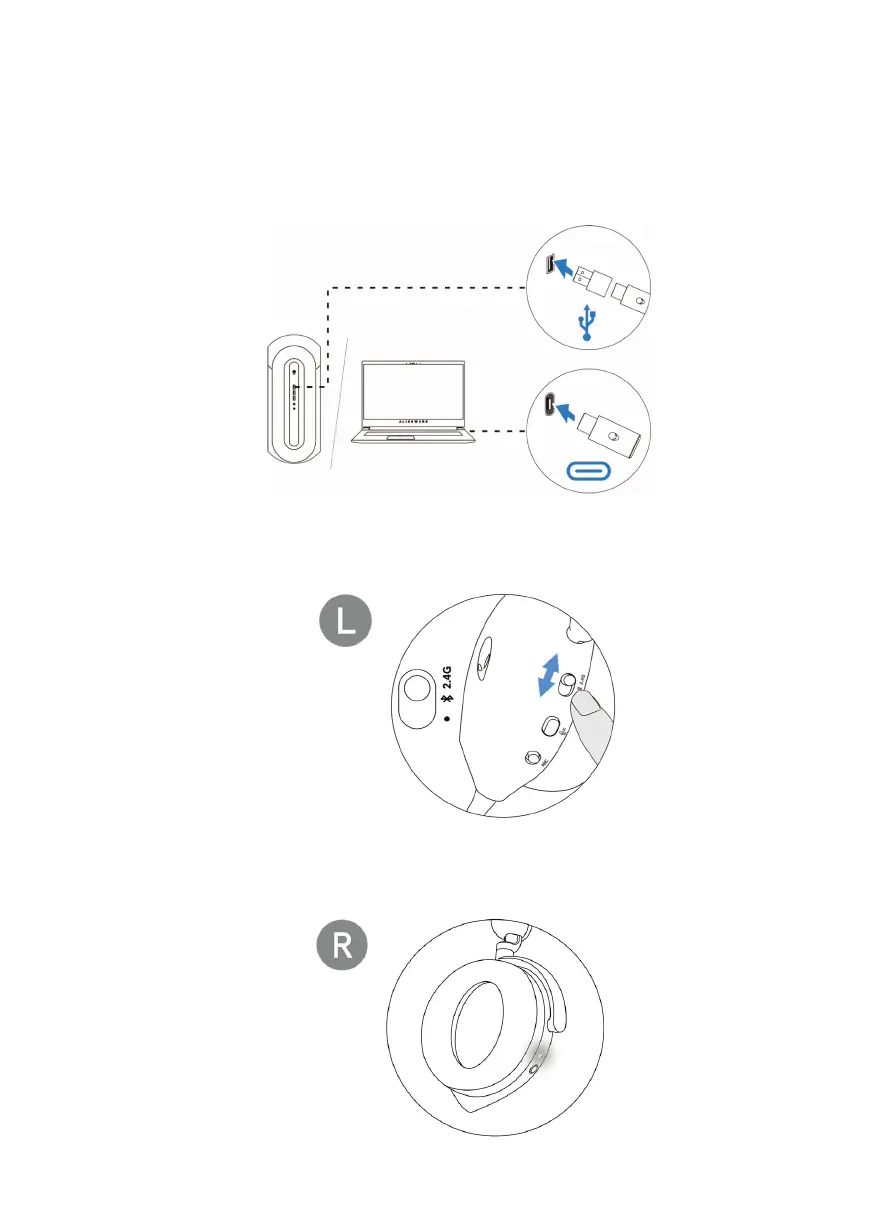
Connecting the headset to your device using the USB wireless
dongle
1. Plug the U
SB wireless dongle into the USB-A to USB-C adaptor, and then
connect the adaptor to the USB port on your computer.
2. Slide t
he pairing switch slider on the headset to 2.4GHz mode. The headset
and the USB wireless dongle are pre-paired.
3. The LED lig
hts up white when connected.



 To Next Page