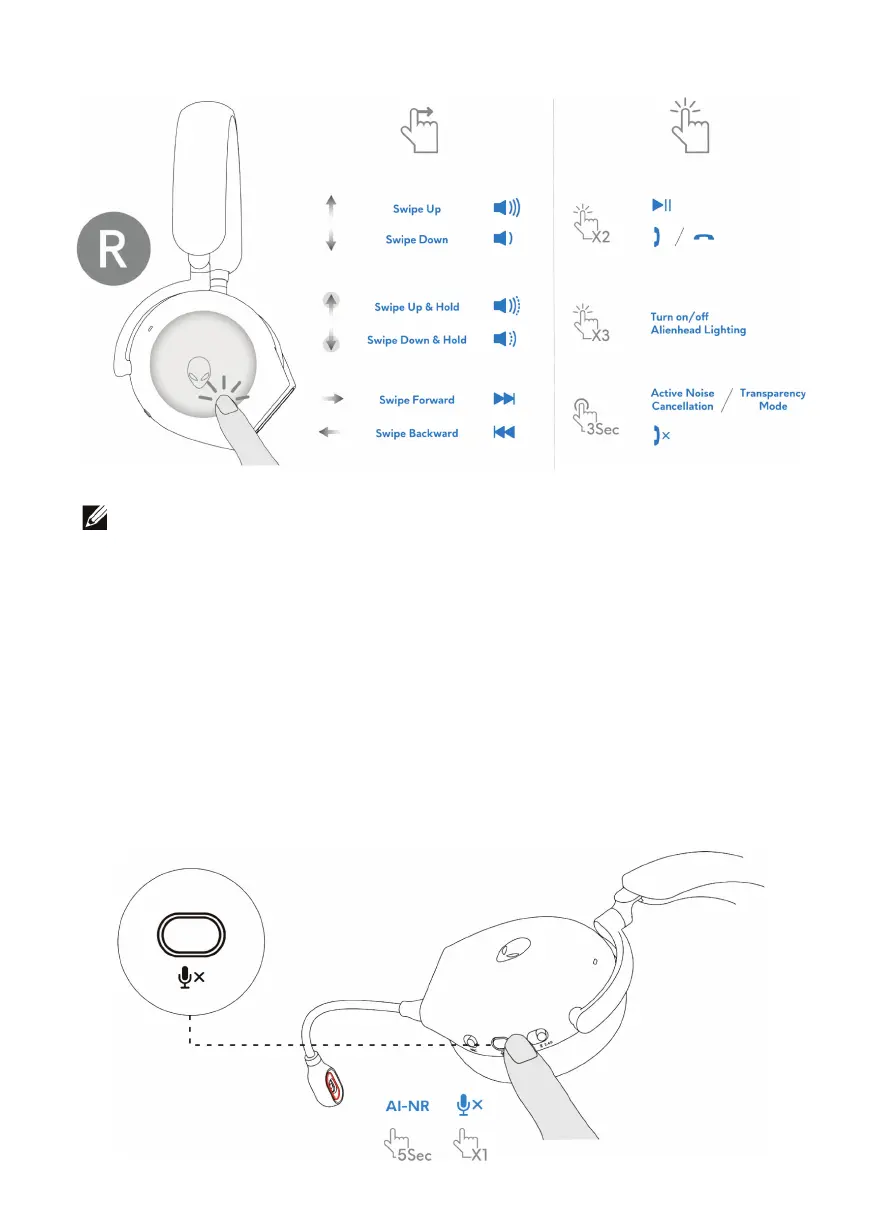
NOTE: Please tap and swipe with one finger only.
Muting/unmuting the microphone
Press the m
ute button on the left ear cup to mute or unmute the microphone. The
microphone mute indicative light on boom microphone turns red when the
microphone is muted.
Press t
he mute button and hold for five seconds to enable or disable the AI-NR
(Noise Reduction function is automatically on when turn on the headset) which
can identify user's voice and remove the surrounding noise during call.



 To Next Page