Features
│
5
Features
4
1
2 3
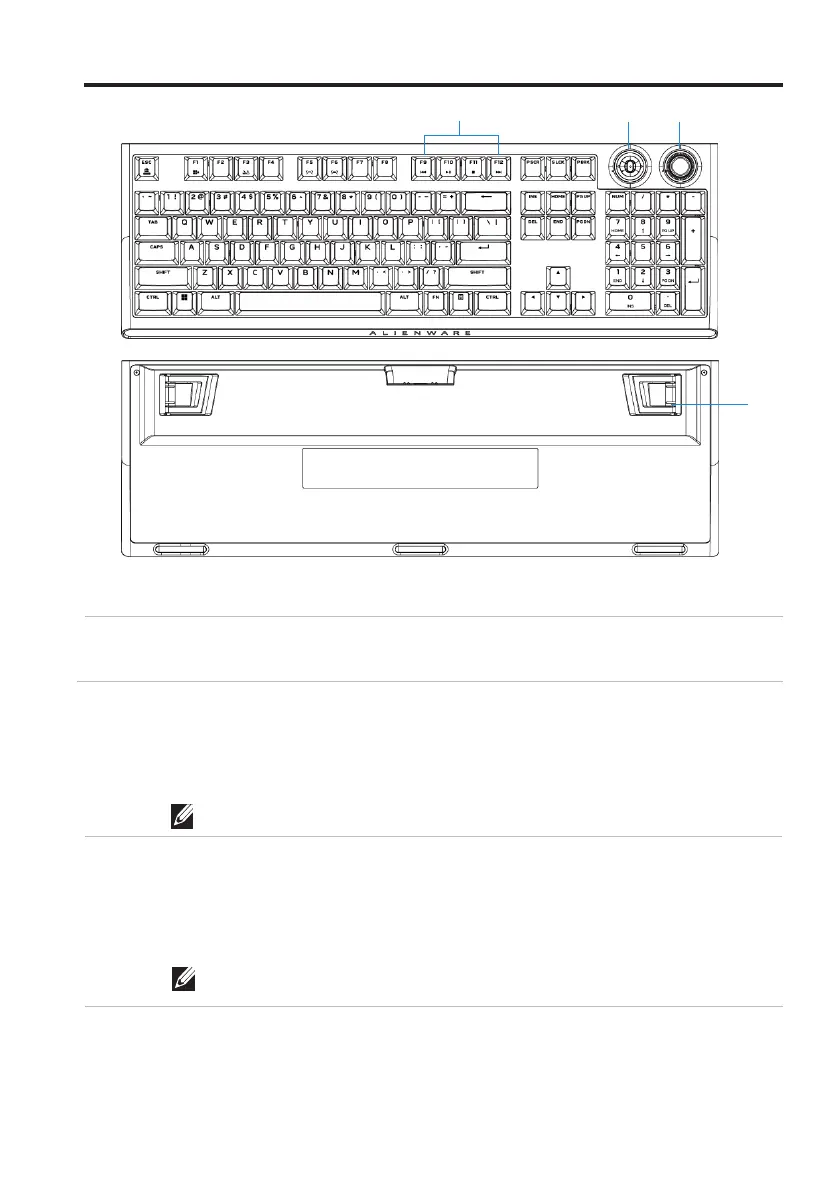
2 Multi-functional rocker
4 Three-angle adjustable feet Enables you to adjust the keyboard
feet tilts in three different angles
Features
3 Multi-functional dial knob
Default: Media control
- Push Left: Previous track
- Push Right: Next track
- Push down: Play or Pause track
1 Multimedia key
NOTE: Customizable in Alienware Command Center (AWCC).
Default: System volume control
- Clockwise: Increase volume
- Counterclockwise: Decrease volume
- Push down: Mute or Unmute
NOTE: Customizable in Alienware Command Center (AWCC).
Enables you to forward, play, stop, or
backward the movie and music.
Description Callout



 To Next Page