Setting up your gaming keyboard
│
7
Setting up your gaming keyboard
Turning on your AW920K gaming keyboard
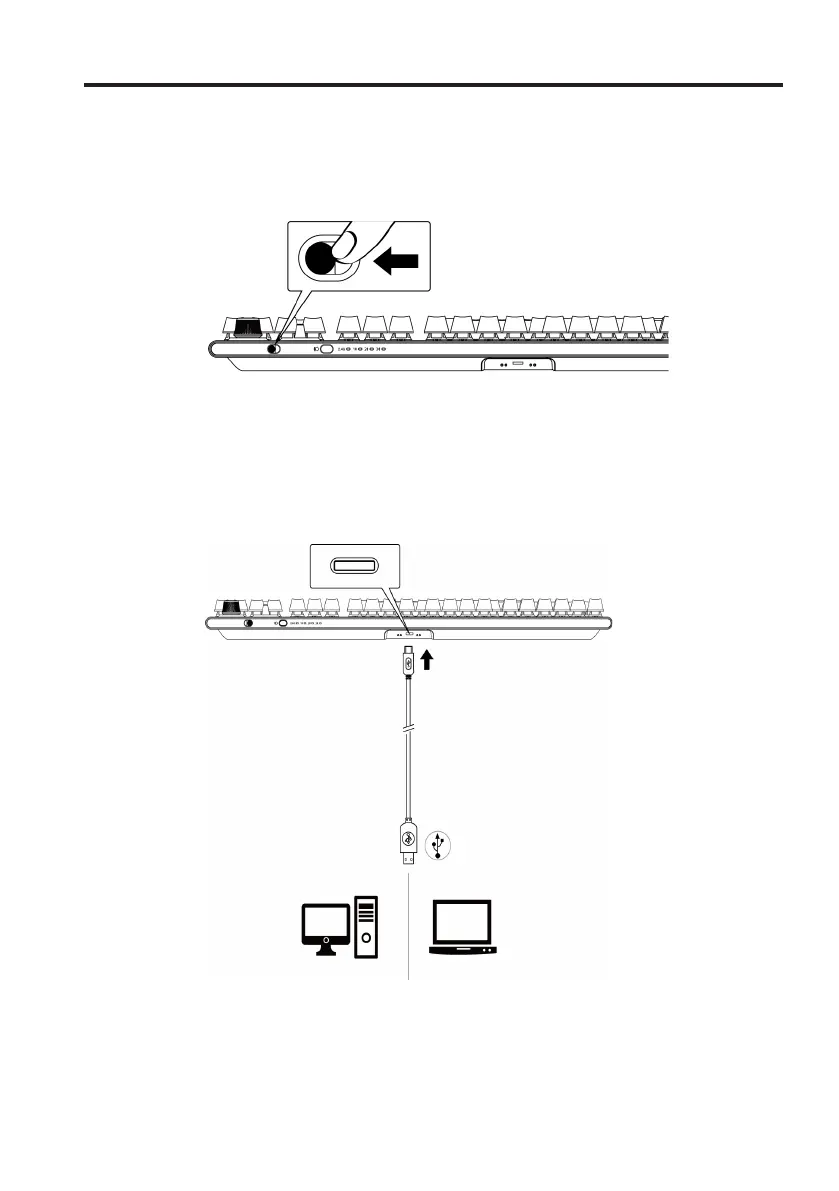
Slide the power button on the keyboard as shown in the following image to turn
on the keyboard.
Wired Connection Mode
Connect the USB-C side of the cable to your gaming keyboard and
connect the USB-A side of the cable to the USB port on your computer.



 To Next Page