EasyManua.ls Logo

Alinco DJ-C7T - User Manual

Alinco DJ-C7T
34 pages
Print Icon
To Next Page IconTo Next Page
Loading...
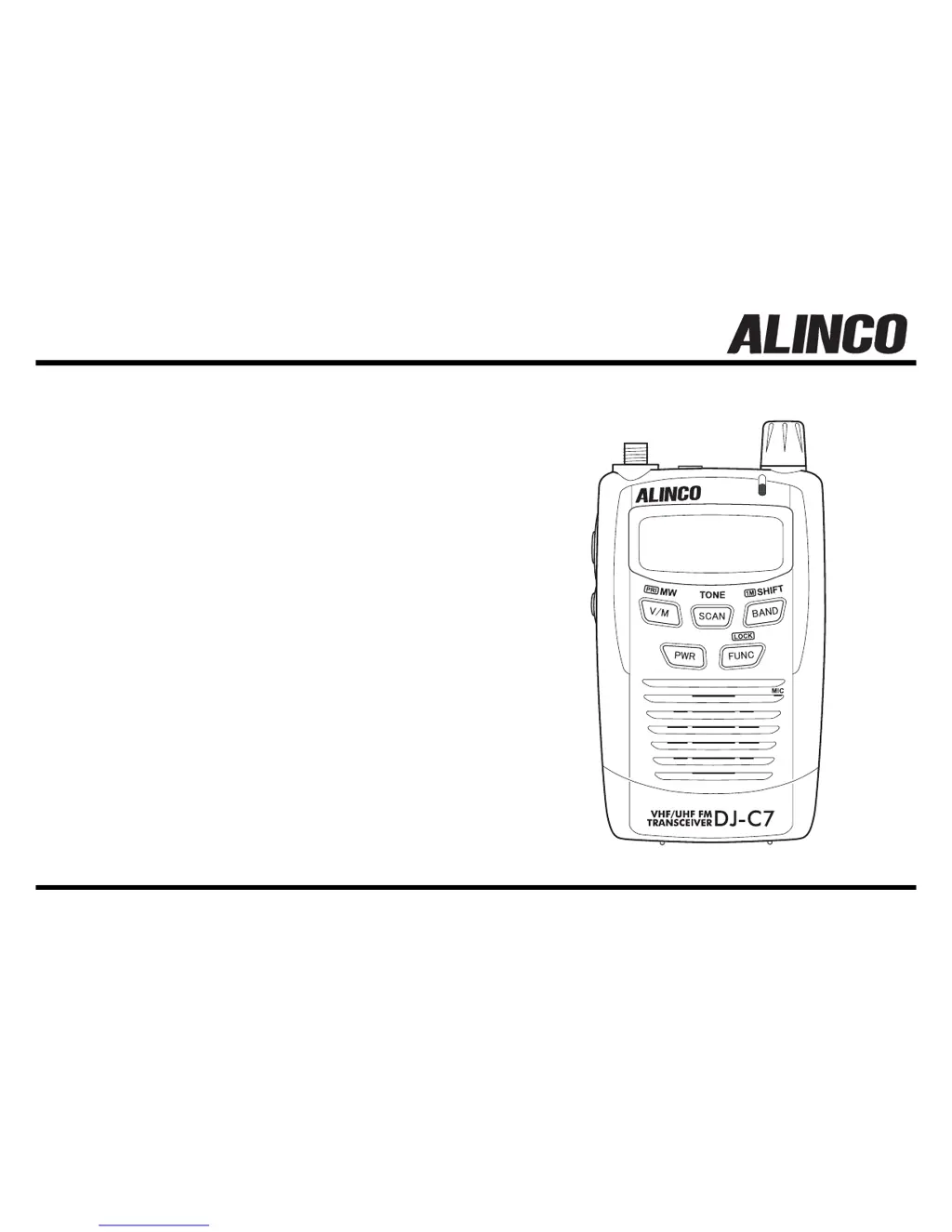
DJ-C7 T/E
Instruction Manual
Thank you for purchasing this ALINCO transceiver.
This instruction manual contains important safety and
operation instructions.
Please read it carefully before using the transceiver
and be sure to keep it for future reference.
VHF/UHF FM TRANSCEIVER
ALINCO, INC.

Table of Contents

Questions and Answers

  • H
    Heather SanchezAug 15, 2025
    Why is there no speaker audio on my Alinco Transceiver?
    • H
      Hannah SotoAug 15, 2025
      If you're not getting any sound from your Alinco Transceiver, here are a few things to check: * Make sure the volume isn't set too low; adjust it as needed. * The squelch level might be set too high, preventing reception. Adjust the squelch to a lower setting. * Ensure tone squelch is turned off. * Also, confirm that you are not pressing the PTT key and transmitting, as this would cut off the receiving audio.
  • E
    elizabethcamachoAug 19, 2025
    What to do if my Alinco DJ-C7T cannot transmit and there's no reply?
    • M
      Michelle GardnerAug 19, 2025
      If your Alinco Transceiver isn't transmitting and you're not getting a reply, consider the following: * Be sure to press the PTT key firmly. * Ensure you are transmitting within the appropriate transmission frequency range, especially if shift is set. * Verify that your frequency matches the receiving station's frequency.
  • S
    samanthatuckerAug 21, 2025
    How to fix a blank display on my Alinco DJ-C7T Transceiver when powering on?
    • E
      Emily AllenAug 21, 2025
      If your Alinco Transceiver display remains blank when you turn it on, try these steps: * Check the Li-ion battery pack connection and ensure the terminals are clean. * Recharge the battery pack if it's dead. * When turning on, hold the power switch down for 1 second.
  • E
    Emily Bradley PhDAug 26, 2025
    Why does the display blink or go out when I transmit on my Alinco Transceiver?
    • A
      Adam MurphyAug 26, 2025
      If the display on your Alinco Transceiver blinks or goes out when you transmit, it's likely due to insufficient battery power. Recharge the battery pack to resolve this issue.
  • D
    David SullivanAug 28, 2025
    What causes the display to blink when receiving on my Alinco DJ-C7T Transceiver?
    • M
      Melvin GarciaAug 28, 2025
      If the display blinks or goes out when you receive a signal on your Alinco Transceiver, the battery power may be insufficient. Try recharging the battery pack.
  • P
    pricejeffSep 1, 2025
    How to correct an incorrect frequency display on an Alinco Transceiver?
    • A
      Amanda CurtisSep 1, 2025
      If the frequency display on your Alinco Transceiver is incorrect, it might be due to a CPU error. Try detaching the battery pack or external power supply, wait 10 seconds, and then reattach it. If the issue persists, reset the transceiver.
  • N
    nicholas80Sep 4, 2025
    Why won't my Alinco DJ-C7T scan?
    • P
      Patrick MartinSep 4, 2025
      If your Alinco Transceiver won't scan, it could be because the squelch is unmuted. Adjust the squelch so that noise is just muted.
  • K
    Kimberly ParsonsSep 7, 2025
    What to do if the frequency and memory number do not change on Alinco Transceiver?
    • J
      Judith PotterSep 7, 2025
      If the frequency and memory number on your Alinco Transceiver do not change, the keylock may be on. Turn off keylock to enable changes.
  • D
    davidarmstrongSep 12, 2025
    Why is key entry not possible on my Alinco Transceiver?
    • D
      Daniel HillSep 12, 2025
      If key entry is not possible on your Alinco Transceiver, it is likely that the keylock is activated. Deactivate the keylock feature.

Summary

Before Operating the Transceiver

Attention

Safety precautions for handling, environment, and equipment care.

Points to Note Before Transmitting

Guidance for responsible transmitting, considering stations and regulations.

Points to Note When Using an External Power Supply

Instructions for safe use of external DC power sources with the transceiver.

Functions and Features

Standard Accessories

List of items included in the transceiver package.

Accessories

Attaching the Accessories

Instructions on connecting and disconnecting the antenna.

Attaching and Detaching the Battery Pack

Guide for mounting and removing the battery pack from the transceiver.

Preventing Short Circuiting the Battery Pack

Warnings and methods to avoid short-circuiting the battery pack.

AC Battery Charger (EDC-126;128)

Details on using the AC adapter for recharging the transceiver's battery.

Low Battery Indicator

Explanation of the indicator for low battery charge level.

Control Functions

Name and Operation of Transceiver Controls

Identification and description of transceiver buttons, dial, and display elements.

Keypad

Explanation of functions and operations for each key on the transceiver keypad.

Display

Detailed explanation of icons and information shown on the transceiver's LCD screen.

Basic Operations

Turning the Power ON

Procedure for powering the transceiver on and off.

Adjusting the Audio Volume

Guide to setting the audio output volume level using the dial.

Adjusting the Squelch

Steps to adjust squelch level to eliminate background noise.

Operating Modes

Explanation of switching between VFO and Memory modes.

VFO Mode

Details on using VFO mode for manual tuning and band selection.

Memory Mode

Instructions for programming, selecting, and clearing memory channels.

Receiving

Steps for receiving signals, including volume, squelch, and monitoring.

Transmitting

Procedure for transmitting signals, including PTT key and microphone use.

Advanced Operations

Scanning

Explanation of VFO, program, and memory scan functions for finding active frequencies.

Keylock

How to activate and deactivate the keylock function to prevent accidental operations.

Tone Burst

Using the tone burst function to activate repeaters or call stations.

Priority

Monitoring two frequencies alternately, prioritizing a specific channel.

Tone Squelch and Related Functions

Setting up tone squelch for selective communication based on tone frequencies.

Tone Scan

Automatically detecting CTCSS tone frequencies from received signals.

Shift; Split Function

Configuring transmit and receive frequencies for repeaters or cross-band operations.

Parameter Setting Mode

Mode Setting Items

Overview of operational parameters configurable in the setting mode.

Selecting the Setting Mode

Procedure for entering and navigating the transceiver's parameter setting menu.

Selecting the Parameters

Detailed instructions for configuring parameters like volume, antenna type, and repeater settings.

Cloning

Cloning

Steps for connecting transceivers and copying settings and memory data.

Maintenance and Reference

Troubleshooting

Guide to identifying and resolving common operational problems and symptoms.

Resetting

Procedure to restore the transceiver to its initial factory default settings.

Options

List of optional accessories available for the transceiver.

Transmission System

Technical diagram and overview of the transceiver's transmission circuitry.

Specifications

Alinco DJ-C7T Specifications

General IconGeneral
BrandAlinco
ModelDJ-C7T
CategoryTransceiver
LanguageEnglish

Related product manuals