EasyManua.ls Logo

Alinco DR-435T - Transmitting Signals

Alinco DR-435T
50 pages
Print Icon
To Next Page IconTo Next Page
To Previous Page IconTo Previous Page
Loading...
5,
Basic
Operation
To
transmit
1.
Select
the
desired
frequency.
Be
sure
that
you
are
authorized
to
operate
on
the
selected
fre-
quency.
Check
the
system
and
monitor
the
fre-
quency
to
make
sure
that
you
are
not
going
to
disturb
any
ongoing
communications.
Z:
Select
the
output
power.
Press
FUNC
key
and
then
press
CALL
key
while
F
icon
is
on
the
display.
As
the
CALL
key
is
pressed,
the
out-
put
power
changes
among
3
levels.
The
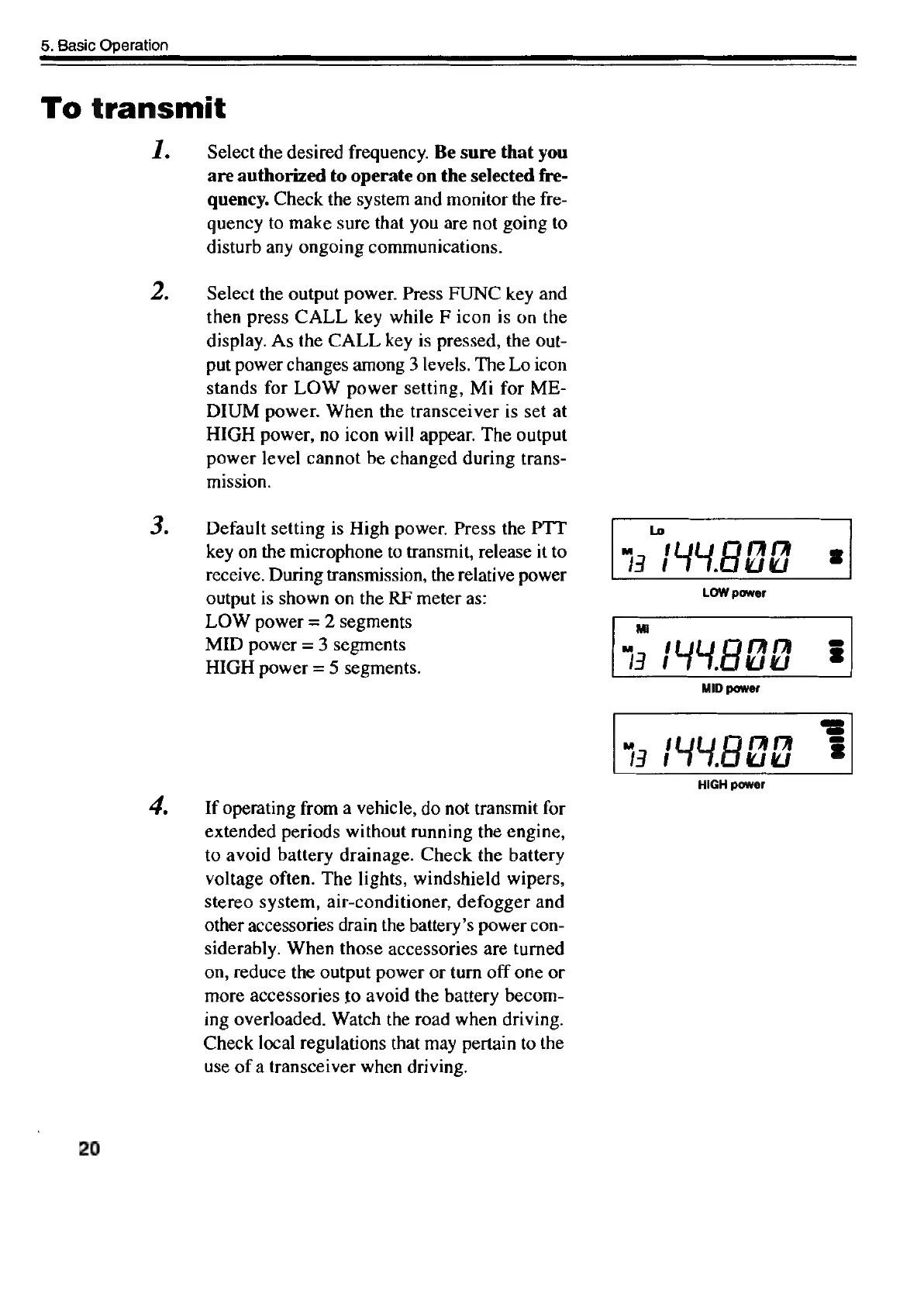
Lo
icon
stands
for
LOW
power
setting,
Mi
for
ME-
DIUM
power.
When
the
transceiver
is
set
at
HIGH
power,
no
icon
will
appear.
The
output
power
level
cannot
be
changed
during
trans-
mission.
3.
Default
setting
is
High
power.
Press
the
PTT
Lo
key
on
the
microphone
to
transmit,
release
it
to
"|
Fy
{YY
A
Hi
Me
g
receive.
During
transmission,
the
relative
power
-
output
is
shown
on
the
RF
meter
as:
LOW
power
=
2
segments
Mi
HIGH
power
=
5
segments.
iW
448d
4]
=
MID
power
LOW
power
"7
(448Ud
HIGH
power
4,
If
operating
from
a
vehicle,
do
not
transmit
for
extended
periods
without
running
the
engine,
to
avoid
battery
drainage.
Check
the
battery
voltage
often.
The
lights,
windshield
wipers,
stereo
system,
air-conditioner,
defogger
and
other
accessories
drain
the
battery’s
power
con-
siderably.
When
those
accessories
are
turned
on,
reduce
the
output
power
or
turn
off
one
or
more
accessories
to
avoid
the
battery
becom-
ing
overloaded.
Watch
the
road
when
driving.
Check
local
regulations
that
may
pertain
to
the
use
of
a
transceiver
when
driving.
20

Other manuals for Alinco DR-435T

Related product manuals