EasyManua.ls Logo

Alinco DR-435T - Parameter Configuration; Parameter: Channel Step; Parameter: Scan Type; Parameter: Beep Sound

Alinco DR-435T
50 pages
Print Icon
To Next Page IconTo Next Page
To Previous Page IconTo Previous Page
Loading...
6.
Parameter
Setting
Mode
IMPORTANT
_
Please
read
the
following
pages
thoroughly
prior
to
the
change
of
any
parameters.
THE
PARAMETERS
CANNOT
BE
SET
WITHOUT
ENTERING
THE
SET
MODE.
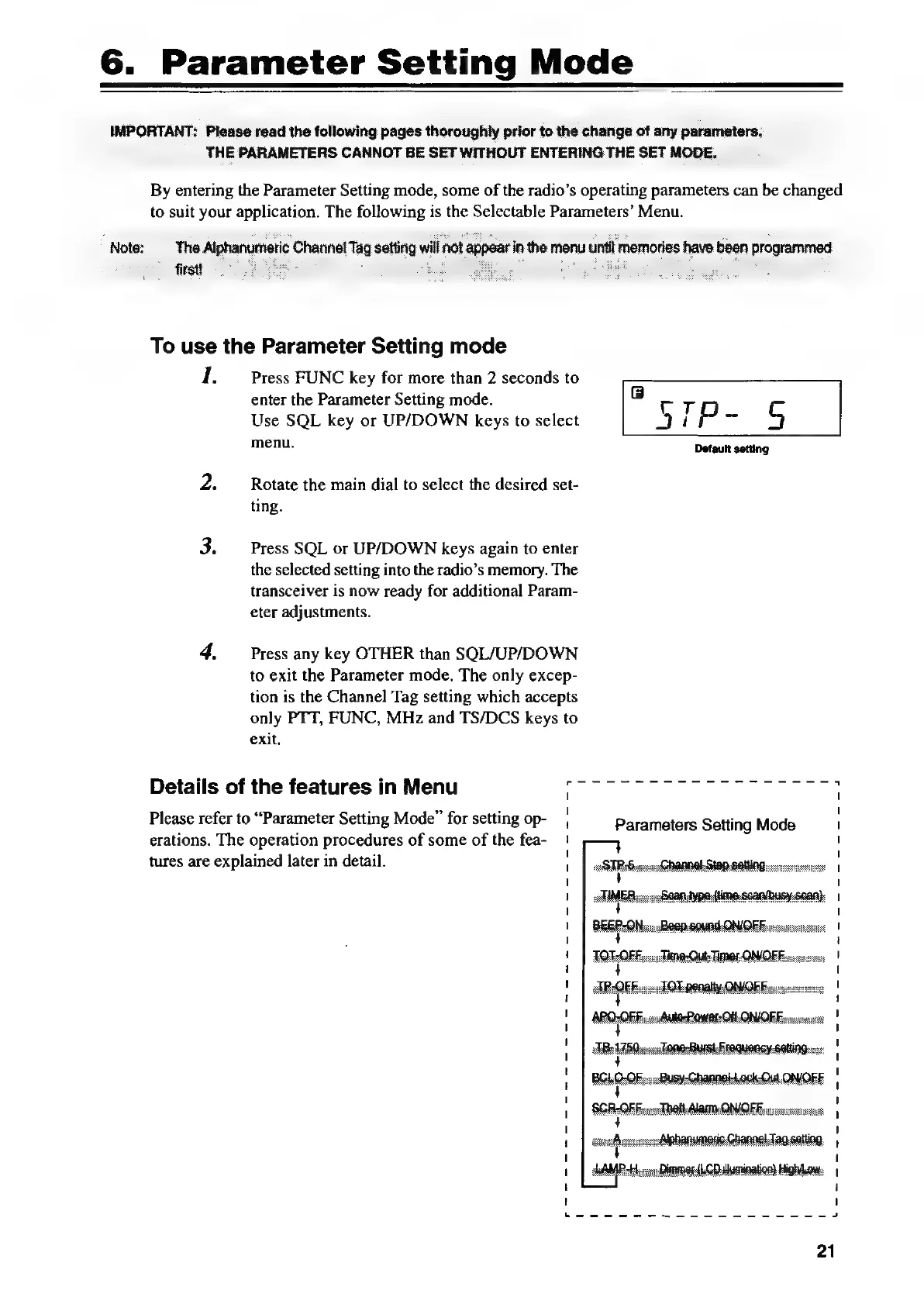
By
entering
the
Parameter
Setting
mode,
some
of
the
radio’s
operating
parameters
can
be
changed
to
suit
your
ee
The
ees
is
the
Selectable
Parameters’
Menu.
To
use
the
Parameter
Setting
mode
1.
Press
FUNC
key
for
more
than
2
seconds
to
enter
the
Parameter
Setting
mode.
Use
SQL
key
or
UP/DOWN
keys
to
select
menu.
Rotate
the
main
dial
to
select
the
desired
set-
ting.
Press
SQL
or
UP/DOWN
keys
again
to
enter
the
selected
setting
into
the
radio’s
memory.
The
transceiver
is
now
ready
for
additional
Param-
eter
adjustments.
Press
any
key
OTHER
than
SQL/UP/DOWN
to
exit
the
Parameter
mode.
The
only
excep-
tion
is
the
Channel
Tag
setting
which
accepts
only
PTT,
FUNC,
MHz
and
TS/DCS
keys
to
exit.
Details
of
the
features
in
Menu
7
Please
refer
to
“Parameter
Setting
Mode”
for
setting
op-
erations.
The
operation
procedures
of
some
of
the
fea-
tures
are
explained
later
in
detail.
BEE
POMen
PRQUAG-ON/QEReosscosnnsie
AR
QEFoenk
OT
penalty
ON/OFF:
TIMES
QNOEE
sccss:rce

Other manuals for Alinco DR-435T

Related product manuals