EasyManua.ls Logo

Alinco DR-435T - Maintenance & Troubleshooting; Factory Reset Procedure

Alinco DR-435T
50 pages
Print Icon
To Next Page IconTo Next Page
To Previous Page IconTo Previous Page
Loading...
9.
Remote
Control
Operation
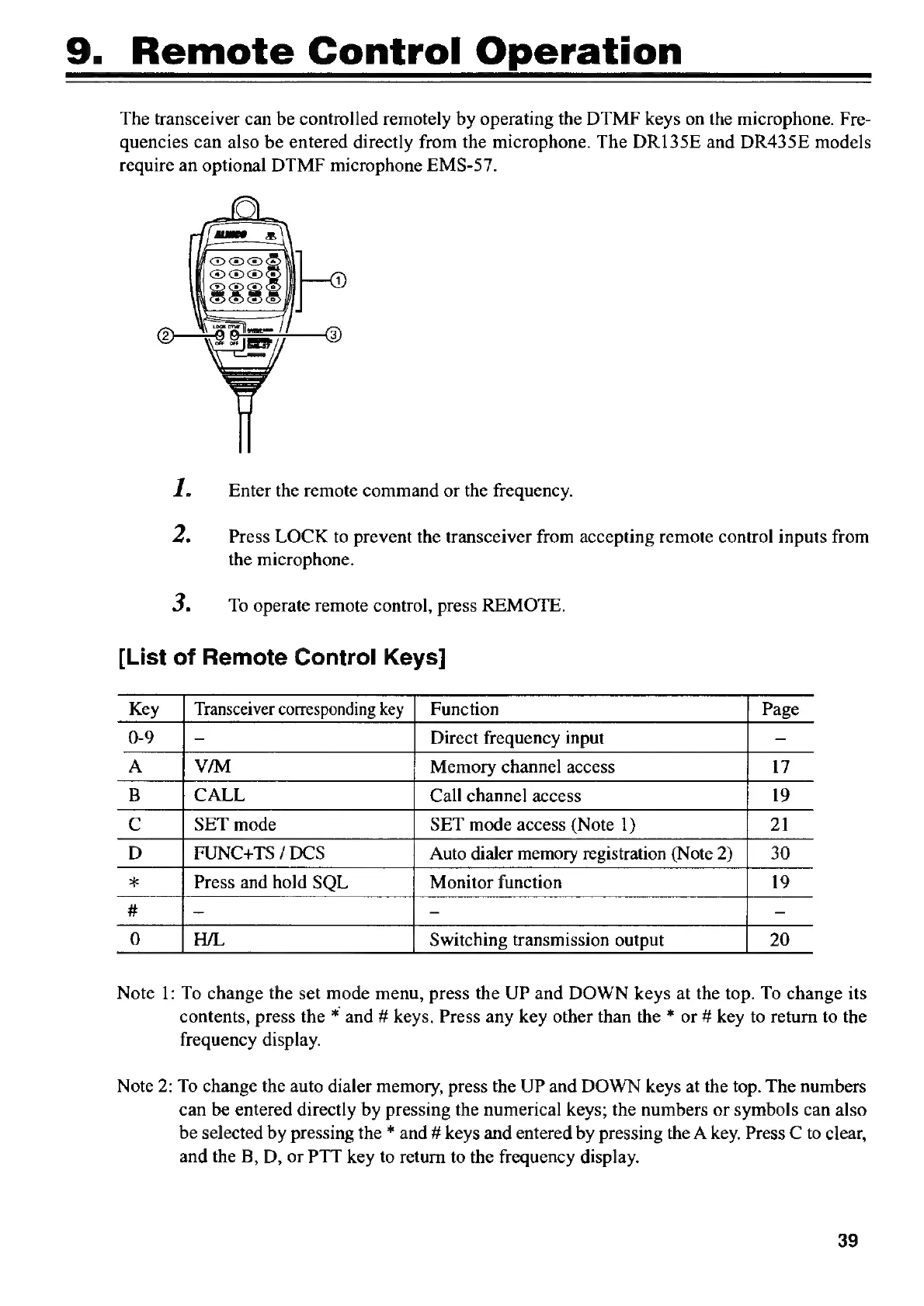
The
transceiver
can
be
controlled
remotely
by
operating
the
DTMF
keys
on
the
microphone.
Fre-
quencies
can
also
be
entered
directly
from
the
microphone.
The
DR135E
and
DR435E
models
require
an
optional
DTMF
microphone
EMS-57.
1.
Enter
the
remote
command
or
the
frequency.
‘2.
Press
LOCK
to
prevent
the
transceiver
from
accepting
remote
control
inputs
from
the
microphone.
3.
To
operate
remote
control,
press
REMOTE.
[List
of
Remote
Control
Keys]
Key
_|
Transceiver
corresponding
key
|
Function
Page
0-9
-
Direct
frequency
input
=
A
V/M
Memory
channel
access
17
B
CALL
Call
channel
access
19
Cc
SET
mode
SET
mode
access
(Note
1)
21
D
FUNC+TS
/
DCS
Auto
dialer
memory
registration
(Note
2)
30
*
Press
and
hold
SQL
Monitor
function
19
#
=
=
=
0
20
Note
1:
To
change
the
set
mode
menu,
press
the
UP
and
DOWN
keys
at
the
top.
To
change
its
contents,
press
the
*
and
#
keys.
Press
any
key
other
than
the
*
or
#
key
to
return
to
the
frequency
display.
Note
2:
To
change
the
auto
dialer
memory,
press
the
UP
and
DOWN
keys
at
the
top.
The
numbers
can
be
entered
directly
by
pressing
the
numerical
keys;
the
numbers
or
symbols
can
also
be
selected
by
pressing
the
*
and
#
keys
and
entered
by
pressing
the
A
key.
Press
C
to
clear,
and
the
B,
D,
or
PTT
key
to
return
to
the
frequency
display.
39

Other manuals for Alinco DR-435T

Related product manuals