Qu-16 User Guide 36 AP9031 iss.2
8.3 Audio Setup –Signal Generator
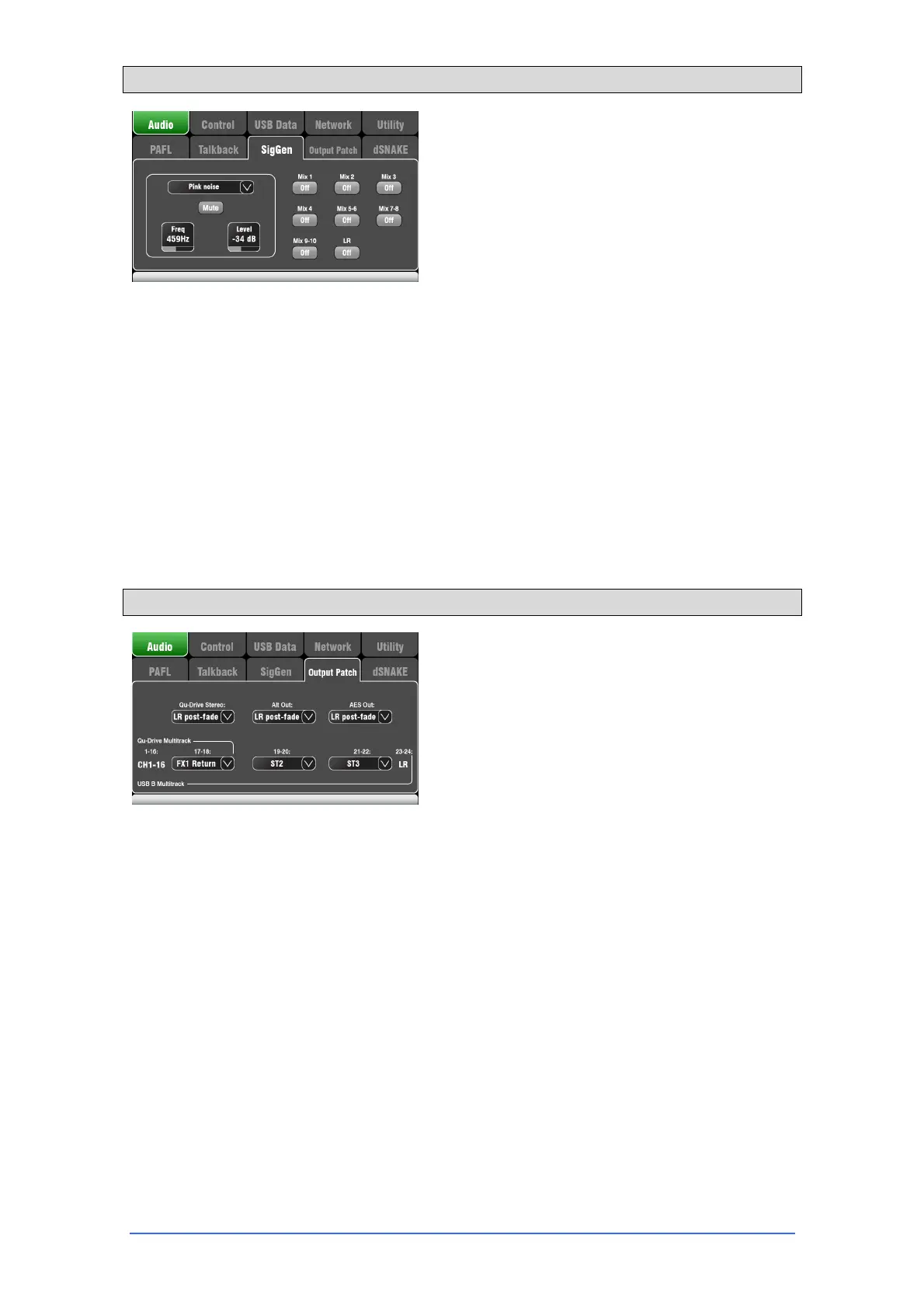
Set up and assign the Signal Generator to test
loudspeakers and align levels between equipment.
Source – Touch to open the list of sources available:
Sine – Pure tone with adjustable frequency. Set to
1kHz and use meters to match equipment levels.
White Noise – Equal energy per Hz.
Pink Noise – Filtered white noise for equal
energy per octave. This is a good source to
use for testing loudspeaker drivers and
phase. Its response matches the way we hear
frequencies.
Band-pass Noise – Pink noise filtered around a
frequency which can be swept from low to high.
Level – Start with the level set low to avoid unexpected
loud sounds when you assign to the mixes.
Mute – Turns the signal off.
Assign – Touch to toggle the assignments to the LR
and Mixes 1-10 on or off.
Note – To avoid noise in the system remember to turn
the assignments off when you are finished using the
generator.
8.4 Audio Setup – Output Patch
Use this screen to patch signals to the outputs. Touch
a box to open up the list of available options. Changes
are applied instantly.
Qu-Drive Stereo – Choose the source for the top
panel Qu-Drive stereo recording. Use the LR main mix
if you want to record your desk mix.
Alt Out – Choose the source for the rear panel stereo
Alt Out jacks.
AES Out – Choose the source for the rear panel AES
digital output.
Multitrack – This section shows the sources for the
top panel Qu-Drive multitrack recording and rear panel
USB B streaming. They share the same sources.
Tracks 1-16 are permanently sourced from CH1-16
post-preamp Insert sends. Qu-Drive is 18-tracks with
one patchable stereo pair for track 17-18. USB B is 24
channel with three patchable stereo pairs including the
same track 17-18 as Qu-Drive and the LR post-fade
mix on track 23-24.


 To Next Page
 Loading...