EasyManua.ls Logo

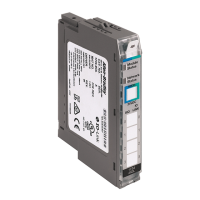
Allen-Bradley 1734-OB4 - User Manual

Allen-Bradley 1734-OB4
221 pages
Print Icon
To Next Page IconTo Next Page
Loading...
User Manual
POINT I/O Digital and Analog Modules and
POINTBlock I/O Modules
Catalog Numbers
1734-IA2, 1734-IM4, 1734-IB2, 1734-IB4, 1734-IB8, 1734-IB4D, 1734-IM2, 1734-IM4, 1734-
IV2, 1734-IV4, 1734-IV8, 1734-OA2, 1734-OA4, 1734-OB2, 1734-OB2EP, 1734-IV8, 1734-OA2, 1734-OA4, 1734-
OB2, 1734-OB2EP, 1734-OB2E, 1734-OB4, 1734-OB4E, 1734-OB8, 1734-OB8E, 1734-OV2E, 1734-OV4E,
1734-OV8E, 1734-OW2, 1734-OW4, 1734-OX2, 1734-IE2C, 1734-IE2V, 1734-OE2C, 1734-OE2V, 1734D-IA16,
1734D-IA8XOA8, 1734D-IA8XOW8, 1734D-IB16, 1734D-IB8XOB8, 1734D-IB8XOW8

Table of Contents

Other manuals for Allen-Bradley 1734-OB4

Questions and Answers

  • J
    Jeremy DavisAug 13, 2025
    How to troubleshoot Allen-Bradley Control Unit when module status is off?
    • S
      Samuel ArcherAug 13, 2025
      If the module status is off, it indicates that no power is applied to the device. To resolve this, check the power supply to ensure it is functioning correctly.
  • C
    Corey BensonAug 16, 2025
    What to do if Allen-Bradley Control Unit network status is flashing red?
    • E
      emilycarrollAug 16, 2025
      A flashing red network status indicates that one or more I/O connections are in a timed-out state. You should check all I/O connections to resolve this issue.
  • J
    John BlackAug 20, 2025
    What to do if Allen-Bradley Control Unit module status is flashing red?
    • C
      colin17Aug 20, 2025
      If the module status is flashing red, this indicates a recoverable fault. You should investigate and resolve the fault to return the module to normal operation.
  • L
    Laura LeonAug 25, 2025
    Why is the Allen-Bradley Control Unit network status off?
    • D
      Derrick AdamsAug 25, 2025
      If the network status is off, it means the device is not online or hasn't completed the duplicate MAC ID test. Ensure the device is powered and check the module status indicator.
  • G
    gary85Aug 28, 2025
    Why is Allen-Bradley Control Unit module status flashing green?
    • M
      Michael OdonnellAug 28, 2025
      A flashing green module status indicates that the device needs commissioning because the configuration is missing or incorrect. Complete the commissioning process to resolve this.
  • A
    Angela JonesSep 1, 2025
    What does it mean when Allen-Bradley Control Unit network status is red?
    • P
      Paul Bradley MDSep 1, 2025
      A red network status indicates a critical link failure or a failed communication device. You should investigate the communication device to identify and fix the issue.
  • H
    Haley HoweSep 4, 2025
    What does Allen-Bradley Control Unit network status flashing red/green mean?
    • J
      Jessica HopkinsSep 4, 2025
      A flashing red/green network status indicates a communication faulted device, meaning the device has detected a network access error. You should resolve the communication fault to restore normal operation.
  • L
    lmccarthySep 8, 2025
    What to do if Allen-Bradley Control Unit module status is red?
    • R
      ryan01Sep 8, 2025
      If the module status is red, this indicates an unrecoverable fault that may require device replacement. Replace the device.

Summary

Important User Information

Preface

Chapter 1 About the Modules

Input Modules

Details features and types of digital input modules.

Chapter 2 Install POINT I;O Modules

Wiring Digital Modules

Provides wiring diagrams and instructions for digital modules.

Wiring Analog Modules

Offers wiring guidance for analog input and output modules.

Chapter 3 Install POINTBlock I;O Modules

Wiring POINTBlock Modules

Provides wiring diagrams for various POINTBlock modules.

Chapter 4 POINT I;O Module Data

Chapter 5 Calibrate Your Analog Modules

Calibrate the Analog Current Input Module

Step-by-step procedure for calibrating analog current input modules.

Calibrate the Analog Current Output Module

Procedure for calibrating analog current output modules.

Calibrate the Analog Voltage Input Module

Step-by-step procedure for calibrating analog voltage input modules.

Calibrate the Analog Voltage Output Module

Procedure for calibrating analog voltage output modules.

Chapter 6 Troubleshoot with the Indicators

Troubleshoot Digital Modules

Guides on troubleshooting digital modules using I/O status indicators.

Troubleshoot Analog Modules

Provides guidance on troubleshooting analog modules using I/O indicators.

Troubleshoot I;O Communication Modules

Covers troubleshooting for communication modules like PDN adapters.

Appendix C Configure POINT I;O Modules in RSLogix 5000 Software

Configure Digital Modules

Details configuration of digital modules via RSNetWorx software.

Appendix D Configure POINT I;O Modules for DeviceNet Networks

Configure Digital Modules Using RSNetWorx Software

Step-by-step guide to configuring digital modules with RSNetWorx.

Configure Input Modules

Details configuration steps for input modules using RSNetWorx.

Configure Output Modules

Guides on configuring output modules using RSNetWorx software.

Configure Analog Modules Using RSNetWorx Software

Procedure for configuring analog modules with RSNetWorx.

Allen-Bradley 1734-OB4 Specifications

General IconGeneral
BrandAllen-Bradley
Model1734-OB4
CategoryI/O Systems
LanguageEnglish

Related product manuals