Phone Guide – 9224
Toll Free 1-866-ALLWORX • 585-421-3850 • www.allworx.com
Revised: April 16, 2013
Page 6
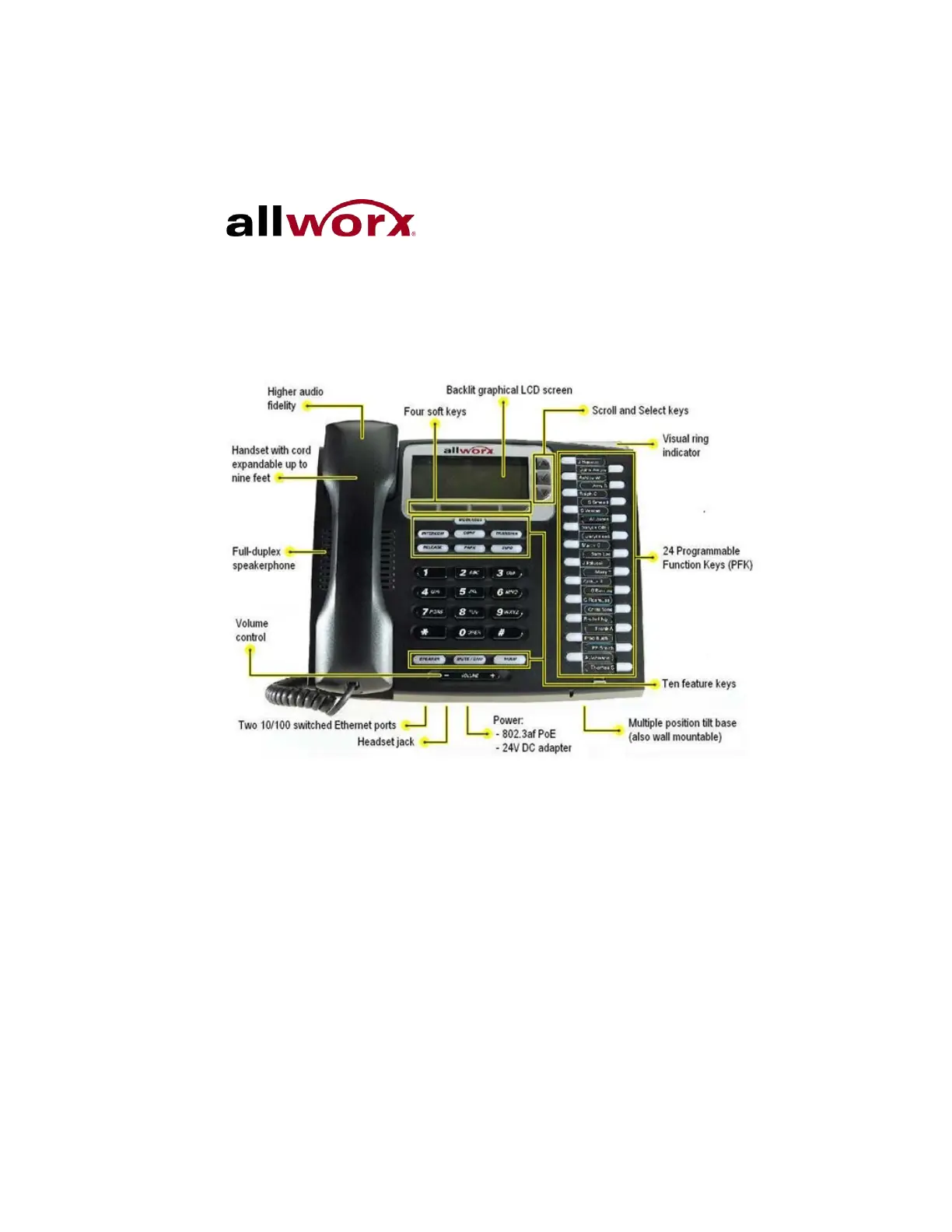
3 Allworx Phone Overview
The Allworx Server Administrator pre-configures the phone for either PBX
(Private Branch Exchange) or Key System mode of operation. This affects
the functionality of each programmable button on the phone.
For Allworx Server Software Release 7.5 and later, the phone LCD screen
backlight turns off after 2 minutes of inactivity. To turn on the backlight, lift the
handset off the hook or press a button.
3.1 Allworx TX 92/24 Telephone Expander
Note: This option is only applicable to the Allworx 9224 phone.
Increase the flexibility of the phone with the Allworx Tx 92/24 Telephone
Expander. Each 92/24 Telephone Expander adds 24 Programmable



 To Next Page