
 Need help?
Do you have a question about the Alma 2820 DVB-T2 and is the answer not in the manual?
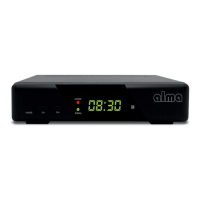
Describes the front panel buttons, LEDs, and display of the receiver.
Details the rear panel connectors like ANT IN, COAXIAL, SCART, HDMI, LAN, and DC 5V.
Explains the functions of each button on the remote control for operating the receiver.
Guides on how to delete, move, skip, or lock stations in the list.
Explains how to view program information up to a week in advance and manage timer events.
Describes Logical Sorting-Numbering of Stations and its country-specific functionality.
Explains how to set volume control for all stations globally or individually per station.
Allows setting the display format (4:3 or 16:9) according to the TV's aspect ratio.
Sets the image resolution for the HDMI output to various standards like 1080p.
Mentions the default picture format is PAL.
Configures the video output type for the SCART analog connector (CVBS-RGB).
Allows adjustment of OSD display properties like transparency, brightness, color, and timeout.
Controls the brightness of the LED display and whether to show the clock in standby mode.
Option to search only for unencrypted (free-to-air) stations.
Automatically searches for and stores available TV and radio stations.
Allows manual searching for stations on a selected channel.
Selects the country where the receiver will be used.
Enables or disables the 5V power supply for an antenna amplifier via the antenna connector.
Sets receiver time automatically from broadcast or manually, and includes Daylight Saving Time option.
Configures the time after which the receiver automatically enters standby mode.
Manages recording or playback timers for programs, including editing and deleting.
Sets scheduled times for the receiver to automatically turn on or off.
Sets the primary language for the On-Screen Display menus.
Selects the language for the Electronic Program Guide information.
Configures the preferred language for subtitles.
Option for Hearing-Impaired (HOH) subtitles.
Sets the language for Teletext display.
Sets the primary preferred audio language for programs.
Sets a secondary preferred audio language if the first is not available.
Configures the digital audio output format for home audio systems.
Activates additional audio descriptions for visually impaired users.
Enables simultaneous control of receiver and TV with one remote via HDMI-CEC.
Manages parental control locks using a default password (000000).
Options to lock menus, stations, or change the receiver's password.
Resets the receiver to its original factory defaults, deleting all stations.
Displays details about the receiver model, software version, and firmware build.
Provides options for updating the receiver's software via USB or backing up settings.
Connects the receiver to the internet via LAN or Wi-Fi, including network selection and password entry.
Allows playing multimedia files (Video, Music, Pictures) from a connected USB drive.
Lists previously created custom recordings made by the receiver.
Manages time shift function, PVR recording times, and USB storage device parameters.
Accesses internet applications like weather forecasts and RSS readers.
Enables media sharing and streaming via the DLNA protocol.
Specifies the product warranty duration and conditions, covering manufacturing errors.
Outlines requirements for warranty service, including proof of purchase and card completion.
Details procedures for claiming warranty service and post-warranty repairs.
Defines conditions that void the warranty, such as damage, misuse, or unauthorized modifications.
 General
| Brand | Alma |
|---|---|
| Model | 2820 DVB-T2 |
| Category | TV Receiver |
| Language | English |

 To Next Page