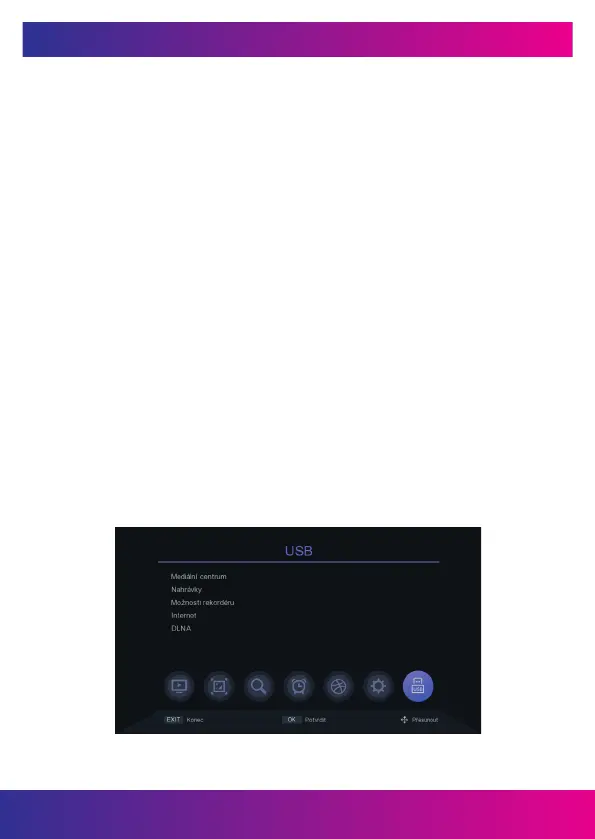
10. USB-MEDIA CENTRUM
Connect a USB drive with multimedia content. You can then select the type of le
you want to play in the menus (Video, Music, Pictures). You can also play video les
recorded on a USB drive.
10.1 MEDIA CENTER
Connect a USB drive with multimedia content. You can then select the type of le you
want to play in the menus (Video, Music, Pictures).
10.2 RECORDINGS
A list of previously created custom recordings will be displayed here.
10.3 RECORDER OPTIONS
You can activate the time shift function. A USB recording device is required for this
function. You can also set the default recording time for the PVR function. Record
section for Timeshift function. And view the technical parameters of the USB storage
device. Note that the "Format" function is activated by pressing red button erases the
entire contents of the disk!
10.4 INTERNET
Weather: after successfully connecting to the Internet, this application can display the
weather forecast. RSS reader - information sites.
10.5 DLNA
www.inter-sat.cz
48


 To Next Page