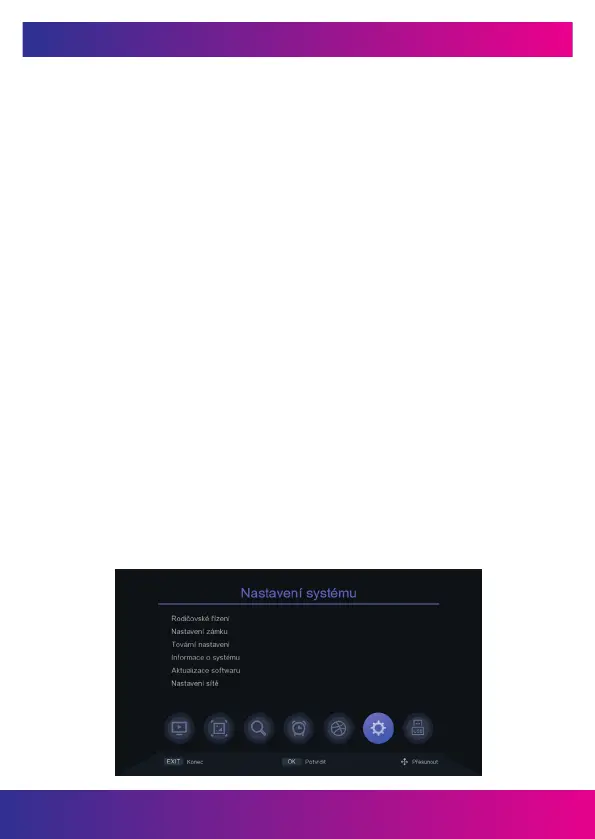
9. SYSTEM SETTINGS
9.1 PARENTAL PROCEDURE
You can set the parental lock in this menu. The default password of the receiver
is 000000. If the rated program exceeds the age set here, then the receiver will require
a password. Otherwise, it will not be possible to watch the show.
9.2 LOCK SETTINGS
In this menu you can activate the option to lock the menu, the need to enter or not
enter the password for previously locked stations, or change the password of the
receiver.
9.3 FACTORY SETTINGS
After selecting the receiver password, all stations will be deleted and the receiver will
be reset to the factory defaults.
9.4 SYSTEM INFORMATION
Information about the receiver model, software version and rmware build data is
available here.
9.5 SOFTWARE UPDATE
You can select USB update to update the software or you can back up the box
settings to USB for later use. Do not turn off the power during the update process.
9.6 INTERNET NETWORK SETTINGS
You can connect to the Internet via a LAN cable or via an external Wi-Fi module (not
included). Connect the Wi-Fi adapter. Press the green button to search for available
Wi-Fi networks, select a network, and enter the network password, if required.
www.inter-sat.cz
47


 To Next Page