3. RECEIVER MENU
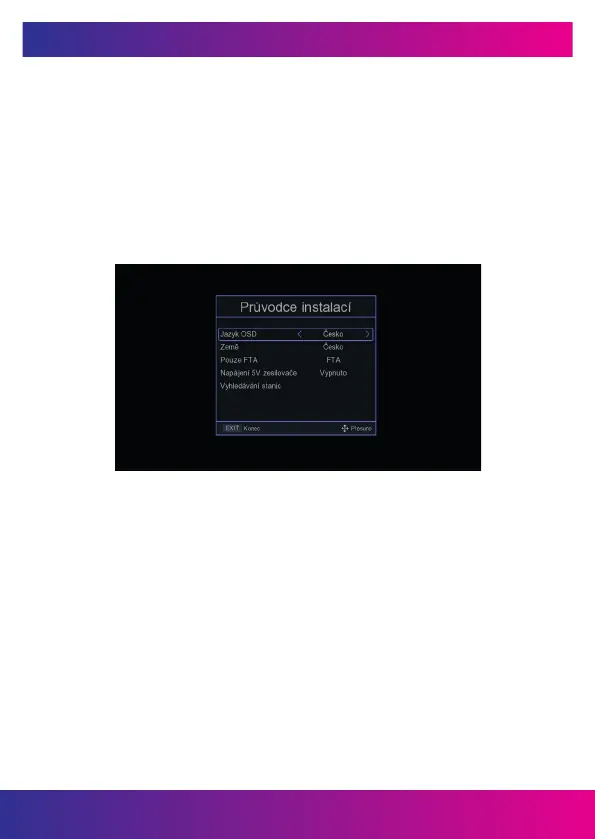
The rst time you turn on the receiver, you will be greeted by an installation wizard.
Connect the antenna cable using the connector for connecting the antenna (Fig. 2.2 /
1). Select OSD Language, Country of Use, whether to search for unencrypted stations
(FTA), whether you want to activate 5V on the antenna connector to power the an-
tenna amplier. On the last line „Station search“, press the button OK on the remote
control to start the search.
Note: The default password of the receiver is 000000.
Main menu: Press the MENU button to open the main menu of the receiver.
www.inter-sat.cz
41


 To Next Page