2. OVERVIEW
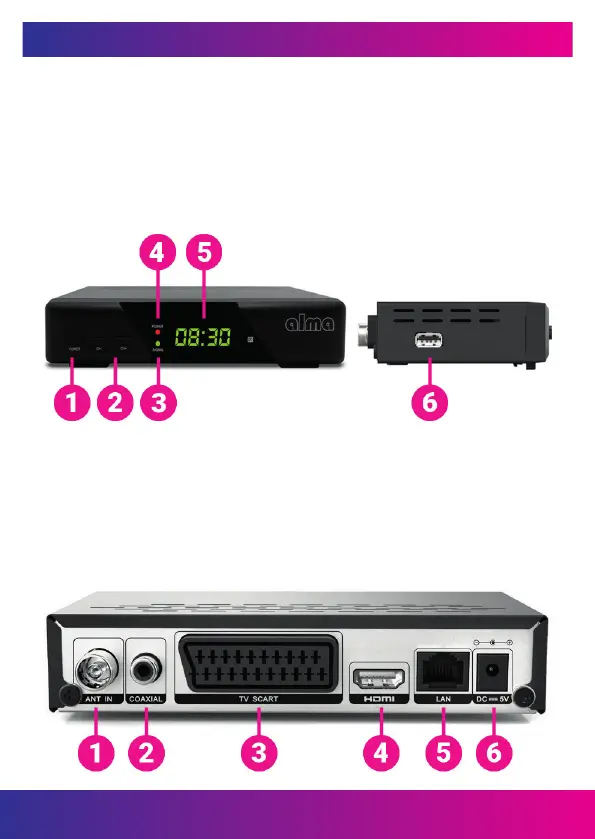
2.1 FRONT OF RECEIVER
1. POWER: Switches the receiver between operation and standby mode.
2. CH + / CH-: Change the station or change the menu item of the receiver.
3. SIGNAL LED: Signal presence indicator.
4. POWER LED: Power indicator.
5. DISPLAY: Displays the selected station number. In standby mode, we display the
local time.
6. USB 2.0 host port: USB 2.0 host port.
2.2 REAR OF THE RECEIVER
1. ANT IN: Antenna connector.
2. COAXIAL: Digital audio output.
3. TV SCART: Analogue connection to the TV using a SCART cable.
4. HDMI: Connect to the TV with an HDMI cable.
5. LAN: Used to connect to the Internet using an Ethernet-LAN cable.
6. DC 5V: Connect the 5V power adapter.
www.inter-sat.cz
39


 To Next Page