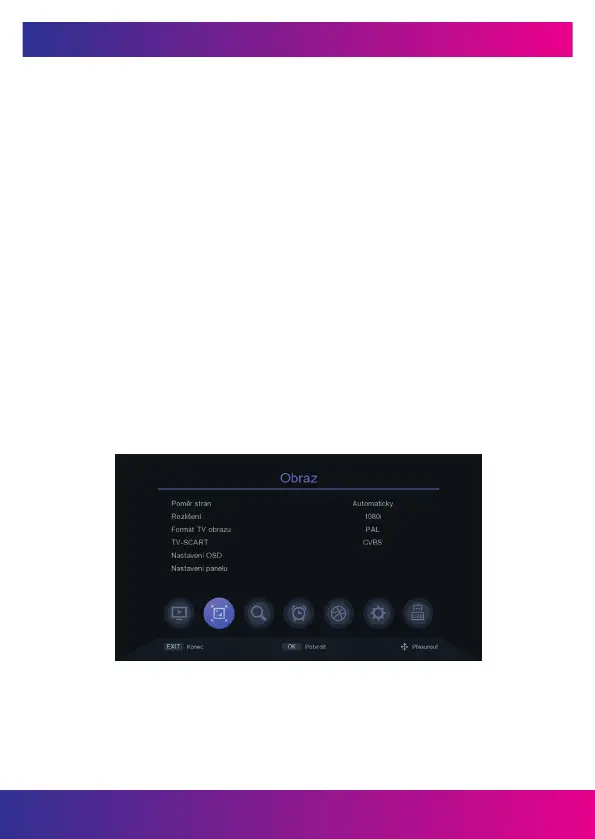
5. FIGURE
5.1 PICTURE SIDE RATIO
Set the display format according to the screen aspect ratio. Select 4:3 mode
or 16:9 depending on the TV type.
5.2 PICTURE RESOLUTION ON HDMI CONNECTOR
Set the image resolution on the HDMI connector to 1080p, 1080i, 720p, 576i or 576p.
5.3 TV PICTURE FORMAT
The default value is PAL.
5.4 TV-SCART
Here you can set the video output type on the SCART analog SCART connector.
CVBS-RGB.
5.5 OSD SETTINGS
You can set Transparency, Brightness, Color, Image Contrast and Timeout
OSD display.
5.6 PANEL SETTINGS
You can adjust the brightness of the LED display to show the time or the station num-
ber. You can also set whether the display should show the clock in standby mode.
www.inter-sat.cz
43


 To Next Page