12 Electronic Balancing Tool EBT730/EBT731
Connecting the Static Pressure Port to the Micromanometer
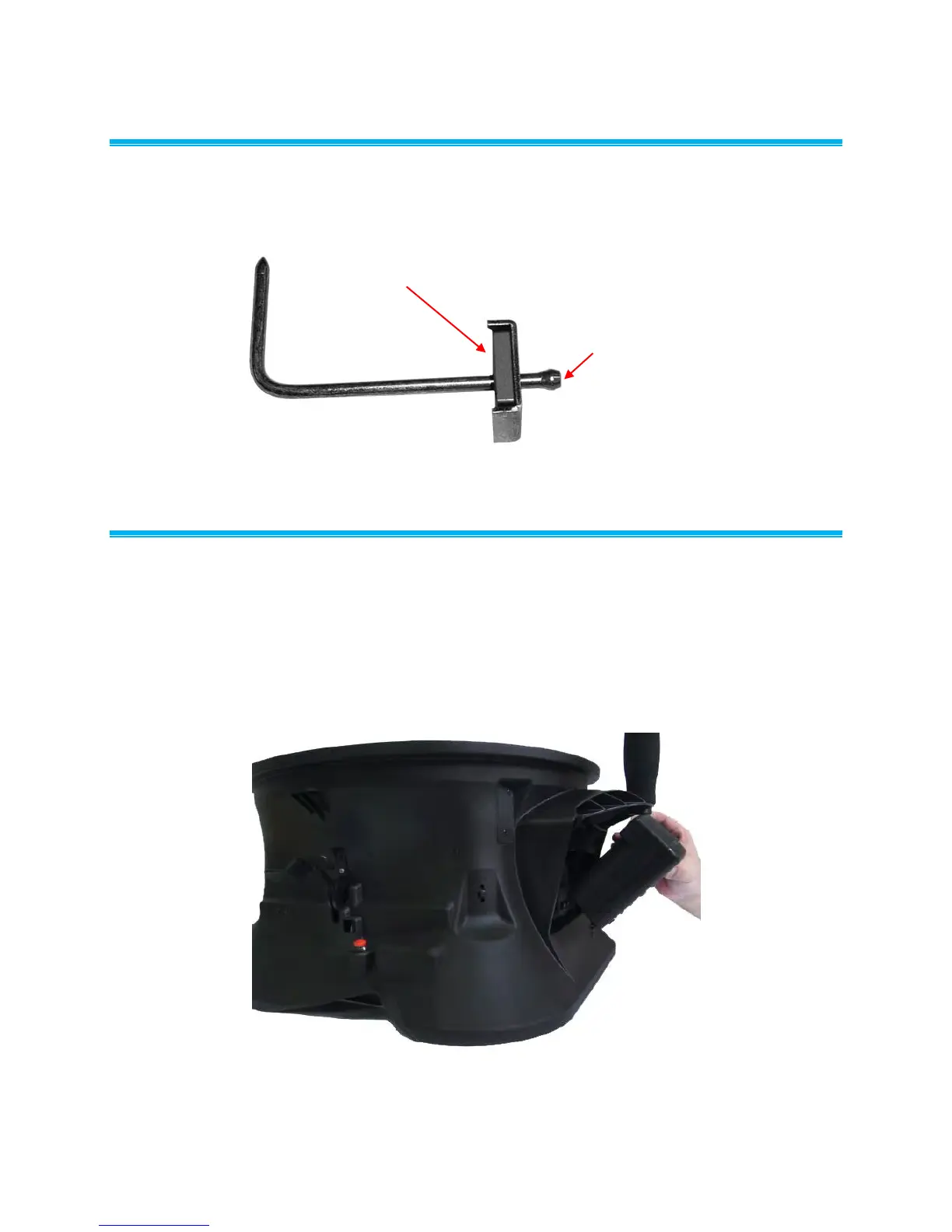
The static pressure port on the static pressure probe will be connected to the (+) port on the
micromanometer. The (-) port on the micromanometer will be open to atmosphere (see Figure 9). The
Static Pressure probe is used to measure the duct static pressure and features a magnet which holds the
probe to the ductwork.
Magnet
Static Pressure Port
Figure 9: Static Pressure Probe
Attaching the Micromanometer to the Capture Hood Base
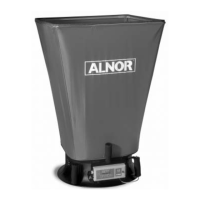
1. Tilt the meter forward and align the tabs in the base of the meter with the two matching slots in the
bottom of the recessed area at the front of the base (see Figure 10).
2. When the tabs are engaged in the slots, press firmly on the face of the meter above the display until
the tab in the top center of the meter “clicks” into the bent metal retaining clip in the base.
3. Attach the temperature cable and the back pressure flap switch cable to the right side of the meter.
4. To remove the meter from the base, first disconnect the temperature cable and the back pressure
flap switch cable, then press upward on the metal retaining clip to release the meter from the base.
Figure 10: Attaching the Meter to the Capture Hood Base
www.GlobalTestSupply.com
Find Quality Products Online at: sales@GlobalTestSupply.com



 To Next Page