Chapter 6. Flow Measurements Using the Capture
Hood
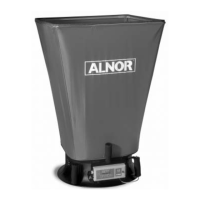
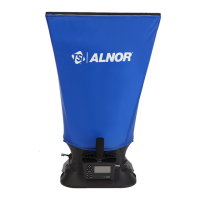
There are two methods of making flow measurement using Capture Hood:
(1) Capture Hood (non-backpressure compensation).
(2) Capture Hood with backpressure compensation.
(See “Appendix A. Back Pressure,” for an explanation of the implications of capture hood-induced back
pressure on the measured flow.)
Supply or return flows can be measured with both methods, and return flow is indicated as a negative
number. In addition, flow measurements can be performed by taking a single reading or running average
(continuous) reading mode.
Note
Keep the Capture Hood in place during the entire measurement; otherwise, the reading will be
in error.
WHILE USING THE BALOMETER
®
AIR BALANCING INSTRUMENT TO TEST AIR FLOW IN
DUCTS, YOU MAY COME INTO CONTACT WITH OR BE EXPOSED TO DUST, POLLEN, MOLD,
FUNGUS, OR OTHER AIRBORNE CONTAMINANTS. IF YOU ARE OR MAY BE SENSITIVE TO
DUST, POLLEN, MOLD, FUNGUS, OR OTHER AIRBORNE CONTAMINANTS, ALWAYS USE AN
APPROPRIATE MASK OR RESPIRATOR WHILE EMPLOYING THE BALOMETER
®
AIR
BALANCING INSTRUMENT.
Single Reading Measurements
Single reading measurements are individual flow measurements initiated by pressing either the “READ”
button on the meter or the red switch on the left side of the base. Depending on the flow being measured,
a single reading will take one to eight seconds to complete (lower flows take longer).
Once the measurement is complete, the flow value will be displayed. Press SAVE to log to memory, or
press READ, or red switch, to take a new measurement.
To measure in this mode:
1. Select Capture Hood or Hood BP Comp in the Pressure Tool menu.
2. Set the Data Logging mode to Manual/Single.
3. Set the Time Constant to 5 seconds
www.GlobalTestSupply.com
Find Quality Products Online at: sales@GlobalTestSupply.com


 To Next Page