56 Electronic Balancing Tool EBT730/EBT731
Running Average Measurements
In this mode, the instrument will measure continuously while displaying a running average of flow.
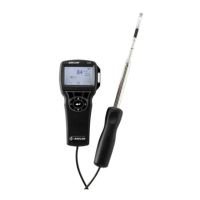
Pressing either the READ key on the meter or the red switch on the base will hold the current reading. To
restart the running average measurement, press the READ key or the red switch. The SAVE key can be
used at any time to log to memory.
To measure in this mode:
1. Select Capture Hood or Hood BP Comp in the Pressure Tool menu.
2. Set the Data Logging mode to Manual/Single.
3. Set the Time Constant to 5 seconds.
Capture Hood Measurements (non-backpressure compensated)
Non-backpressure compensated measurements can only be made with backpressure flap in the “OPEN”
position. If the flap is closed or partially closed, the meter will display the message “OPEN THE FLAP”.
Backpressure Compensated Measurements
In the backpressure compensated, a correction is applied to account for the change in flow due to the
presence of the Capture Hood. In most cases, backpressure compensated measurements will provide
the most satisfactory flow measurement results, especially when the flow is greater than 500 ft
3
/min
(850 m
3
/hr, 235 l/s).
Make sure that “Capture Hood Back with Pressure Compensation” is selected from the Pressure Tools
menu.
Backpressure compensated measurement require two sequential measurements: first with the back
pressure flap “OPEN” and then with the flap “CLOSED”.
Follow the sequence of operation as described below:
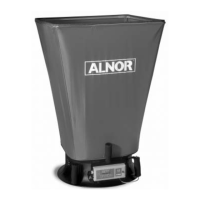
1. Place the Capture Hood over the diffuser, grill or other opening through which you wish to make a
measurement.
2. Open the backpressure flap. This is done by pressing up on the flap handle with your left hand as you
hold the hood in place. Press until the flap clicks into full open position.
3. Press the red switch. The message “OPEN” will be displayed as the meter takes the reading. (In very
low flows, this step and step 5 may take up to eight (8) seconds each. Higher flows will require
less time.)
4. Wait for the message “CLOSE FLAP” then close the flap by pulling down on the flap handle until it
clicks into the fully closed position.
5. Press the red trigger button. The message ”CLOSED” will be displayed as the meter take the
reading.
6. The backpressure compensated measurement value will appear and remain on the display until
another reading is initiated, or other meter function is initiated. To log reading to memory,
press SAVE.
www.GlobalTestSupply.com
Find Quality Products Online at: sales@GlobalTestSupply.com


 To Next Page