26-EN
Displaying Notification List
(Ready on future update)
You can view the received Notification from Facebook in the connected
Smartphone via this unit.
1
Press and hold VSOURCE for at least 2 seconds.
The received Notification will be displayed according to when it
was posted.
2
Turn the Rotary encoder to select the desired Notification,
and then press ENTER.
3
Then go to step 2 of “Receiving Notification”.
Notes
• When there is no Notification, “NO NOTIF” will be displayed.
• The displayable amount of the Notification list depends on the
connected Smartphone.
Setting
You can flexibly customize the unit to suit your own preferences and
usage. From the SETUP menu, GENERAL Setting, DISPLAY Setting,
etc., can be modified.
1
Press and hold AUDIOSETUP for at least 2 seconds to
activate the SETUP mode.
2
Turn the Rotary encoder to select the desired item, and
then press ENTER.
AUDIO
*1
GENERAL DISPLAY TUNER IPOD&USB APP
BLUETOOTH
*2
AUDIO
(e.g. Select GENERAL)
GENERAL:
CLOCK MODE AUTO CLOCK CLOCK ADJ
*3
LANGUAGE
AUX SETUP AUX NAME
*4
PLAY MODE BEEP
DEMO CLOCK MODE
DISPLAY:
ILLUMINATI DIMMER TEXTSCROLL SCROLLTYPE
ILLUMINATI
TUNER:
AF
*5
NEWS
*6
ALARM
*7
REGIONAL
*8
PI SEEK
*9
FM SET AF
IPOD & USB:
USB SKIP IPOD LIST USB SKIP
APP:
ALPINE APP TTS VOLUME ALPINE APP
*1 Refer to “Sound Setting” on page 18.
*2 Refer to “BLUETOOTH SETUP” on page 30.
*3 Refer to “Setting Time” on page 10.
*4 Displayed only when AUX SETUP is set to ON.
*5 Refer to “Turning AF (Alternative Frequencies) ON/OFF” on
page 12.
*6 Refer to “Priority News” on page 12.
*7 Refer to “Setting PTY31 (Emergency Broadcast) reception” on
page 12.
*8 Refer to “Receiving RDS Regional (Local) Stations” on page 13.
*9 Refer to “PI SEEK Setting” on page 13.
SETUP
Use steps 1 to 5 to select one of the SETUP modes to modify.
See the applicable section below for details about the
selected SETUP item.
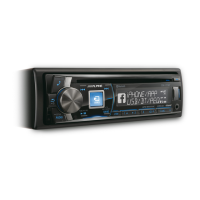
AUDIO/SETUP
/ENTER
SOURCE
Rotary encoder


 To Next Page