9-EN
Manual Tuning
1 Press SOURCE/PWR until a radio band and
frequency appears in the display.
2 Press BAND/TEL. repeatedly until the desired
radio band is displayed.
Each press changes the band:
→ FM1 → FM2 → FM3 → MW → LW
3 Press TUNE/A.ME repeatedly until "DX SEEK"
and "SEEK" disappear from the display.
NOTE
The initial mode is DX SEEK.
4 Press g or f to move downward or upward
one step respectively until the desired station
frequency is displayed.
NOTE
The STEREO indicator appears on the monitor when a
Stereo FM station is tuned in.
Automatic Seek Tuning
1 Press SOURCE/PWR until a radio band and
frequency appears in the display.
2 Press BAND/TEL repeatedly until the desired
radio band is displayed.
Each press changes the band:
→ FM1 → FM2 → FM3 → MW → LW
3 Press TUNE/A.ME to illuminate the DX and
SEEK indicators in the display.
With the DX (Distance) mode activated, both
strong and weak stations will be tuned in the
Auto-Seek operation.
Press again to return to the local mode. The DX
indicator will turn off and the SEEK indicator will
remain illuminated. Now, only strong stations will
be tuned.
4 Press g or f to automatically seek for a
station downward or upward respectively.
The unit will stop at the next station it finds.
Press the same button again to seek the next
station.
Manual Storing of Station Presets
1 Select the radio band and tune in a desired radio
station you wish to store in the preset memory.
2 Press and hold any one of the preset buttons (1
through 6) for at least 2 seconds, into which you
want to store the station. The selected station is
stored. The display shows the band, preset No.
and station frequency memorized.
3 Repeat the procedure to store up to 5 other
stations onto the same band.
To use this procedure for other bands, simply
select the band desired and repeat the
procedure.
A total of 30 stations can be stored in the preset
memory (6 stations for each band; FM1, FM2,
FM3, MW or LW.)
NOTE
If you store a station in a preset memory which already
has a station, the current station will be cleared and
replaced with the new station.
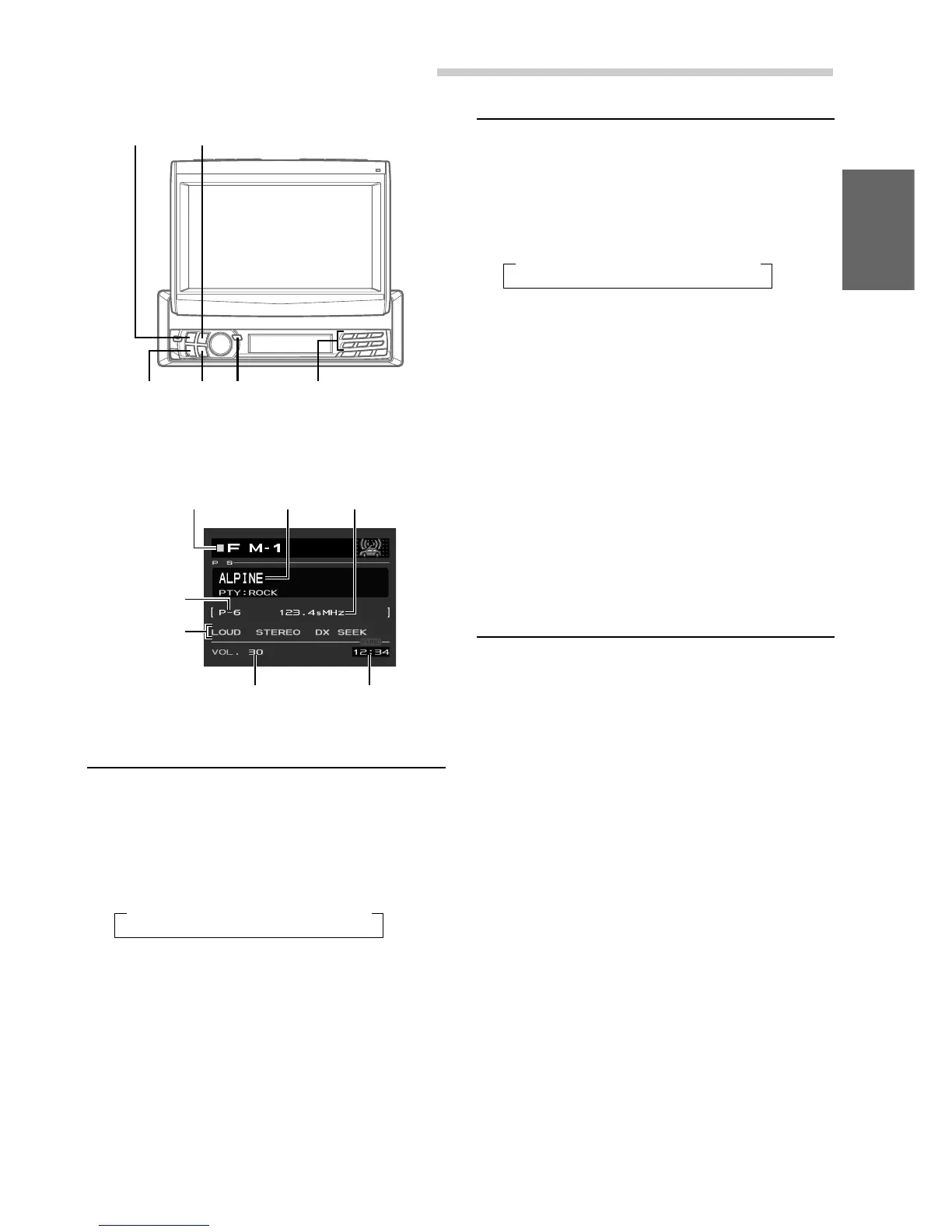
Example of Radio mode Screen
BAND/TEL.
SOURCE/
PWR
gg
gg
g
ff
ff
f
Preset buttons
(1 through 6)
TUNE/
A.ME
Radio Operation
Volume Level
Current Time
Selected Source
The current
setting status
Frequency of the
current station
Preset button
number for the
stored station
Station Title



 To Next Page