26-EN
Still/Pause
1 Press :/J during DVD/video CD/CD play to
freeze frame or pause. To resume normal play,
press :/J for a second time.
Chapter (DVD)/Track (Video CD)
Sensor
1 Lightly press g or f during DVD/video
CD/CD play to return to the beginning of the
chapter/track being currently played or advance
to the beginning of the next chapter/track
respectively.
NOTE
The word "chapter or track" means a division of the
recorded picture/sound on a DVD/video CD/CD
respectively.
Fast Forward/Backward
1 Press and hold g or f during play to fast
backward or forward respectively. Release the
button when you reach the desired portion you
wish to play. Playback starts from that portion.
Playing DVD/Video CD/CD
If an optional Alpine DVD/video CD/CD player is
connected to the CVA-1004R, you can control it from
the CVA-1004R.
WARNING
It is dangerous (and illegal in many states) for the
driver to watch the TV/Video while driving the
vehicle. The driver may be distracted from looking
ahead and an accident could occur.
Install the CVA-1004R correctly so that the driver
cannot watch TV/Video unless the vehicle is
stopped and the emergency brake is applied.
If the CVA-1004R is not installed correctly, the
driver will be able to watch the TV/Video while
driving the vehicle and may be distracted from
looking ahead causing an accident. The driver or
other people could be severely injured.
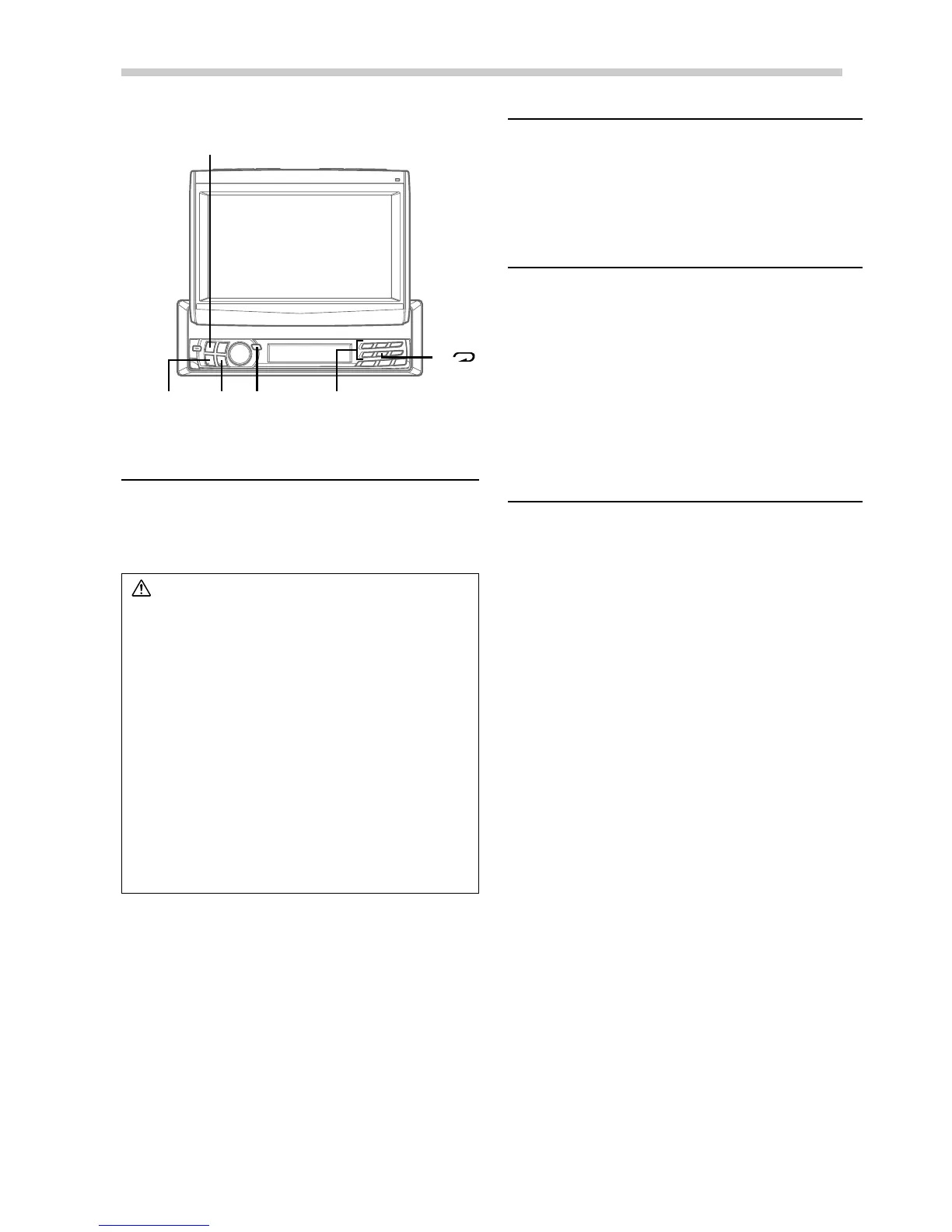
1 Press SOURCE/PWR to select the DVD mode.
Insert a disc into the DVD/video CD/CD player,
the player starts playing.
DVD/Video CD/CD Player Operation (Optional)
SOURCE/
PWR
g -/J
Disc select buttons
(1 through 6)
f
5 ( )



 To Next Page