53
Demonstration Setup, File Locations, and Instructions
• Project directory: DE1_SD_Card_Audio
• Bit stream used: DE1_SD_Card_Audio.sof (or .pof)
• Nios II Workspace: DE1_SD_Card_Audio
• Format your SD card into FAT16 format
• To play a music file with this demonstration, the file must use the 48 KHz sample rate WAV
format. Copy one or more such WAV files onto the FAT16-formatted SD Card. Due to a
limitation in the software used for this demonstration, it is necessary to reformat the whole
SD Card if any WAV file that has been copied onto the card needs to be later removed from
the SD Card
• Load the bit stream into the FPGA
• Run the Nios II IDE under the workspace DE1_SD_Card_Audio
• Connect a headset or speaker to the DE1 board and you should be able to hear the music
played from the SD Card
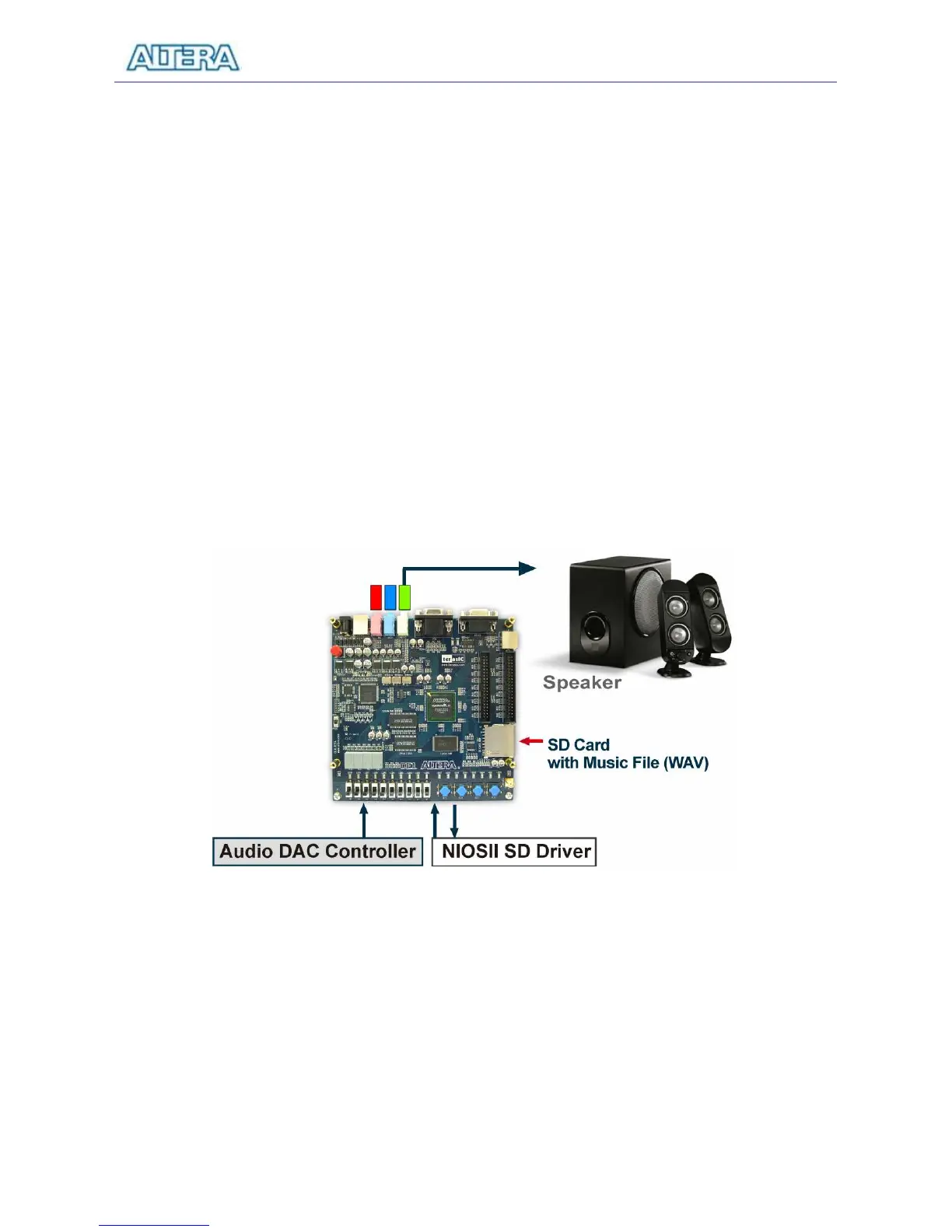
Figure 5.12 illustrates the setup for this demonstration.
Figure 5.12. The setup for the SD music player demonstration.



 To Next Page