EasyManua.ls Logo

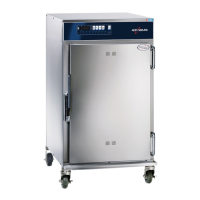
Alto-Shaam 300-TH - User Manual

Alto-Shaam 300-TH
100 pages
Print Icon
To Next Page IconTo Next Page
Loading...
alto-shaam.com
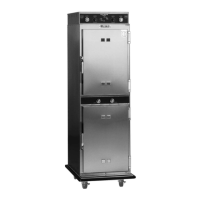
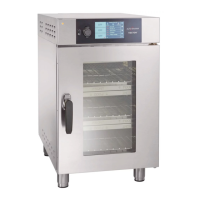
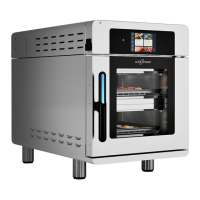
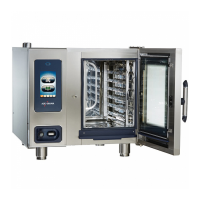
Operators Manual
Cook & Hold Ovens
Smoker Ovens
Deluxe Control
300-TH
500-TH
750-TH
1000-TH
1200-TH
1750-TH
750-SK
1000-SK
1200-SK
1750-SK
MN-46708-EN
REV.01
11/20
EN

Table of Contents

Other manuals for Alto-Shaam 300-TH

Questions and Answers

  • N
    Nicholas MaldonadoSep 12, 2025
    Why is my Alto-Shaam 300-TH showing a 'PCB over temperature' error?
    • B
      Benjamin DavisSep 12, 2025
      If your Alto-Shaam Oven shows a 'PCB over temperature' error, it means the PCB board temperature sensor is over 70° C. This can be caused by: 1. Cooling Fan not operating. 2. Installation clearance requirements not met.
  • B
    Bridget FosterAug 25, 2025
    What does 'Bootloader EEPROM RAM reset' mean on Alto-Shaam 300-TH?
    • S
      stacey69Aug 25, 2025
      If your Alto-Shaam Oven displays a 'Bootloader EEPROM RAM reset' error, it indicates a bootloader chip error. A power cycle is required to reset the system.
  • J
    James AlvarezAug 25, 2025
    How to fix the 'Door open' error on my Alto-Shaam oven?
    • K
      Karen CooperAug 26, 2025
      If the Alto-Shaam oven displays a 'Door open' error, it means the door is not closed properly. Ensure the door is fully closed and check the door switch operation.
  • K
    Kathy SweeneySep 23, 2025
    How to fix error E-10 on Alto-Shaam 300-TH Oven?
    • O
      Olivia SanchezSep 23, 2025
      To resolve error E-10 on your Alto-Shaam oven, which indicates a short circuit detected on sensor wires, check the following, in order: 1. Sensor connection 2. Sensor 3. Control Board
  • M
    Mark FletcherSep 12, 2025
    What to do if Alto-Shaam 300-TH Oven shows 'USB error (USB not present)'?
    • B
      Brian HamptonSep 12, 2025
      If your Alto-Shaam Oven is showing a 'USB error (USB not present)', insert the USB drive. If the error persists, the USB cable may be faulty.
  • B
    Brandi AndersonSep 18, 2025
    What does 'PCB open' mean on my Alto-Shaam 300-TH display?
    • S
      Sara PhillipsSep 18, 2025
      If your Alto-Shaam Oven displays 'PCB open', it means the PCB board temperature sensor is open-circuit, indicating board failure.
  • L
    lauriemartinSep 5, 2025
    What does 'PCB shorted' mean on my Alto-Shaam 300-TH display?
    • T
      Travis JonesSep 5, 2025
      If your Alto-Shaam oven displays a 'PCB shorted' error, it indicates that the PCB board temperature sensor is short-circuited, which means board failure.
  • B
    Brittany JohnsSep 6, 2025
    What does 'PCB open' mean on my Alto-Shaam oven?
    • R
      rita40Sep 6, 2025
      If your Alto-Shaam oven displays a 'PCB open' error, it means that the PCB board temperature sensor is open-circuit, indicating board failure.
  • J
    Jacob CraneSep 18, 2025
    What to do if my Alto-Shaam Oven shows error E-109?
    • M
      Michael HinesSep 22, 2025
      If the Alto-Shaam oven displays error E-109, it should be inspected by an authorized Alto-Shaam service provider because the possible causes are: 1. Heat Relay(s) stuck closed 2. Connection between High Limit Switch and Control Board 3. High Limit Switch
  • A
    Alyssa CookAug 30, 2025
    How to fix 'Bootloader EEPROM RAM reset' on Alto-Shaam 300-TH Oven?
    • N
      Nicholas BrooksAug 30, 2025
      If your Alto-Shaam oven displays a 'Bootloader EEPROM RAM reset' error, it indicates a bootloader chip error. You need to power cycle the oven to reset it.

Summary

Manufacturer Information

Manufacturer Information

Manufacturer contact and location details, copyright, and language.

Foreword

Foreword and Warranty Information

Welcome, warranty extension, and emergency service contact details.

Safety

Understanding Signal Words and Precautions

Explains hazard signals and essential safety precautions for operation.

Operator Safety and Requirements

Covers operator training, qualifications, PPE, and restraint devices.

Labels

Label Locations Overview

Illustrates the placement of safety and information labels on the appliance.

Installation

Dimension Drawings

Provides dimensional specifications for the appliance models.

Receiving and Unpacking Instructions

Procedures for inspecting and unpacking the appliance upon delivery.

Installation Readiness Checklists

Checklists for site readiness and installation process steps.

Oven Installation Procedures

Detailed steps for installing the oven, including positioning and electrical connection.

Accessory Installation

Instructions for installing the drip tray and stacking ovens.

Operation

Oven Power and Initial Setup

Steps for powering the oven on/off and preparing it for first use.

Network Connectivity Setup

Guides for setting up WiFi and Ethernet connections for the oven.

Cooking Modes and Procedures

Covers preheating, cooking (programmed, manual time, probe), holding, and vent usage.

Smoking Procedures

How to prepare the smoker box, hot smoke, and cold smoke.

Recipe Management and Transfer

Creating, loading, saving, modifying, and managing recipes.

Software and Settings Updates

Steps to update oven software and change operational settings.

Data and Probe Management

Downloading HACCP data and calibrating temperature probes.

Maintenance

Maintenance Schedule and Cleaning Procedures

Outlines routine maintenance tasks and detailed cleaning procedures.

Troubleshooting

Error Codes and Connectivity Issues

Lists error codes, connectivity problems, and dashboard display issues.

Warranty

Warranty Terms and Conditions

Details warranty coverage, period, and exclusions for the appliance.

Declaration of Conformity

Compliance Statement

Official statement of compliance with relevant directives and standards.

Alto-Shaam 300-TH Specifications

General IconGeneral
Model300-TH
CategoryOven
BrandAlto-Shaam
Power SourceElectric
Capacity3 full-size sheet pans
Control TypeDigital
ElectricalSingle Phase

Related product manuals