CONTROL UNITS UTR230868 / UTR400868 2323
SETTINGS
MENU SETTING DESCRIPTION VALUES
FACTORY
VALUE
P7
F3
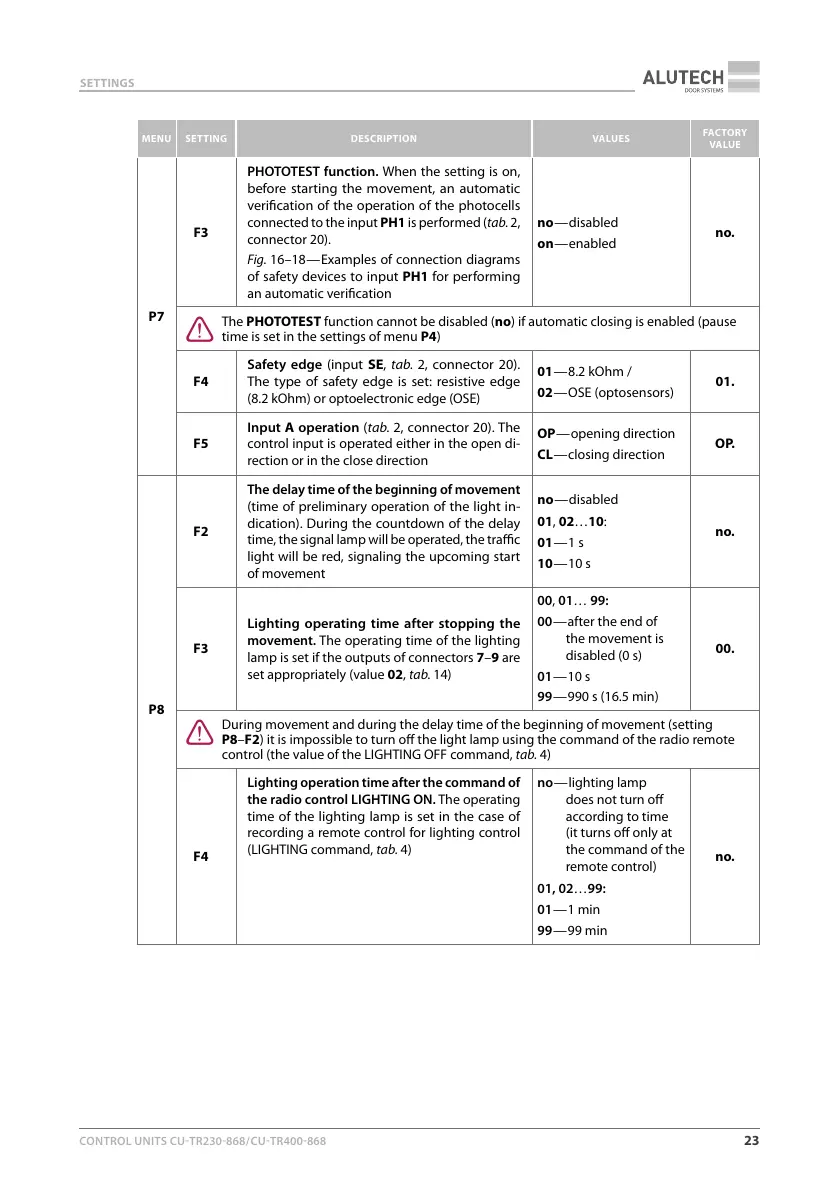
PHOTOTEST function. When the setting is on,
before starting the movement, an automatic
verication of the operation of the photocells
connected to the input PH1 is performed (tab.2,
connector 20).
Fig.16–18 — Examples of connection diagrams
of safety devices to input PH1 for performing
an automatic verication
no — disabled
on — enabled
no.
Y
The PHOTOTEST function cannot be disabled (no) if automatic closing is enabled (pause
time is set in the settings of menu P4)
F4
Safety edge (input SE, tab.2, connector 20).
The type of safety edge is set: resistive edge
(8.2kOhm) or optoelectronic edge (OSE)
01 — 8.2kOhm /
02 — OSE (optosensors)
01.
F5
Input A operation (tab.2, connector 20). The
control input is operated either in the open di-
rection or in the close direction
OP — opening direction
CL — closing direction
O P.
P8
F2
The delay time of the beginning of movement
(time of preliminary operation of the light in-
dication). During the countdown of the delay
time, the signal lamp will be operated, the trac
light will be red, signaling the upcoming start
of movement
no — disabled
01, 02…10:
01 — 1 s
10 — 10 s
no.
F3
Lighting operating time after stopping the
movement. The operating time of the lighting
lamp is set if the outputs of connectors 7–9 are
set appropriately (value 02, tab.14)
00, 01… 99:
00 — after the end of
the movement is
disabled (0 s)
01 — 10 s
99 — 990 s (16.5 min)
00.
Y
During movement and during the delay time of the beginning of movement (setting
P8–F2) it is impossible to turn o the light lamp using the command of the radio remote
control (the value of the LIGHTING OFF command, tab.4)
F4
Lighting operation time after the command of
the radio control LIGHTING ON. The operating
time of the lighting lamp is set in the case of
recording a remote control for lighting control
(LIGHTING command, tab.4)
no — lighting lamp
does not turn o
according to time
(it turns o only at
the command of the
remote control)
01, 02…99:
01 — 1 min
99 — 99 min
no.



 To Next Page