EasyManua.ls Logo

Amada HFA-250 - Page 103

Amada HFA-250
174 pages
Print Icon
To Next Page IconTo Next Page
To Previous Page IconTo Previous Page
Loading...
IV-25
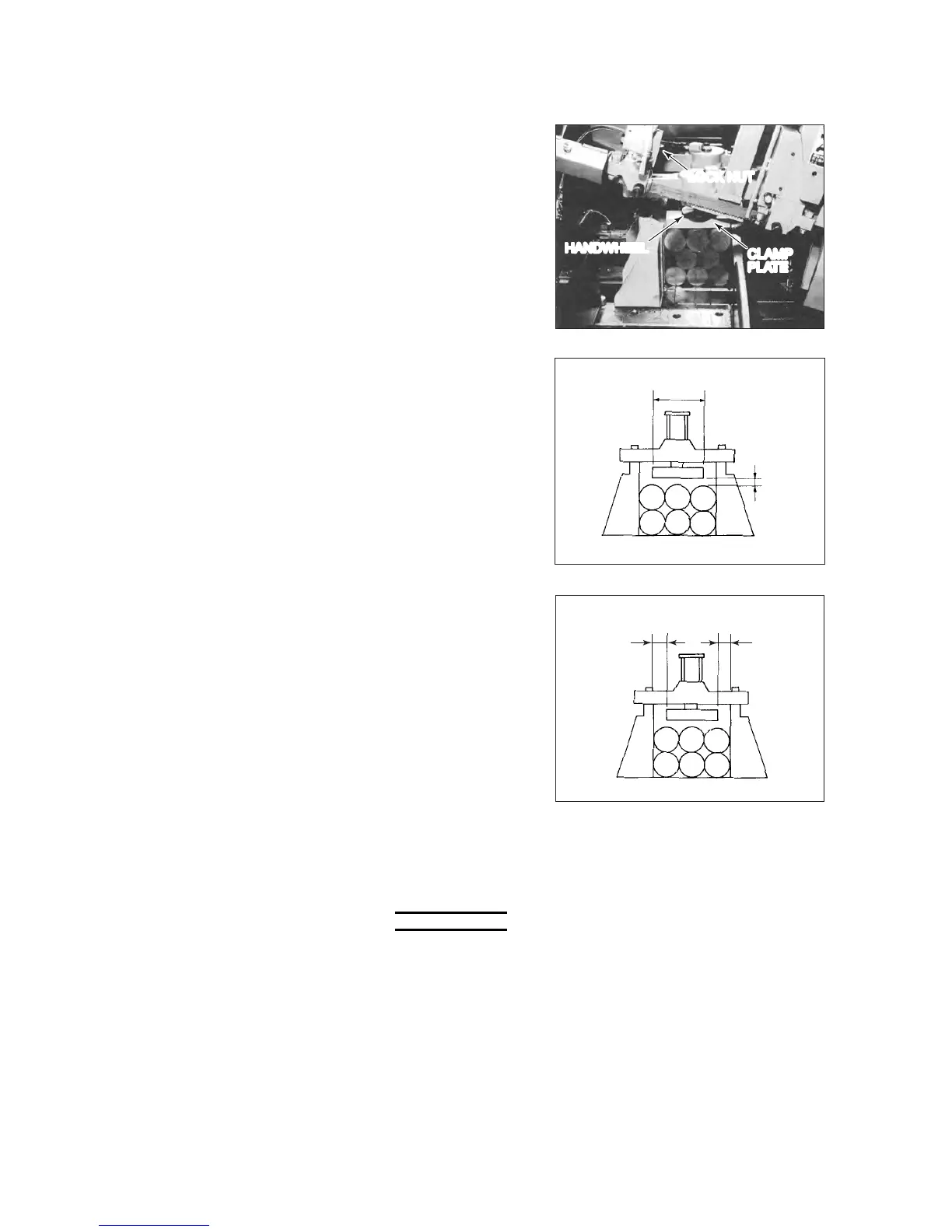
5 Adjust the left-to-right
position of each multi-
vise so that its
cylinder comes to the
center of the nest
width.
Securely fix the multi-
vise with the two lock
nuts.
LOCK NUT
CLAMP
PLATE
HANDWHEEL
6 Turn the handwheel
above the clamp plate
of each multi-vise so
that the bottom
surface of the clamp
plates comes to 3 to 8
mm {0.1 to 0.3 in.}
above the top of the
stack of workpieces.
3 TO 8 mm
{0.1 TO 0.3 in.}
145 mm
{5.7 in.}
7 When the machine
model is HFA-400 or
HFA-400W, loosen
the socket head bolt
of each clamp plate,
and slide the clamp
plates so that they are
equally apart 20 mm
{0.8 in.} or more from
the left and right sides
of the front and rear
vises.
After the width of the
clamp plates is
properly adjusted,
tighten the socket
head bolts to fix the
clamp plates.
20 mm {0.8 in.}
OR MORE
20 mm {0.8 in.}
OR MORE
NOTE
O Unless the clamp plates are at least 20 mm {0.8 in.} apart equally from
the left and right sides of the front and rear vises, the work absence
detection function is not activated.

Table of Contents

Related product manuals