IV-30
9 Press the ENT key to set the quantity of pieces to be cut in the P
field and move the cursor to the ST. field.
NOTE
O If you enter a wrong value, press the CLR key to delete it, and enter a
correct value.
10 Repeat steps 4 to 9 above to enter and store the cutting data for
the required number of stations.
Example of data entry
Station 1 …L field (cutoff length): 10 mm
P field (quantity of pieces to be cut): 3 pieces
Station 2 …L field (cutoff length): 20 mm
P field (quantity of pieces to be cut): 5 pieces
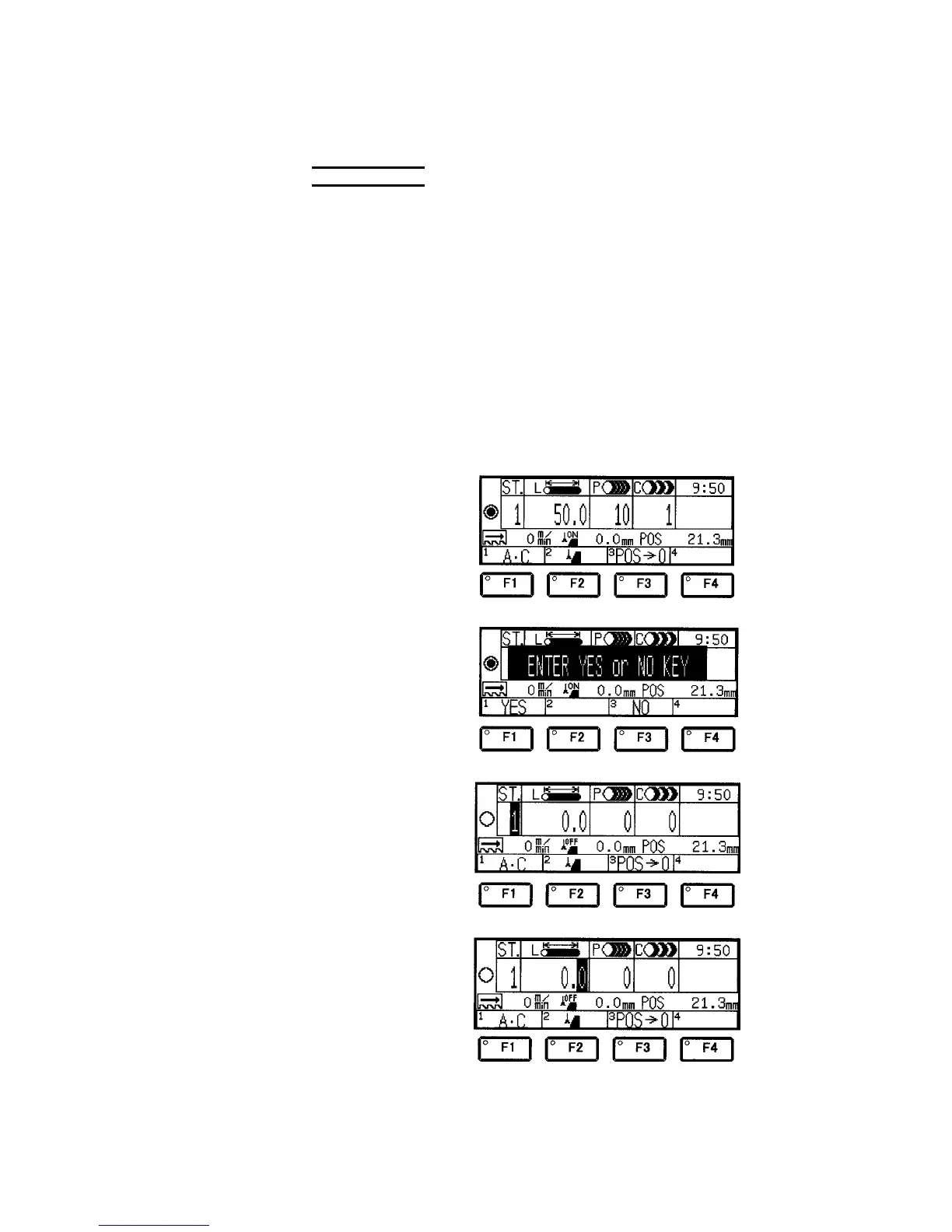
1 Press the F1 (A•C)
key to go to the all
station delete
confirmation display.
2 Press the F1 (YES)
key to delete the
cutting data of all
stations.
3 Press the numeric key
“1” and the ENT key
to set “1” in the ST.
field.
4 Once the station
number is set in the
ST. field, the cursor
moves to the L field.



 To Next Page