MA-660A
4. Name and Functions of Each Section
4-1
4. Name and Functions of Each Section
CURSOR
ENTER
MENU
ON
OFFRESET
TROUBLE
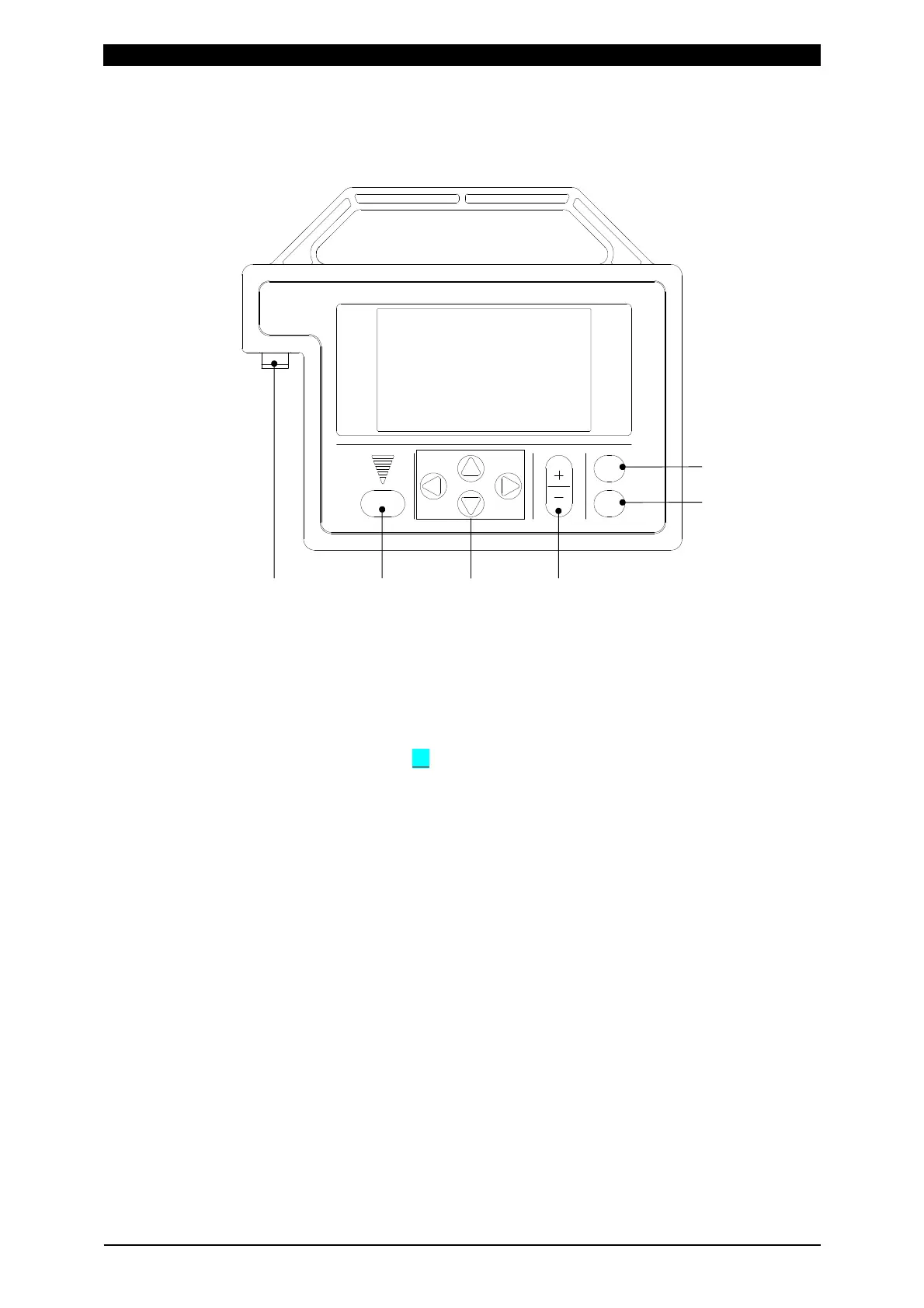
1 TROUBLE RESET key
Pressing this key after the cause of trouble is eliminated while an error
message is indicated turns off the error massage.
2 CURSOR keys
Used to move the cursor ( ) to select an item.
3 +ON/-OFF keys
Used to change the value of a selected item or turn it on and off.
4 ENTER key
Used to write the set or changed value and [ON/OFF] data in the Power Supply
connected to the MA-660A. After any data is set or changed, be sure to press
this ENTER key to write that data before moving the cursor.
If this ENTER key is not pressed, the Power Supply connected to the MA-660A
does not recognize the set data.
5 MENU key
Used to display the MENU screen. Press this key to return to the MENU screen
from any other screens.
1 2 36
5
4



 To Next Page