SERVICING
24
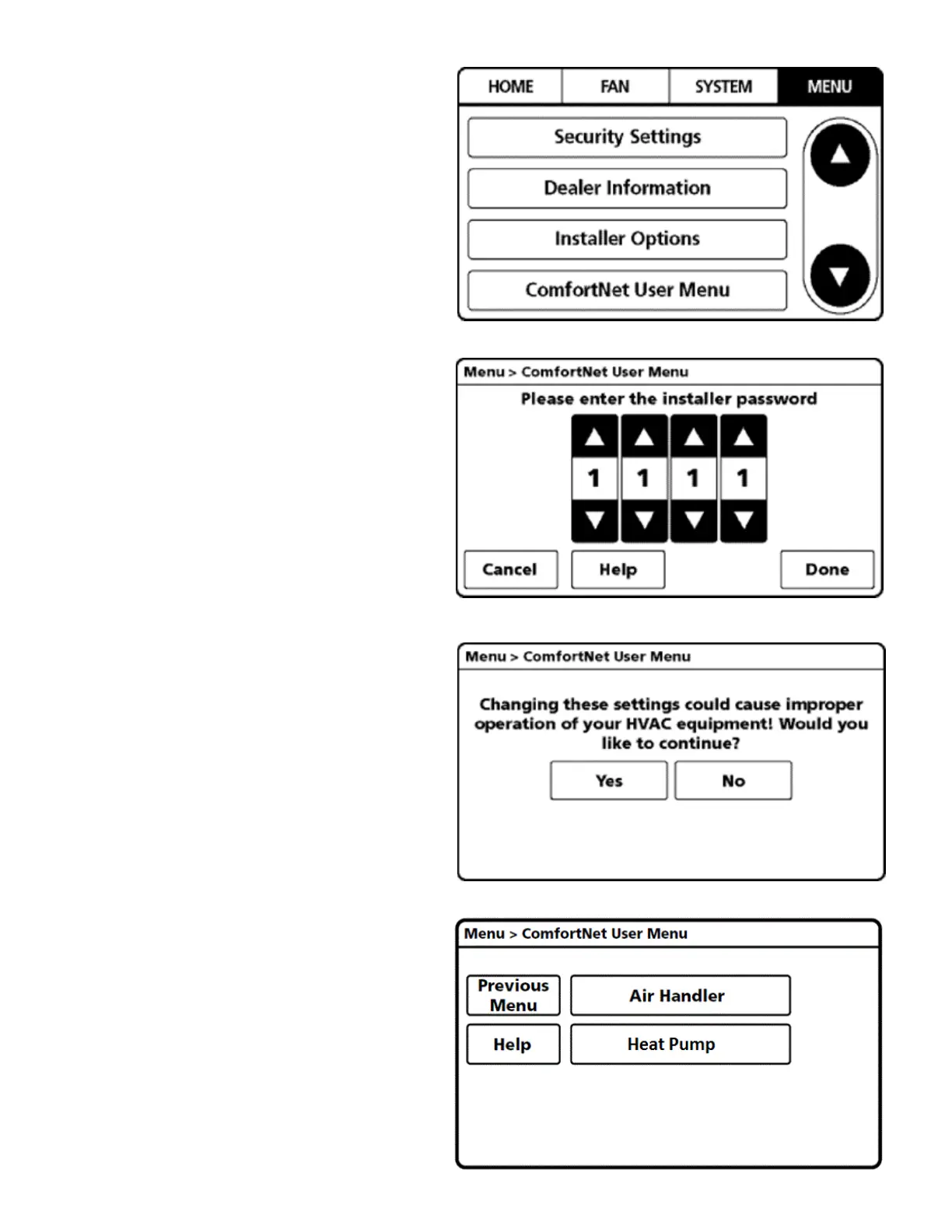
4. From the MENU screen, scroll down and select
COMFORTNET™ USER MENU.
5. Enter Installer password. (The password is the Date
Code located on the thermostat and is available by
entering the EQUIPMENT STATUS menu and
scrolling to the bottom.)
6. Select YES to continue.
7. From the ComfortNet USER MENU, select HEAT PUMP.
NOTE: Screen may show air handler or furnace depending
on the type of system installed.

 To Next Page
 Loading...