SERVICING
25
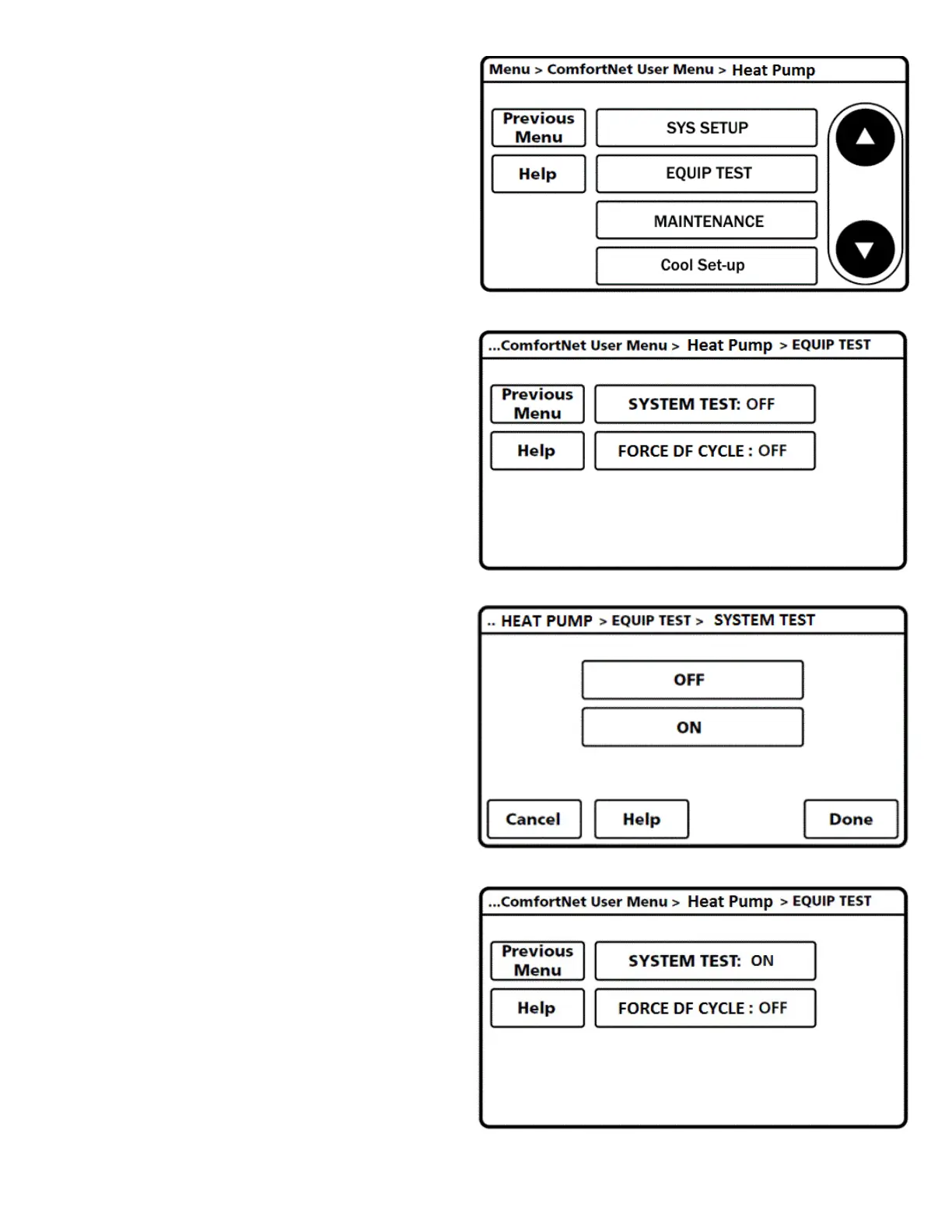
8. Next, scroll down and select EQUIP TEST.
9. Select SYSTEM TEST.
10. Select ON to run the SYSTEM TEST.
Press DONE to initiate test.
11. Allow the system test to run for its duration
(5-15 minutes). EQUIP TEST SCREEN will
show the system test is ON once selected.
System test will operate the outdoor unit and the
indoor unit through a series of startup tests.
Please proceed to the next step and allow for
startup tests to complete. Do not interrupt power
to outdoor unit, indoor unit, or thermostat
during system test.

 To Next Page
 Loading...