Need help?
Do you have a question about the Amana DSA01NM and is the answer not in the manual?
Emphasizes installer's obligation to know the product, safety precautions, and hazards.
Warns of high voltage and the need to disconnect all power before servicing.
Details disconnecting power and accessing the unit's cabinet for installation.
Steps for mounting the antenna housing and routing/connecting the cable to the control board.
Guidance on selecting an optimal location for the thermostat, avoiding direct sunlight and heat sources.
Instructions for attaching the thermostat mounting plate to the wall.
Procedure to bind the wireless thermostat to the PTAC unit and verify operation.
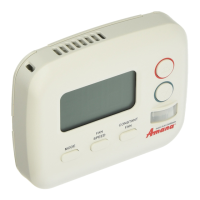
Explains the thermostat's mode button, backlight, and automatic self-configuration.
Details FCC authorization, rules, and required separation distance for RF exposure.
This document describes the installation and operation of the PTAC Wireless Thermostat Kit (DSA01NM), which includes a wireless thermostat and an antenna. The kit is designed to provide remote control of a PTAC (Packaged Terminal Air Conditioner) unit, enhancing user convenience and energy management capabilities.
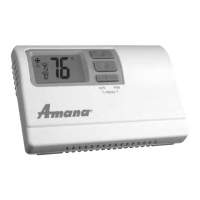
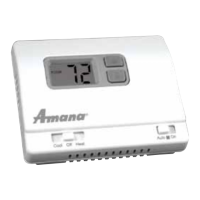
The DSA01NM kit enables wireless communication between a remote thermostat and a digital PTAC unit. The antenna, a crucial component, must be installed on the digital PTAC to facilitate this communication. Once installed and "bound" to the PTAC, the wireless thermostat allows users to remotely select operating modes (OFF, COOL, HEAT) and adjust settings without directly interacting with the PTAC unit's control panel. This is particularly useful in hotel rooms or other commercial settings where guests might prefer a wall-mounted thermostat for ease of access and operation. The system is designed to automatically self-configure once the thermostat is properly installed and bound, simplifying the setup process. The thermostat's backlight illuminates with the first button press, and subsequent presses of the MODE button cycle through the available operating modes. Any changes made on the wireless thermostat are automatically updated on the PTAC unit, ensuring synchronized control.
The wireless thermostat offers several user-friendly features:
For optimal performance, the thermostat should be mounted on an inside wall, about five feet above the floor, away from direct sunlight, radiant heat sources (lamps, fireplaces, other HVAC equipment), windows, or doors leading outside. It should also be placed in an area with good air circulation and out of the path of foot traffic to prevent accidental damage.
While the manual focuses primarily on installation and initial setup, some aspects touch upon maintenance:
The DSA01NM antenna is not designed to function with an occupancy sensor (DD01x) or in an RF mesh. If an energy management system or web-based monitoring is required, a DT01G RF wireless antenna (sold separately) must be installed. This distinction is important for understanding the scope of the kit's functionality and potential upgrade paths. The installation process involves careful handling of wires and connectors, with specific instructions to avoid bending or breaking them, which contributes to the longevity and reliability of the system.
 General
| Type | Non-Programmable |
|---|---|
| Display | Digital |
| Temperature Range | 45°F to 90°F (7°C to 32°C) |
| Backlight | No |
| Hold Function | Yes |
| Power Source | Battery |
| Compatibility | Single-stage heating and cooling systems |

 To Next Page