8) INSTALLER SETTINGS
NOTE: Waiting 1-Minute with no button presses will exit
the installer settings menu with all items saved as they
were last shown on the display screen.
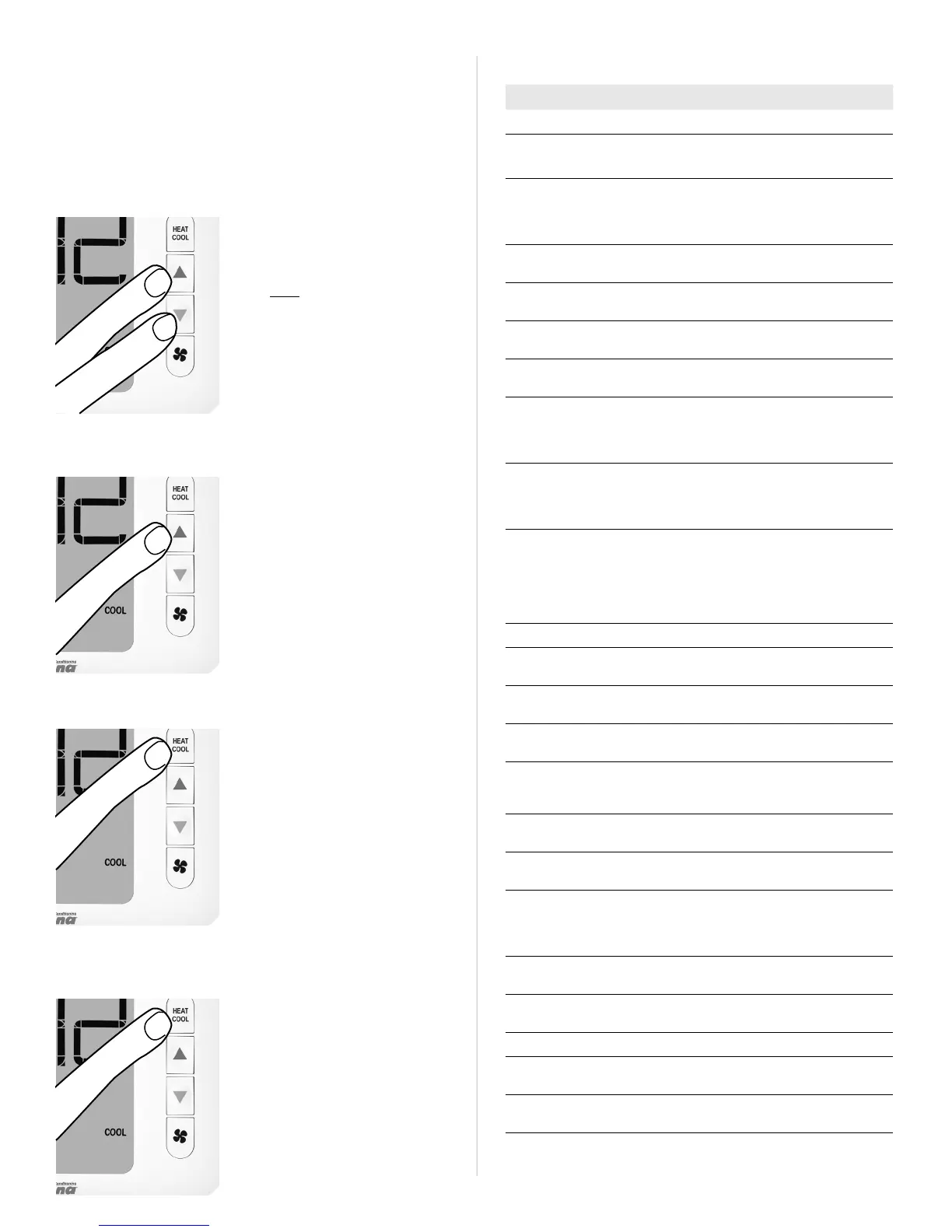
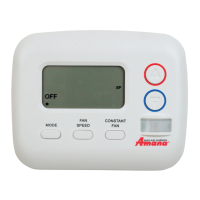
TO ENTER INSTALLER SETTINGS MENU:
With thermostat powered,
press System Mode button
until OFF is underlined.
Aer OFF mode is confirmed,
press and hold BOTH the Up
and Down buttons for at least
5 seconds until the screen
changes.
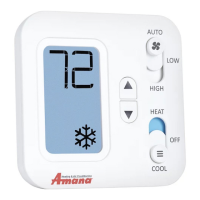
TO CHANGE AN ENTRY:
Use the Up or Down buttons
to change the setting option.
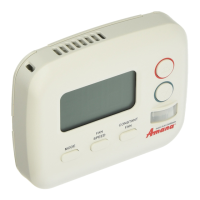
TO ADVANCE TO THE NEXT MENU ITEM:
Press the Mode button one
time to advance to the next
item in the menu.
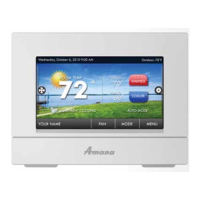
TO RETURN TO THE MAIN THERMOSTAT SCREEN:
While at the last menu item,
press the System Mode
button one more time to exit
the Installer Settings menu.
SOFTWARE CONFIGURATION SETTINGS
MENU# SETTING OPTIONS
01 Scale F, C
02 Temp. Calibration Zero, -5F to +5F
(-3C to +3C)
03 Available Modes 01: Heat, Cool, Auto
02: Heat, Cool
03: Heat Only
04: Cool Only
04 Max. Heat 60F to 90F (80F)
(16C to 32C)
05 Min. Cool 60F to 80F (65F)
(16C to 27C)
06 System Type HP=Heat Pump
Con=Conventional
07 HP Valve Type B: Valve on in Heat
O: Valve on in Cool
08 Auto Dead-Band 2.0F (1.11C)
3.0F (1.67C)
4.0F (2.22C)
5.0F (2.78C)
09 Swing /
Temp. Dierential
±0.25F (±0.14C)
±0.50F (±0.28C)
±1.00F (±0.56C)
±2.25F (±1.25C)
10 Aux. Stage Oset
(for Heat Pumps only)
O
1: 1.0F (0.5C)
2: 2.0F (1.0C)
3: 3.0F (1.5C)
4: 4.0F (2.0C)
5: 5.0F (2.5C)
--
12 High Fan On: Available
O: Disabled
13 Programming O: Manual
On: Programmable
14 Clock Format
(see note #1)
12: AM/PM
24: 24 Hr. Military
15 Periods per/Day
(see note #1)
4: 4-Periods
2: 2-Periods
1: 1-Period
16 Auto Daylight
Savings (see note #1)
On: Auto DST
O: Manual
17 Backlight Always On O=Turn o 10 sec
On=Always On
18 Use default set temp.
aer mode change
(see note #2)
ON: Uses default
temps
OFF: Use last temp per
mode
19 Default heat mode set
temp (see note #2)
70F (21C)
60F to max heat set temp
20 Default cool mode set
temp (see note #2)
74F (23C)
80F to min cool set temp
--
98 Compressor
Protection Bypass
No=Delays Remain
Yes=Suspend Delay
99 RESET No=Save and Exit
Yes=Full Reset
NOTES: (#1) For Programmable operation only.
(#2) For Non-Programmable operation only.



 To Next Page