Product description
20
Amatron+ BAG0055.0 08.07
2 Product description
The AMATRON
+
determines the worked area [ha] and the present
operational speed in km/h with the help of the wheel sensor and the
working position sensor and displays this information in the Work
menu.
A Main menu with three submenus - Job, Machine data and Setup -
exists next to the Work menu to enable settings to be changed.
2.1 Software version
This operating manual is valid from software version:
Machine:
MHX version: 1.0.3
IOP version: 7.1.1
Terminal:
IOP version: 3.4.1
BIN version: 3.21
2.2 Description of the operating terminal
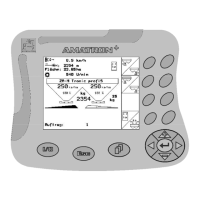
2.2.1 Display and function keys
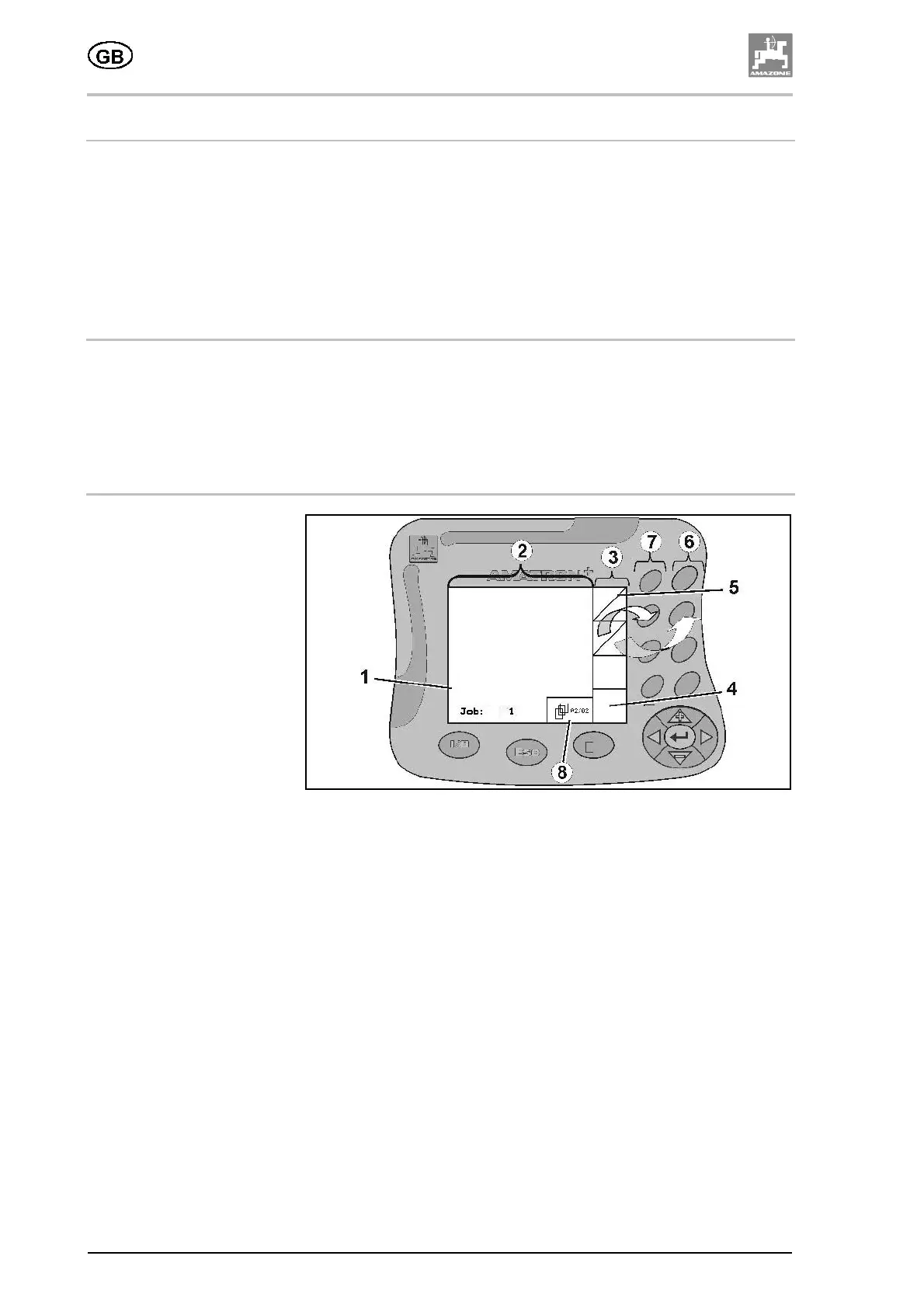
Fig. 23
• Display (1). The display consists of the operating display (2) and
the function fields (3).
• The function fields take the form either of square fields (4) or of
diagonally divided square fields (5).
• Square fields: if the function field is a square field, only the right-
hand row of function keys (6) is active for controlling the function
fields.
• Diagonally divided square fields: if the function field is a
diagonally divided square field,
ο the top left function field is activated or called up using the
left-hand row of function keys (7).
ο the bottom right function field is activated or called up using
the right-hand row of function keys (6).
• Right-hand row of function keys (6).
• Left-hand row of function keys (7).
• Scroll symbol. If the scroll symbol appears on the display, you
can call up additional menu pages (8).





 To Next Page