Fault
30
Amatron+ BAG0055.0 08.07
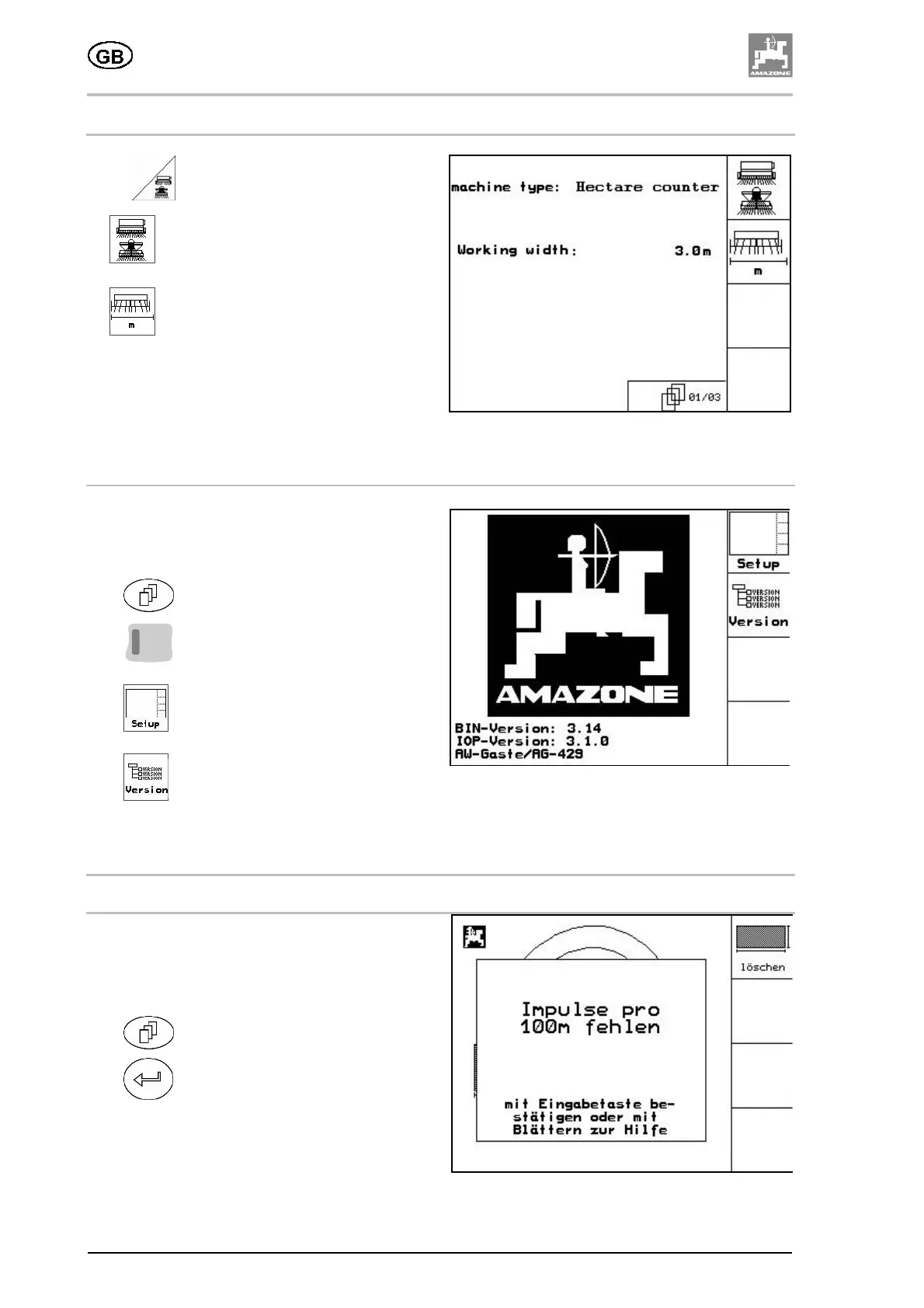
4.5.1 Enter the machine basic data
Press in the Setup menu (Fig. 17):
•
Select Hectare counter for the
machine type.
•
Enter the working width (m).
Fig. 38
4.5.2 Terminal setup
In the Setup menu:
In order to change the display settings, press the
following keys simultaneously:
•
Scroll
•
Shift
•
Call up display settings.
•
Display the units located on the bus.
Fig. 39
5 Fault
5.1 Alarm
A warning message (Fig. 19) appears in the
middle of the display and an acoustic alarm is
given.
• Read the warning message on the display.
•
Call up the help message.
•
Confirm the warning message.
Fig. 40





 To Next Page