Orientation Aid for the Start of the Season - ZA-TS
Version 08/2018 Page 4
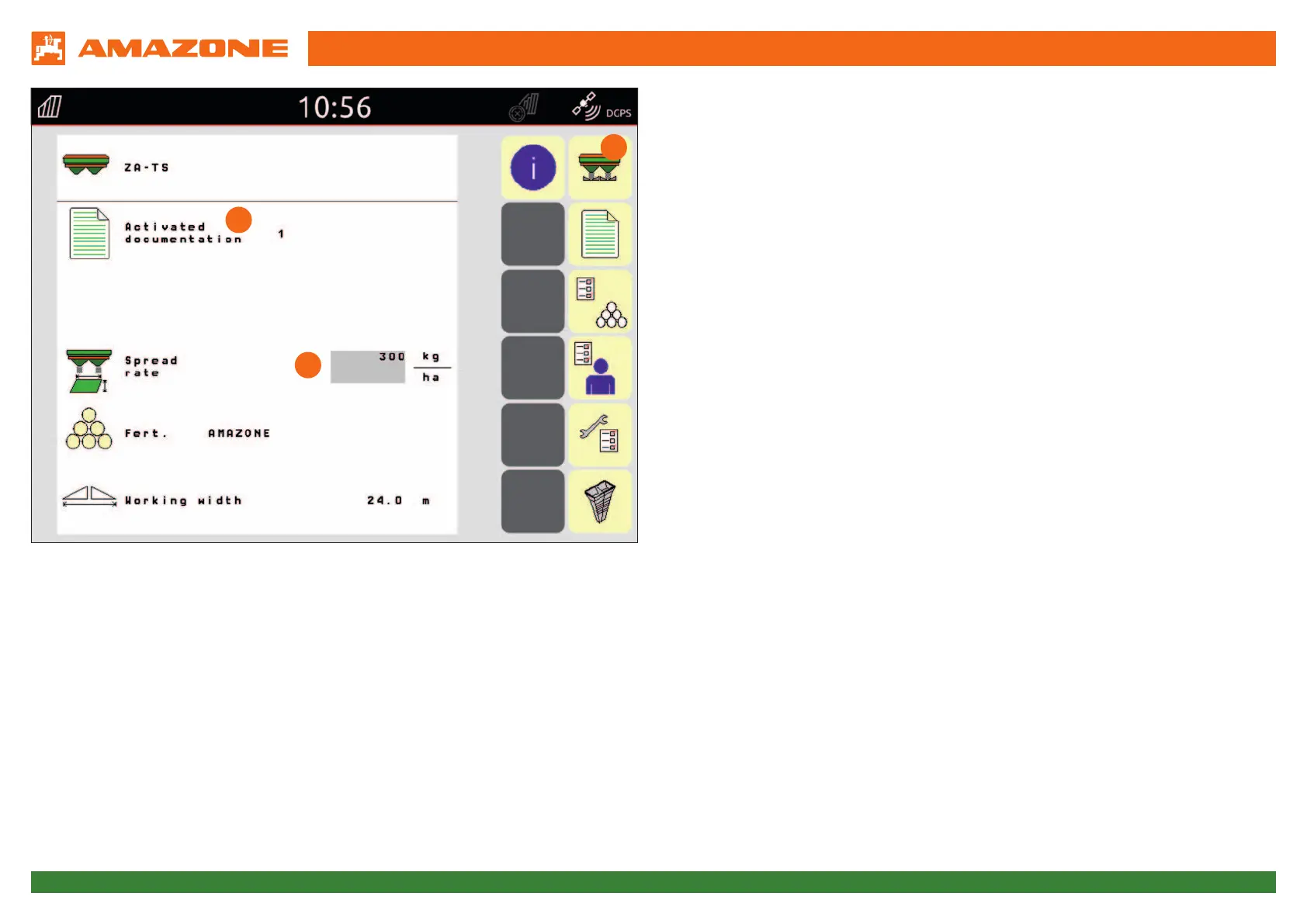
3. Start screen of the implement software
The Start screen is the entry point for all other menus of the software.
Moreover, the Start screen shows the most important data:
(1) Activated documentation from the internal job management
→ If this field is empty, data exchange with a Task Controller is configured.
You can find more details on this in the operating manual for the
implement software under section 8.3.
(2) Spread rate
→ This value can also be automatically changed by the Task Controller or
by other setpoint generators.
→ Therefore, there is the option of changing the value using an external
source, e.g. an online sensor.
→ This setpoint is the 100% basis for the rate control in the Work menu.
(3) Button to open the Work menu, see next page.
The meaning of the other buttons is explained in the respective sections of the
operating manual.
3
2
1





 To Next Page