-V BAG0087.11 01.20
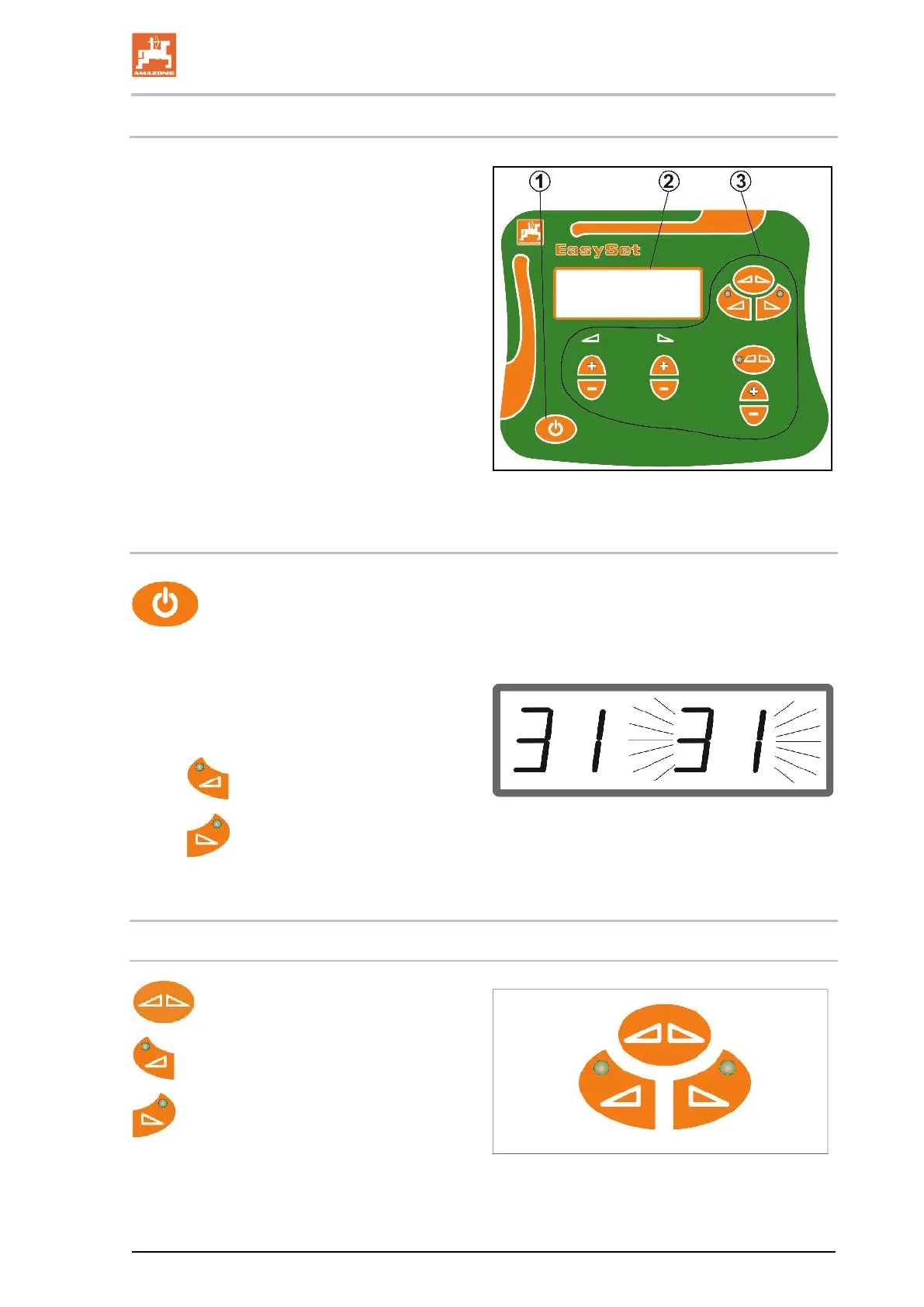
5.14 Control computer EasySet
(1) Switch On and Off button
After being switched on, the display shows
the set shutter position
(2) Display
(3) Function keys
Some with LED for showing the activated
function
25
5.14.1 Switch on
After switching on, a check is run to
see if the real shutter position corresponds to the
theoretical position from the EasySet.
A flashing display shows that the shutter
positions are not synchronised.
•
Synchronise the left shutter.
•
Synchronise the right shutter.
5.14.2 Functions
Actuating the shutters
Open / close both shutters.
Open / close left shutter.
Open / close right shutter.
The LED shows which shutter is open.
26








 To Next Page