EasyManua.ls Logo

Ambient Weather TX-3107 - User Manual

Ambient Weather TX-3107
10 pages
Print Icon
To Next Page IconTo Next Page
Loading...
Version 1.0 ©Copyright 2018, Ambient LLC. All Rights Reserved. Page 1
Ambient Weather TX-3107 7-Channel Floating Pool and Spa
Thermometer User Manual
Table of Contents
1. Introduction ..................................................................................................................................... 1
2. Getting Started ................................................................................................................................ 2
2.1 Parts List ................................................................................................................................. 2
2.2 Product Overview ................................................................................................................... 2
2.3 Getting Started ........................................................................................................................ 3
2.4 Opening and Closing the Lid .................................................................................................. 5
2.5 LCD Display .......................................................................................................................... 6
2.5.1 Low Battery Icon ................................................................................................................ 6
3. Synchronizing with your Display Console...................................................................................... 6
4. Sensor Placement ............................................................................................................................ 6
5. Maintenance .................................................................................................................................... 7
6. Specifications .................................................................................................................................. 7
6.1 Measurement Specifications ................................................................................................... 7
6.2 Power Consumption ............................................................................................................... 7
6.3 Weight Specifications ............................................................................................................. 7
7. Troubleshooting Guide .................................................................................................................... 7
8. Liability Disclaimer ........................................................................................................................ 9
9. FCC Statement ................................................................................................................................ 9
10. Warranty Information ............................................................................................................... 10
1. Introduction
Thank you for your purchase of the Ambient Weather TX-3107 7-Channel Floating Pool and Spa
Thermometer. This is an accessory or replacement for your exiting Display Console or Weather
Station. This is not a standalone device.
The following user guide provides step by step instructions for installation, operation and
troubleshooting. To download the latest full sized manual and additional troubleshooting tips, please
visit:
AmbientWeather.net/help
Question and Answer IconNeed help?

Do you have a question about the Ambient Weather TX-3107 and is the answer not in the manual?

Summary

Introduction

Getting Started

Parts List

Lists the components included with the floating pool and spa thermometer.

Product Overview

Provides a general overview of the Ambient Weather TX-3107 floating pool and spa thermometer.

Detailed Setup Instructions

Provides step-by-step instructions for setting up the floating pool and spa thermometer.

Opening and Closing the Lid

LCD Display Overview

Low Battery Icon Indicator

Describes the low battery icon and its meaning on the sensor and display console.

Synchronizing with Display Console

Sensor Placement Guidelines

Maintenance Recommendations

Product Specifications

Measurement Specifications

Details the temperature range, accuracy, and resolution of the thermometer.

Power Consumption Details

Specifies the type of batteries required for the wireless sensor.

Weight Specifications

States the weight of the wireless sensor.

Troubleshooting Guide

Wireless Remote Not Reporting

Troubleshooting steps for when the floating thermometer is not reporting to the console.

Dashes on Display Console

Solution for when dashes (--.-) appear on the display console.

Pool Float No Power

Steps to resolve issues if the pool float sensor does not power up.

LCD Display Fading or Unreadable

Diagnosing and fixing issues with a fading or unreadable LCD display.

Moisture in LCD Screen

Instructions for dealing with moisture appearing in the LCD screen.

Liability Disclaimer

FCC Compliance Statement

Warranty Information

Summary

Introduction

Getting Started

Parts List

Lists the components included with the floating pool and spa thermometer.

Product Overview

Provides a general overview of the Ambient Weather TX-3107 floating pool and spa thermometer.

Detailed Setup Instructions

Provides step-by-step instructions for setting up the floating pool and spa thermometer.

Opening and Closing the Lid

LCD Display Overview

Low Battery Icon Indicator

Describes the low battery icon and its meaning on the sensor and display console.

Synchronizing with Display Console

Sensor Placement Guidelines

Maintenance Recommendations

Product Specifications

Measurement Specifications

Details the temperature range, accuracy, and resolution of the thermometer.

Power Consumption Details

Specifies the type of batteries required for the wireless sensor.

Weight Specifications

States the weight of the wireless sensor.

Troubleshooting Guide

Wireless Remote Not Reporting

Troubleshooting steps for when the floating thermometer is not reporting to the console.

Dashes on Display Console

Solution for when dashes (--.-) appear on the display console.

Pool Float No Power

Steps to resolve issues if the pool float sensor does not power up.

LCD Display Fading or Unreadable

Diagnosing and fixing issues with a fading or unreadable LCD display.

Moisture in LCD Screen

Instructions for dealing with moisture appearing in the LCD screen.

Liability Disclaimer

FCC Compliance Statement

Warranty Information

Overview

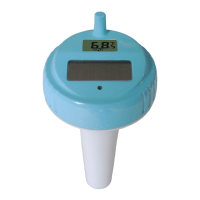
The Ambient Weather TX-3107 is a 7-channel floating pool and spa thermometer designed as an accessory or replacement for an existing display console or weather station. It is not a standalone device.

Function Description:

The primary function of the TX-3107 is to measure and transmit water temperature from a pool or spa to a compatible display console. It operates wirelessly and can be assigned to one of seven channels (1-7) to allow for multiple sensors or to differentiate between different bodies of water if desired. The device features an LCD display that shows the current temperature and the assigned channel number. It also indicates a low battery status on both its own LCD and the display console.

Important Technical Specifications:

  • Dimensions (L x W x H): 100 x 100 x 207.5 mm (3.94 x 3.94 x 8.17 inches).
  • Power Consumption: Requires 2 x AA batteries (alkaline or Lithium Energizer recommended, not included).
  • Weight: Approximately one pound.
  • Measurement Range (Temperature):
    • Alkaline batteries: -4 to 140 °F (-20 to 60 °C).
    • Lithium Energizer batteries: -40 to 140 °F (-40 to 60 °C).
    • Use below freezing temperatures for prolonged periods is not recommended.
  • Accuracy (Temperature):
    • 32 to 104°F (0 to 40°C): ± 1.8°F (±1°C).
    • < 32 °F (<0°C): ± 3.6°F (±2°C).
    • 104 °F (>40°C): ± 3.6°F (±2°C).

  • Resolution (Temperature): 0.1 °F/°C.
  • Wireless Communication Range: Maximum line of sight communication range is 150 feet. Under most conditions, it is 100 feet. Avoid transmitting through solid earth, ground, or solid metal barriers.
  • FCC Compliance: Complies with part 15 of the FCC rules, ensuring it does not cause harmful interference and accepts any received interference.

Usage Features:

  • Getting Started:
    • To open the device, turn the base clockwise or the lid counter-clockwise (like a jar lid).
    • Select the desired sensor channel (1-7) using the CHANNEL slide switch. Once assigned, the channel can only be changed by removing batteries or resetting the unit.
    • Insert two fresh AA batteries (alkaline or lithium recommended) into the battery compartment after removing the battery door.
    • Press the RESET button after selecting the channel if batteries are already inserted.
    • Close the thermometer by turning the base counter-clockwise or the lid clockwise, ensuring the top and bottom lock indicators align.
  • LCD Display: Shows the sensor channel number, a low battery icon (if applicable), and the current temperature reading in either Celsius or Fahrenheit (selectable via the °C/°F button).
  • Synchronization: To synchronize with a display console, place the sensor about 10 feet from the console after battery installation and press the SENSOR button on the console to manually receive the signal. The signal icon will flash until successful reception.
  • Sensor Placement:
    • Place the sensor in the pool or spa within 100 feet of the display console.
    • Avoid transmitting through solid earth or ground.
    • Use the tether anchor to fix the sensor in the pool or spa.
    • Keep the display console at least three feet away from electronic devices like computers, TVs, and wireless phones to avoid interference.
    • Avoid solid metal barriers between the sensor and console.
  • Troubleshooting:
    • If the remote is not reporting to the console, move the console closer to the sensor, ensure the sensor LCD is working, install fresh batteries (lithium for cold water), and check for solid metal or earth barriers.
    • If dashes appear on the display console, the sensor might be too close (less than 5 feet) or too far, or there might be electrical noise interference.
    • If the pool float does not power up, press the reset button after inserting batteries.
    • If the LCD display is fading or unreadable, replace batteries. Extreme heat or cold can cause fading, but wireless functionality is unaffected; bringing it indoors can restore the display.
    • If moisture appears in the LCD screen, remove the device from water, open the lid, and allow the sensor cavity to dry out.

Maintenance Features:

  • Battery Replacement: When replacing batteries, apply waterproof silicone lubricant or grease to the O-rings (available at local pool stores or online) to ensure a watertight seal.
  • O-ring Inspection: Visibly inspect the water-tight O-ring each time the unit is opened to ensure it is properly seated and prevent leakage. Ensure both O-rings are correctly placed in their respective traces.
  • Moisture Prevention: Ensure the unit is completely dry inside before closing to avoid trapping moisture. If moisture is trapped and condenses on the LCD, leave the unit open to allow it to evaporate naturally before closing.
  • Closing the Unit: When closing, do not twist the sensor cable. Ensure the casing is closed tightly with the two vertical arrows aligning.

Warranty:

Ambient, LLC provides a 1-year limited warranty against manufacturing defects in materials and workmanship from the original purchase date. Warranty service requires contacting Ambient, LLC and presenting the original dated bill of sale. The warranty does not cover damage from accidents, unreasonable use, neglect, failure to follow instructions, unauthorized repairs, non-home use, unintended applications, signal interference, or extreme acts of nature.

Ambient Weather TX-3107 Specifications

General IconGeneral
BrandAmbient Weather
ModelTX-3107
CategoryThermometer
LanguageEnglish

Related product manuals