EasyManua.ls Logo

Ambient Weather WH31PF - User Manual

Ambient Weather WH31PF
10 pages
Print Icon
To Next Page IconTo Next Page
Loading...
Version 1.0 ©Copyright 2020, Ambient LLC. All Rights Reserved. Page 1
Ambient Weather WH31PF Wireless Waterproof Floating Pool and
Spa Thermometer User Manual
Table of Contents
1. Introduction ................................................................................................................................................................ 2
2. LCD display ............................................................................................................................................................... 2
3. Getting Started ........................................................................................................................................................... 2
3.1 Parts List ................................................................................................................................................................... 2
3.2 Sensor Placement ...................................................................................................................................................... 4
3.3 Button function ......................................................................................................................................................... 5
4. Pairing sensor with Weather Station. ......................................................................................................................... 5
4.1 WS-2000/WS-5000 ............................................................................................................................................ 5
4.2 WS-2902 ............................................................................................................................................................ 6
4.3 WS-1950 ............................................................................................................................................................ 6
5. Glossary of Terms ...................................................................................................................................................... 7
6. Specifications ............................................................................................................................................................. 7
6.1 Measurement Specifications .............................................................................................................................. 7
5.2 Wireless Specifications .......................................................................................................................................... 7
5.3 Power Consumption ........................................................................................................................................... 7
7. Troubleshooting Guide............................................................................................................................................... 7
7 Liability Disclaimer ................................................................................................................................................... 8
8 FCC Statement ........................................................................................................................................................... 8
9 Warranty Information ................................................................................................................................................. 9
10 California Prop 65 ...................................................................................................................................................... 9
Question and Answer IconNeed help?

Do you have a question about the Ambient Weather WH31PF and is the answer not in the manual?

Summary

Introduction

LCD Display Information

Getting Started

Parts List

Lists the components included with the thermometer transmitter for setup.

Sensor Placement Guidelines

Button Functionality

Pairing Sensor with Weather Station

Pairing with WS-2000;WS-5000

Step-by-step guide for pairing the WH31PF sensor with WS-2000/WS-5000 consoles.

Pairing with WS-2902

Instructions for pairing the WH31PF sensor with WS-2902 consoles.

Pairing with WS-1965

Guide to pairing the WH31PF sensor via the WS-1965 web interface.

Glossary of Terms

Product Specifications

Measurement Specifications

Details the measurement range, accuracy, and resolution for temperature.

Troubleshooting Common Issues

FCC Compliance Statement

Warranty Information

California Proposition 65 Warning

Summary

Introduction

LCD Display Information

Getting Started

Parts List

Lists the components included with the thermometer transmitter for setup.

Sensor Placement Guidelines

Button Functionality

Pairing Sensor with Weather Station

Pairing with WS-2000;WS-5000

Step-by-step guide for pairing the WH31PF sensor with WS-2000/WS-5000 consoles.

Pairing with WS-2902

Instructions for pairing the WH31PF sensor with WS-2902 consoles.

Pairing with WS-1965

Guide to pairing the WH31PF sensor via the WS-1965 web interface.

Glossary of Terms

Product Specifications

Measurement Specifications

Details the measurement range, accuracy, and resolution for temperature.

Troubleshooting Common Issues

FCC Compliance Statement

Warranty Information

California Proposition 65 Warning

Overview

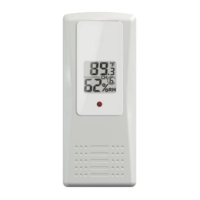
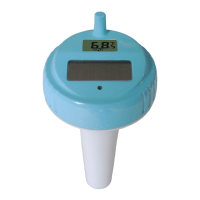
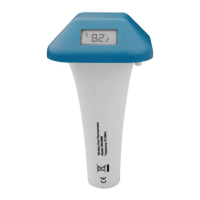
The Ambient Weather WH31PF is a wireless, waterproof floating thermometer designed for use in pools and spas. It transmits temperature data wirelessly to a compatible Ambient Weather station, providing convenient monitoring of water temperature.

Function Description:

The primary function of the WH31PF is to measure and transmit water temperature. It is designed to float in a pool or spa, collecting temperature data and sending it to a connected weather station. The device features an LCD display that shows the current temperature, along with other diagnostic information such as version number, transmission frequency, and device ID. The sensor is dormant out of the box and requires a 3-5 second press and hold of the main button to wake up. Similarly, a 10-second press and hold will put the device into a low-power sleep mode, turning off the display. A short press of the button allows switching between Celsius and Fahrenheit temperature units. A 2-second press and hold enters setup mode, and short presses can switch between up to 8 available channels, allowing multiple sensors to be used with a single weather station. The device can be tethered (string not included) to a fixed location in the pool or spa using an attachment point to prevent it from drifting.

Important Technical Specifications:

  • Dimensions (LxHxW): 6.1" x 2.5" x 2.5" (155x64x64mm)
  • LCD Dimensions (LxW): 1" x 0.62" (26x15mm)
  • Remote Sensor Depth: 6.1” (155mm)
  • Measurement Range: -40 to 140 °F (-40 to 60 °C)
  • Accuracy: ± 1 °F (± 0.5 °C)
  • Resolution: 0.1 °F (0.1 °C)
  • Wireless Transmission: Line of sight in open air: 150 feet (45 meters); under most conditions: 100 feet (30 meters).
  • Frequency: 915 MHz
  • Update Rate: Temperature update interval varies based on channel selection:
    • Channel 1: 61s
    • Channel 2: 62s
    • Channel 3: 63s
    • Channel 4: 69s
    • Channel 5: 65s
    • Channel 6: 66s
    • Channel 7: 67s
    • Channel 8: 68s
  • Power Source: Internal AA, sealed alkaline battery (non-replaceable).
  • Battery Life: 24-36 months with regular use (can be extended by turning the unit off when not in use).

Usage Features:

  • Compatibility: The WH31PF is compatible with Ambient Weather stations such as the WS-2000/WS-5000, WS-2902, and WS-1965.
  • Pairing: For WS-2000/WS-5000, pairing involves entering setup mode on the console, selecting "Sensors ID," and then registering the sensor by entering its hexadecimal ID. The console will then display the pool float data. For WS-2902 models, the data is passed through directly to AmbientWeather.net and is not displayed on the console itself. For WS-1965, users log into the web GUI and access the "Sensors ID" tab to register the device.
  • Placement: The sensor should be placed in the pool or spa within 100 feet (30 meters) of the display console. It is important to avoid transmitting through solid earth, ground, or metal barriers, as these can significantly reduce wireless range. Other barriers like concrete, cinder blocks, pavers, decking, and water features can also impede transmission. The console itself should be placed at least three feet away from other electronic devices that might cause interference, such as computers, TVs, and wireless phones.
  • Temperature Units: Users can easily switch between Celsius and Fahrenheit on the sensor's LCD display.
  • Multiple Channels: The ability to select from 8 different channels allows for the use of multiple WH31PF sensors in different locations, all reporting to the same weather station.

Maintenance Features:

  • Battery Life Management: The sensor's battery life is estimated at 24-36 months. To extend battery life, users can put the device into sleep mode (low-power mode) when not in use by pressing and holding the main button for 10 seconds.
  • Non-Replaceable Battery: The internal AA alkaline battery is sealed and non-replaceable. Once the battery dies, the entire sensor unit needs to be replaced. Ambient Weather provides a link to purchase replacement sensors.
  • Troubleshooting: The manual includes a troubleshooting guide for common issues, such as the sensor not reporting data. Solutions include moving the sensor closer to the console, ensuring the sensor's LCD is working and the transmitter light is flashing, avoiding solid metal or earth barriers, and moving the console away from electrical noise-generating devices.
  • Waterproof Design: The device is designed to be waterproof, ensuring its durability and functionality in pool and spa environments.

The WH31PF is a practical device for anyone looking to monitor their pool or spa temperature with ease and accuracy, integrating seamlessly with existing Ambient Weather systems.

Ambient Weather WH31PF Specifications

General IconGeneral
BrandAmbient Weather
ModelWH31PF
CategoryThermometer
LanguageEnglish

Related product manuals