EasyManua.ls Logo

Ambient Weather WS-091-C - User Manual

Ambient Weather WS-091-C
11 pages
Print Icon
To Next Page IconTo Next Page
Loading...
Version 1.0 ©Copyright 2013, Ambient LLC. All Rights Reserved. Page 1
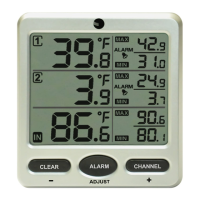
Ambient Weather WS-091-C Three Channel Display
Wireless Thermometer (Console Only) User Manual
Table of Contents
1 Introduction ..................................................................................................................................... 2
2 Getting Started ................................................................................................................................ 2
Parts List ............................................................................................................................................. 3
2.2 Display Console Set Up ................................................................................................................ 3
2.2.1 Display Console Layout ..................................................................................................... 4
3 Console Operation........................................................................................................................... 4
3.1 Channel Selection ......................................................................................................................... 5
3.2 Min and Max Alarm ...................................................................................................................... 5
3.2.1 Turning On and Off the Alarm ........................................................................................... 5
3.2.2 Setting the Min and Max Alarm ......................................................................................... 5
3.2.3 Viewing the Min and Max Alarms ..................................................................................... 5
3.3 Reset Max/Min .............................................................................................................................. 5
3.4 Temperature Units of Measure ............................................................................................... 5
3.5 Sensor Search Mode ...................................................................................................................... 6
3.6 Best Practices for Wireless Communication ................................................................................. 6
3.7 Adjustment or Calibration ............................................................................................................. 6
4 Glossary of Terms ........................................................................................................................... 7
5 Specifications .................................................................................................................................. 7
5.1 Wireless Specifications ................................................................................................................. 7
5.2 Measurement Specifications ......................................................................................................... 8
5.3 Power Consumption ...................................................................................................................... 8
6 Troubleshooting Guide .................................................................................................................... 8
7 Accessories ..................................................................................................................................... 9
8 Liability Disclaimer ........................................................................................................................ 9
9 FCC Statement ................................................................................................................................ 9
10 Warranty Information ............................................................................................................... 10

Questions and Answers

  • V
    Valerie DavisAug 10, 2025
    Why Ambient Weather WS-091-C console and remote temperature do not agree?
    • E
      Elizabeth LeonAug 10, 2025
      If the console and remote temperature readings on your Ambient Weather Thermometer do not agree, allow up to one hour for the sensors to stabilize due to signal filtering. The indoor and outdoor temperature sensors should agree within 2 °F, as the sensor accuracy is ± 1 °F. If necessary, use the calibration feature to match the indoor and outdoor temperature to a known source.
  • A
    Anthony JenkinsAug 20, 2025
    How to fix weak display console contrast on Ambient Weather WS-091-C?
    • V
      Vanessa BensonAug 20, 2025
      If the display console contrast on your Ambient Weather Thermometer is weak, replace the console batteries with a fresh set.
  • R
    rebecca31Oct 30, 2025
    What to do if Ambient Weather Thermometer is not reporting to console?
    • K
      Kathleen RyanOct 31, 2025
      If the wireless remote probe thermometer is not reporting to the console, and you see dashes (--.-) on the display, try the following: 1. Press and hold the CHANNEL/+ button for 3 seconds to reacquire the signal. The remote search icon will be constantly displayed. Once the signal is reacquired, the remote search icon will turn off, and the current values will be displayed. 2. Ensure the sensor assembly is within the communication range (300’ line of sight, 100’ under most conditions). Move it closer if needed, but not less than 5 feet away. 3. Check that the remote sensor LCD is working and the transmitter light flashes every 60 seconds. 4. Install fresh batteries in the remote probe thermometer. Use lithium batteries for cold environments. 5. Avoid obstructions like solid metal or ...

Summary

Introduction

Product Overview

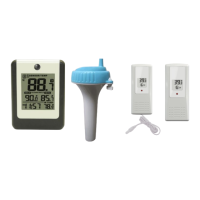
Introduces the WS-091C console and its features like indoor channel and remote sensor support.

Supported Sensors

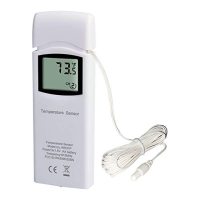
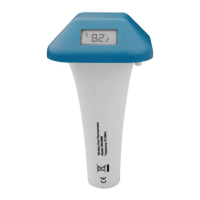
Lists the available optional remote sensors (F007T, F007TP, F007PF) compatible with the console.

Getting Started

Power-Up Sequence

Provides the correct order for powering up remote transmitters and the display console.

Display Console Setup

Guides users through placing sensors, installing batteries, and setting up the console physically.

Sensor Search Mode Handling

Explains the console's behavior during sensor search and how to manage it.

Console Operation

Display Console Layout

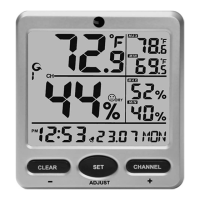
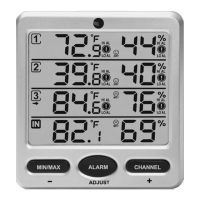
Identifies and explains the various elements and icons displayed on the console's LCD screen.

Channel Selection

Details how to use the CHANNEL/+ button to cycle through different temperature channels.

Min and Max Alarm Functions

Instructions for enabling, disabling, setting, and viewing min/max temperature alarms.

Temperature Unit Conversion

Describes how to switch the displayed temperature units between Celsius and Fahrenheit.

Advanced Functions

Sensor Search Mode

Provides steps to re-establish communication with lost remote sensors.

Wireless Communication Best Practices

Offers advice on avoiding signal interference from EMI, RFI, and physical barriers.

Temperature Calibration Procedure

Details the procedure for adjusting and calibrating temperature readings to a known source.

Specifications and Information

Glossary of Terms

Defines key terms like Accuracy and Range relevant to the device.

Wireless and Measurement Specifications

Lists technical specifications for wireless transmission and temperature measurement.

Troubleshooting Guide

Offers solutions for common problems like missing sensor data or weak console display.

Product Accessories

Lists available accessories such as additional consoles and batteries.

Liability Disclaimer

Outlines product usage limitations, manufacturer responsibility, and safety warnings.

FCC Statement

Details the device's compliance with FCC regulations regarding radio interference.

Warranty Information

Explains the terms and conditions of the 1-year limited product warranty.

Ambient Weather WS-091-C Specifications

General IconGeneral
Temperature Resolution0.1°F/°C
Humidity Resolution1%
Humidity Accuracy± 5%
DisplayLCD
Wireless Transmission Frequency433 MHz
Battery Life12 months
Humidity Range10% to 99%
Update Rate60 seconds
Temperature Accuracy±2°F (±1°C)
Wireless Transmission Range300 feet (91 meters)
Power Source2 x AAA batteries (included)

Related product manuals