EasyManua.ls Logo

Ambient Weather WS-0802 - User Manual

Ambient Weather WS-0802
15 pages
Print Icon
To Next Page IconTo Next Page
Loading...
Version 1.0 ©Copyright 2017, Ambient LLC. All Rights Reserved. Page 1
Ambient Weather WS-0802 8-Channel Wireless
Thermometer with Min/Max Display User Manual
Table of Contents
1 Introduction ..................................................................................................................................... 1
2 Getting Started ................................................................................................................................ 3
2.1 Parts List ....................................................................................................................................... 3
2.2 Thermometer Sensor Set Up ......................................................................................................... 3
3 Remote Sensor Installation ............................................................................................................. 5
4 Display Console Set Up .................................................................................................................. 6
4.1 Display Console Layout ................................................................................................................ 7
4.2 Sensor Operation Verification ....................................................................................................... 7
5 Display Features .............................................................................................................................. 8
5.1 Console Operation......................................................................................................................... 8
5.1.1 Set Mode ............................................................................................................................ 8
5.1.2 Viewing the High and Low Alarms .................................................................................... 8
5.1.3 Alarm Defaults ................................................................................................................... 8
5.1.4 Setting the Min and Max Alarm ......................................................................................... 9
5.2 Backlight Operation ...................................................................................................................... 9
5.3 Manually Reset Max/Min ............................................................................................................. 9
5.4 Channel Selection ......................................................................................................................... 9
5.5 Sensor Transmission ............................................................................................................... 9
5.5.1 Sensor Search Mode ............................................................................................................... 9
5.5.2 Best Practices for Wireless Communication .................................................................... 10
5.6 Adjustment or Calibration ........................................................................................................... 10
5.6.1 Remote Sensor Temperature Calibration.............................................................................. 11
5.6.2 Indoor (Console) Temperature Calibration .......................................................................... 11
6. Glossary of Terms ......................................................................................................................... 12
7. Specifications ................................................................................................................................ 12
7.1 Wireless Specifications ............................................................................................................... 12
7.2 Measurement Specifications ....................................................................................................... 12
7.3 Power Consumption .................................................................................................................... 12
8. Troubleshooting Guide .................................................................................................................. 13
9. Liability Disclaimer ...................................................................................................................... 14
10. FCC Statement .......................................................................................................................... 14
11. Warranty Information ............................................................................................................... 15
1 Introduction
Thank you for your purchase of the Ambient Weather WS-0802 Wireless 8-Channel Thermometer

Questions and Answers

Summary

Getting Started

Parts List

Lists the components included with the WS-0802 weather station, including the transmitter and display console.

Thermometer Sensor Setup

Provides instructions for installing batteries and setting up the remote thermometer transmitter.

Remote Sensor Installation

Display Console Setup

Display Console Layout

Details the various elements and indicators displayed on the main console screen.

Sensor Operation Verification

Explains how to verify that the indoor and outdoor sensors are working correctly and matching.

Display Features

Console Operations and Settings

Covers console button functions, setting time/alarms, viewing min/max, and backlight. Includes alarm defaults and min/max alarm setup.

Channel Selection and Sensor Transmission

How to select channels, manage sensor transmission, and best practices for wireless communication.

Adjustment and Calibration

Guidance on fine-tuning sensor readings for accuracy against a known source.

Glossary of Terms

Specifications

Wireless Specifications

Details the wireless transmission range, frequency, and update rate.

Measurement Specifications

Provides accuracy and resolution for indoor and remote temperature measurements.

Power Consumption

Information on battery requirements and expected battery life for the console and sensors.

Troubleshooting Guide

Wireless Communication Issues

Solutions for when the remote sensor is not reporting or shows dashes on the display.

Inaccurate Temperature Readings

Troubleshooting steps for high readings or disagreements between sensors.

Display Console Issues

Resolving problems like weak contrast on the display console.

Liability Disclaimer

FCC Statement

Warranty Information

Summary

Getting Started

Parts List

Lists the components included with the WS-0802 weather station, including the transmitter and display console.

Thermometer Sensor Setup

Provides instructions for installing batteries and setting up the remote thermometer transmitter.

Remote Sensor Installation

Display Console Setup

Display Console Layout

Details the various elements and indicators displayed on the main console screen.

Sensor Operation Verification

Explains how to verify that the indoor and outdoor sensors are working correctly and matching.

Display Features

Console Operations and Settings

Covers console button functions, setting time/alarms, viewing min/max, and backlight. Includes alarm defaults and min/max alarm setup.

Channel Selection and Sensor Transmission

How to select channels, manage sensor transmission, and best practices for wireless communication.

Adjustment and Calibration

Guidance on fine-tuning sensor readings for accuracy against a known source.

Glossary of Terms

Specifications

Wireless Specifications

Details the wireless transmission range, frequency, and update rate.

Measurement Specifications

Provides accuracy and resolution for indoor and remote temperature measurements.

Power Consumption

Information on battery requirements and expected battery life for the console and sensors.

Troubleshooting Guide

Wireless Communication Issues

Solutions for when the remote sensor is not reporting or shows dashes on the display.

Inaccurate Temperature Readings

Troubleshooting steps for high readings or disagreements between sensors.

Display Console Issues

Resolving problems like weak contrast on the display console.

Liability Disclaimer

FCC Statement

Warranty Information

Overview

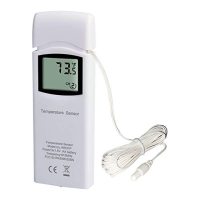
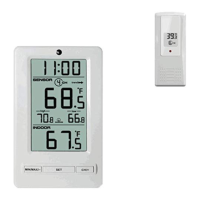
The Ambient Weather WS-0802 is an 8-channel wireless thermometer with a Min/Max display, designed for home use to indicate weather conditions. It supports up to eight remote sensors and can display indoor and outdoor air temperature, as well as probe temperature for applications like refrigerators, freezers, water, soil, and ground. The system consists of a display console (receiver) and one or more thermometer transmitters (remote sensors).

Function Description:

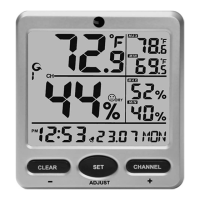
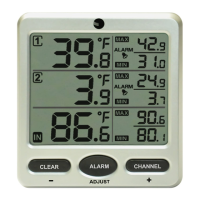
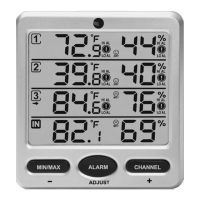
The primary function of the WS-0802 is to measure and display temperature from multiple remote sensors and an indoor console. It features an 8-channel capability, allowing users to monitor temperatures in various locations simultaneously. The console displays the current time, indoor temperature, and remote sensor temperatures, along with their respective channels. It also indicates temperature units (°F or °C), a low battery indicator, and a temperature trend. A key feature is the Min/Max display, which records the highest and lowest temperatures over a period, with options for daily automatic clearing or manual reset. The device includes an alarm function for both high and low temperatures, which can be set for Channels 1 and 2. The display console has a backlight for temporary illumination.

Important Technical Specifications:

  • Wireless Transmission: Line of sight wireless transmission (in open air) is rated at 150 feet, with typical performance of 100 feet under most real-world conditions.
  • Frequency: 433 MHz
  • Update Rate: 60 seconds
  • Measurement Ranges:
    • Indoor Temperature: 32 to 140 °F
    • Channel 1-8 Temperature: -40 to 140 °F
  • Accuracy: ± 2 °F for both indoor and remote temperatures.
  • Resolution: 0.1 °F for all temperature measurements.
  • Power Consumption:
    • Base station (display console): 2 x AAA 1.5V Alkaline or Lithium batteries (not included).
    • Thermometer transmitter (remote sensor): 2 x AAA 1.5V Alkaline or Lithium batteries (not included).
  • Battery Life:
    • Minimum 12 months for the base station with one sensor and excellent reception. Intermittent reception, frequent backlight use, and multiple sensors may reduce battery life.
    • Minimum 24 months for water sensors (lithium batteries recommended in cold climates below -4 °F).
  • Dimensions:
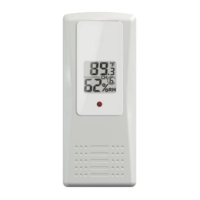
    • Thermometer transmitter (FT007T): 4.5" x 2.0" x 0.75"
    • Display Console Frame: 4.77" x 2.95" x 0.6"
    • LCD Dimensions: 3.00" x 1.17"
    • LCD Segment Height: 0.70 inches

Usage Features:

  • Channel Selection: Users can switch between remote sensors 1 through 8 using the CH/+ button. A scroll mode (indicated by "C") allows for automatic display of all detected outdoor sensors in five-second intervals.
  • Temperature Units: The display console and remote sensors can be set to display temperature in either Fahrenheit (°F) or Celsius (°C) via dip switch settings on the remote sensor and console settings.
  • Time and Alarm Settings: The console allows setting the time (12-hour or 24-hour format) and a time alarm. High and low temperature alarms can be configured for Channels 1 and 2, with audible alerts when set thresholds are exceeded.
  • Min/Max Display: The console records and displays the minimum and maximum temperatures. These values can be reset daily automatically or manually.
  • Backlight: A temporary backlight can be activated for five seconds by pressing any button on the indoor sensor.
  • Sensor Search Mode: If communication with a remote sensor is lost, the console enters a search mode to reacquire the signal. This can be initiated manually by pressing and holding the CH/+ button.
  • Calibration: Both remote and indoor (console) temperature readings can be adjusted or calibrated to match a known, accurate source. This feature helps fine-tune the device for greater accuracy, especially if there are minor discrepancies or environmental factors affecting readings. Calibration is performed by entering a specific mode and adjusting the temperature in 0.1° increments.

Maintenance Features:

  • Battery Replacement: The device operates on AAA batteries for both the console and remote sensors. Users are advised to use fresh alkaline batteries for moderate temperatures and lithium batteries for cold weather conditions (below -4 °F). Rechargeable batteries are not recommended unless fully charged and of high quality.
  • Sensor Placement: For optimal accuracy, remote sensors should be mounted in a shaded area, preferably on a north-facing wall, to avoid direct sunlight and radiant heat sources that can cause inaccurate readings. Although water-resistant, mounting under an eve or in a well-protected area is recommended.
  • Wireless Communication Best Practices: To ensure reliable wireless communication, it is recommended to keep the console several feet away from sources of electromagnetic interference (EMI) like computer monitors and TVs. Radio frequency interference (RFI) from other 433 MHz devices should also be considered. Maintaining a clear line of sight between sensors and the console is crucial, as metal barriers (like aluminum siding) significantly reduce signal strength. Obstructions like glass, plastics, wood, brick, and concrete also reduce transmission range, with metal causing the most significant reduction (90-100%).
  • Troubleshooting Guide: The manual includes a troubleshooting section to address common issues such as lost sensor communication, inaccurate temperature readings, and weak display contrast, providing solutions like relocating sensors, replacing batteries, and checking for interference.
  • Environmental Responsibility: Users are encouraged to help preserve the environment by returning used batteries to an authorized depot, as electrical and electronic wastes contain hazardous substances.

The WS-0802 is designed for ease of use with three main buttons: SET, MIN/MAX/-, and CH/+. The power-up sequence requires inserting batteries into remote transmitters first, followed by the display console, to ensure proper synchronization.

Ambient Weather WS-0802 Specifications

General IconGeneral
BrandAmbient Weather
ModelWS-0802
CategoryThermometer
LanguageEnglish

Related product manuals