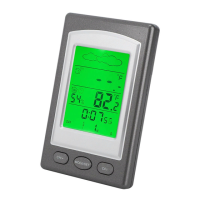
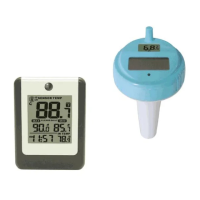
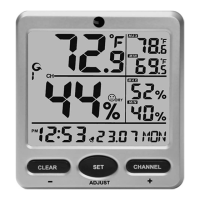
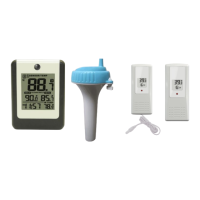
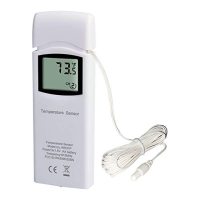
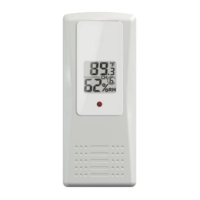
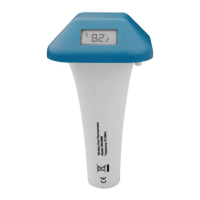
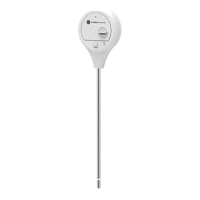
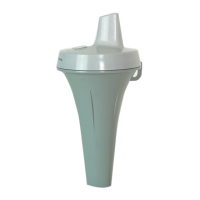
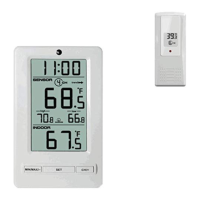
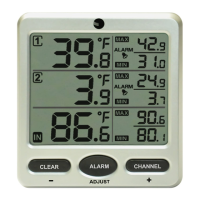
The Ambient Weather F007PF is an 8-channel wireless floating pool and spa thermometer designed to monitor water temperature and transmit data wirelessly to a compatible Ambient Weather receiver. This user manual provides comprehensive instructions for setting up, operating, and maintaining the device, ensuring accurate temperature readings for your pool or spa.
Function Description
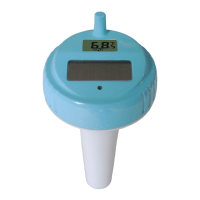
The primary function of the F007PF is to measure the temperature of water in a pool or spa and transmit this data wirelessly to a display console. It supports up to eight different channels, allowing users to monitor multiple locations or use additional sensors if needed. The device features a built-in LCD display that shows the current temperature and the assigned channel number. It can display temperature in either Fahrenheit or Celsius, which can be configured using dip switches. The F007PF is designed to float on the water's surface, ensuring that its sensor is submerged to provide accurate readings. The device is compatible with various Ambient Weather display consoles, including models WS-07, WS-08, WS-09, WS-10, WS-14, WS-15, WS-16, and WS-21.
Usage Features
Getting Started and Setup:
The setup process for the F007PF is straightforward but requires adherence to a specific power-up sequence: batteries must be inserted into the remote transmitter first, followed by the display console. The device comes with a parts list that includes the thermometer transmitter and a user manual.
Battery Installation:
To install batteries, the user must first twist the key lid to unlock it, then remove the key, and finally twist the main body of the sensor to remove the lid. It is crucial to turn the lid counter-clockwise to open it, similar to opening a jar, to avoid overtightening. The F007PF requires four AAA batteries. Fresh alkaline batteries are recommended for temperatures between -4 °F and 140 °F, while fresh lithium batteries are suggested for temperatures between -40 °F and 140 °F. The device includes a solar panel, but it does not charge the batteries; therefore, rechargeable batteries are not necessary or recommended.
Dip Switch Configuration:
Before inserting batteries, users need to locate the dip switches inside the lid cover of the transmitter. These switches are used to assign a channel number (from 1 to 8) to the sensor and to select the temperature unit of measure (°F or °C). The manual provides a table detailing the dip switch settings for each channel and temperature unit. The factory default setting for all four switches is OFF, typically corresponding to Channel 1 (pool) and Fahrenheit.
Power-Up and Display Verification:
After inserting the batteries, the remote sensor's LED indicator will light up for 4 seconds and then flash once every 60 seconds, indicating data transmission. Users should verify that the correct channel number (CH) and temperature units (°F vs. °C) are displayed on the sensor's LCD. If the display does not power up, a reset button is available on second-generation models. For older models without a reset button, the solar panel should be covered, batteries removed, a 60-second wait observed, batteries reinserted, and the solar panel uncovered.
Sealing the Device:
Proper sealing is critical to prevent water leakage and damage. When closing the battery door, users must ensure that both red colored gaskets are properly seated in their traces. To close the lid, it should be twisted until firmly locked and the key aligned. The key is then inserted and turned 90 degrees to lock the lid.
Sensor Placement:
The F007PF should be placed in the pool or spa within 100 feet (30 meters) of the display console. It is important to avoid transmitting through solid earth or ground, as this can interfere with the wireless signal. A tether (string) can be used to fix the sensor in place. The display console should be positioned at least three feet away from computers, TVs, and wireless phones to minimize electrical noise interference. Additionally, users should avoid placing the console where signals would have to pass through solid metal barriers. The device is designed to float; continuous submersion under a cover can lead to premature gasket failure and moisture ingress, causing sensor failure.
Wireless Transmission:
The device transmits data wirelessly at a frequency of 433 MHz with an update rate of 60 seconds. The line-of-sight wireless transmission range in open air is 150 feet, which reduces to about 100 feet under most conditions.
Troubleshooting:
The manual includes a troubleshooting guide for common issues. If the wireless remote is not reporting to the console, users are advised to move the sensor closer to the display console, ensure the remote sensor LCD is working, and check that the transmitter light is flashing. If the sensor assembly is too close (less than 5 feet), it should be moved further away. If the pool float does not power up, the reset procedure (using the reset button or the solar panel method) should be followed. Fading or unreadable LCD displays can be resolved by replacing batteries or, in cases of extreme heat or cold, by bringing the device indoors to restore the display. Users are also reminded to ensure that remote sensors are not transmitting through solid metal or earth barriers and to move the display console away from electrical noise-generating devices.
Maintenance Features
Battery Replacement:
Batteries should be replaced every 1-2 years. When changing batteries, it is recommended to apply waterproof silicone grease to the seals to maintain the device's water resistance. Silicone grease is readily available at hardware and pool stores.
Desiccant Pack:
The device includes desiccant packs, which should not be removed. It is recommended to replace these packs once per year to absorb moisture and protect internal components.
Gasket Inspection:
During battery changes, users should inspect the red colored gaskets to ensure they are properly seated. Failure to do so can lead to water leakage and damage to the device.
General Care:
The F007PF is designed for home use to indicate weather conditions and should not be used for medical purposes or public information. The product is not a toy and should be kept out of reach of children. The manufacturer emphasizes that the user manual should be read carefully, and Ambient, LLC will not be held liable for incidental, consequential, punitive, or other similar damages associated with the operation or malfunction of the product. The company also provides a 1-year limited warranty against manufacturing defects in materials and workmanship, with specific exclusions for damage caused by accident, unreasonable use, neglect, failure to follow instructions, unauthorized repairs, non-home use, unintended applications, signal interference, or extreme acts of nature.


 To Next Page
 General