EasyManua.ls Logo

Ambient Weather WS-1171A - User Manual

Ambient Weather WS-1171A
20 pages
Print Icon
To Next Page IconTo Next Page
Loading...
Version 1.10 ©Copyright 2013, Ambient LLC. All Rights Reserved. Page 1
Ambient Weather WS-1171A Advanced Weather Station
User Manual
Table of Contents
1 Introduction ..................................................................................................................................... 2
2 Getting Started ................................................................................................................................ 2
2.1 Parts List ....................................................................................................................................... 2
2.2 Recommend Tools ......................................................................................................................... 2
2.3 Thermo-Hygrometer Sensor Set Up .............................................................................................. 2
2.4 Display Console Set Up ................................................................................................................ 3
2.4.1 Radio Controlled Clock (RCC) .............................................................................................. 3
2.4.2 Display Console Layout ..................................................................................................... 4
2.4.3 Sensor Operation Verification ............................................................................................ 5
3 Remote Sensor Installation ............................................................................................................. 5
3.1 Sensor Placement ................................................................................................................... 5
3.2 Wireless Reception Considerations ........................................................................................ 5
4 Console Operation........................................................................................................................... 6
4.1 Quick Display Mode ..................................................................................................................... 6
4.2 Set (Program) Mode ...................................................................................................................... 6
4.2.1 Setting Barometric Pressure ................................................................................................... 9
4.2.2 Setting Calibrated Humidity............................................................................................... 9
4.2.3 Setting Calibrated Temperature ........................................................................................ 10
4.3 Alarm Mode ......................................................................................................................... 10
4.3.1 Alarm Display ...................................................................................................................... 10
4.3.2 Alarm Programming ......................................................................................................... 10
4.3.3 Cancelling the Alarm ........................................................................................................ 11
4.3.4 Outdoor Alarm Temperature vs. Dew Point .................................................................. 11
4.4 Min/Max Mode ........................................................................................................................... 12
4.5 Other Console Features ........................................................................................................ 12
4.5.1 Weather Forecasting ......................................................................................................... 12
4.5.2 Weather Icons ................................................................................................................... 13
4.5.3 Weather tendency indicator .............................................................................................. 13
4.5.4 Storm threshold indicator ................................................................................................. 13
4.5.5 Pressure threshold setting ................................................................................................. 14
4.5.6 Pressure Graph ................................................................................................................. 14
4.5.7 Restoring Lost Outdoor Temperature and Humidity Sensor ............................................ 14
5 Glossary of Terms ......................................................................................................................... 14
6 Specifications ................................................................................................................................ 15
6.1 Wireless Specifications ............................................................................................................... 15
6.2 Measurement Specifications ....................................................................................................... 15
6.3 Power Consumption .................................................................................................................... 15
7 Troubleshooting Guide .................................................................................................................. 15
8 Accessories ................................................................................................................................... 17
9 Product Revisions ......................................................................................................................... 17
10 Liability Disclaimer .................................................................................................................. 17
11 FCC Statement .......................................................................................................................... 18

Questions and Answers

Summary

Getting Started

Parts List

Lists all included components and their specifications.

Recommended Tools

Lists necessary tools for installation and setup.

Thermo-Hygrometer Sensor Setup

Instructions for installing batteries and setting up the outdoor sensor.

Display Console Setup

Steps for powering and positioning the main display unit.

Radio Controlled Clock (RCC)

Explains how the console synchronizes with the atomic clock signal.

Display Console Layout

Identifies and explains all display segments and icons on the console.

Sensor Operation Verification

Checks for correct indoor/outdoor sensor readings and calibration.

Remote Sensor Installation

Sensor Placement

Guidelines for choosing an optimal location for the remote sensor.

Wireless Reception Considerations

Factors affecting wireless signal strength and range.

Console Operation

Quick Display Mode

Navigates through different display modes for quick info checks.

Set (Program) Mode

Guides through setting time, date, units, and calibration parameters.

Setting Barometric Pressure

Details on setting relative pressure based on local conditions.

Setting Calibrated Humidity

Instructions for calibrating indoor and outdoor humidity readings.

Setting Calibrated Temperature

Procedures for calibrating indoor and outdoor temperature readings.

Alarm Mode

How to set and manage high and low alarms for various parameters.

Alarm Display and Programming

Setting and viewing high/low alarms for various weather parameters.

Alarm Cancellation and Outdoor Alarms

Managing alarm alerts and specific outdoor temperature/dew point triggers.

Min;Max Mode

Displays and allows resetting of minimum and maximum recorded values.

Other Console Features

Describes additional functionalities like forecasting and indicators.

Weather Forecasting

Explains how the station predicts future weather based on pressure.

Weather Indicators and Graph Settings

Interprets weather icons, tendency, storm alerts, and pressure settings/graphs.

Restoring Lost Sensor Communication

Steps to re-establish communication with the remote sensor.

Glossary of Terms

Specifications

Wireless Specifications

Details on transmission range, frequency, and update rate.

Measurement Specifications

Technical specs for temperature, humidity, and pressure measurements.

Power Consumption

Information on battery requirements and battery life.

Accessories

Product Revisions

Liability Disclaimer

FCC Statement

Warranty Information

Appendix

Quick Set Mode

A quick guide to setting outdoor temperature and relative pressure.

Set Mode

Comprehensive guide for configuring all device settings via the SET mode.

Summary

Getting Started

Parts List

Lists all included components and their specifications.

Recommended Tools

Lists necessary tools for installation and setup.

Thermo-Hygrometer Sensor Setup

Instructions for installing batteries and setting up the outdoor sensor.

Display Console Setup

Steps for powering and positioning the main display unit.

Radio Controlled Clock (RCC)

Explains how the console synchronizes with the atomic clock signal.

Display Console Layout

Identifies and explains all display segments and icons on the console.

Sensor Operation Verification

Checks for correct indoor/outdoor sensor readings and calibration.

Remote Sensor Installation

Sensor Placement

Guidelines for choosing an optimal location for the remote sensor.

Wireless Reception Considerations

Factors affecting wireless signal strength and range.

Console Operation

Quick Display Mode

Navigates through different display modes for quick info checks.

Set (Program) Mode

Guides through setting time, date, units, and calibration parameters.

Setting Barometric Pressure

Details on setting relative pressure based on local conditions.

Setting Calibrated Humidity

Instructions for calibrating indoor and outdoor humidity readings.

Setting Calibrated Temperature

Procedures for calibrating indoor and outdoor temperature readings.

Alarm Mode

How to set and manage high and low alarms for various parameters.

Alarm Display and Programming

Setting and viewing high/low alarms for various weather parameters.

Alarm Cancellation and Outdoor Alarms

Managing alarm alerts and specific outdoor temperature/dew point triggers.

Min;Max Mode

Displays and allows resetting of minimum and maximum recorded values.

Other Console Features

Describes additional functionalities like forecasting and indicators.

Weather Forecasting

Explains how the station predicts future weather based on pressure.

Weather Indicators and Graph Settings

Interprets weather icons, tendency, storm alerts, and pressure settings/graphs.

Restoring Lost Sensor Communication

Steps to re-establish communication with the remote sensor.

Glossary of Terms

Specifications

Wireless Specifications

Details on transmission range, frequency, and update rate.

Measurement Specifications

Technical specs for temperature, humidity, and pressure measurements.

Power Consumption

Information on battery requirements and battery life.

Accessories

Product Revisions

Liability Disclaimer

FCC Statement

Warranty Information

Appendix

Quick Set Mode

A quick guide to setting outdoor temperature and relative pressure.

Set Mode

Comprehensive guide for configuring all device settings via the SET mode.

Overview

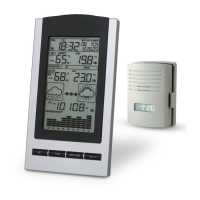
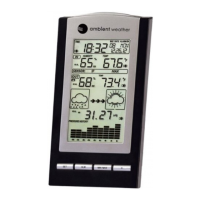
The Ambient Weather WS-1171A is an advanced weather station designed for home use, providing real-time temperature, humidity, and barometric pressure readings, along with weather forecasting. It consists of a display console (receiver) and a thermo-hygrometer (remote transmitter).

Function Description:

The primary function of the WS-1171A is to monitor indoor and outdoor environmental conditions. It displays indoor and outdoor temperature and humidity, barometric pressure (absolute and relative), and provides a weather forecast based on pressure changes. The station also features a Radio Controlled Clock (RCC) for accurate timekeeping, an alarm mode for various weather parameters, and a Min/Max mode to track extreme readings. The weather forecast includes icons for Sunny, Partly Cloudy, Cloudy, and Rainy, along with a weather tendency indicator to show increasing or decreasing air pressure. A storm threshold indicator can be adjusted by the user to signify an expected storm. The device also includes a pressure graph displaying barometric pressure for the last 24 hours.

Important Technical Specifications:

  • Display Console Dimensions (LxWxH): 7.25 x 4 x 1.25 inches
  • LCD Dimensions (LxW): 4.25 x 2.50 inches
  • Thermo-hygrometer Transmitter (WH2B) Dimensions (LxWxH): 3.5 x 2.5 x 0.9 inches
  • Wireless Transmission:
    • Line of sight (open air): 300 feet
    • Frequency: 433 MHz
    • Update Rate: 48 seconds
  • Measurement Specifications:
    • Indoor Temperature:
      • Range: 32 to 140 °F
      • Accuracy: ± 2 °F
      • Resolution: 0.1 °F
    • Outdoor Temperature:
      • Range: -40 to 149 °F
      • Accuracy: ± 2 °F
      • Resolution: 0.1 °F
    • Indoor Humidity:
      • Range: 1 to 99%
      • Accuracy: ± 5% (guaranteed between 20 to 90%)
      • Resolution: 1%
    • Outdoor Humidity:
      • Range: 1 to 99%
      • Accuracy: ± 5% (guaranteed between 20 to 90%)
      • Resolution: 1%
    • Barometric Pressure:
      • Range: 8.85 to 32.50 inHg
      • Accuracy: ± 0.08 inHg (within range of 27.13 to 32.50 inHg)
      • Resolution: 0.01 inHg
  • Power Consumption:
    • Base station: 3 x AA 1.5V Alkaline batteries
    • Remote sensor: 2 x AAA 1.5V Alkaline batteries
    • Battery life: Minimum 12 months for base station, minimum 24 months for thermo-hygrometer sensor (lithium batteries recommended for cold climates).

Usage Features:

  • Quick Display Mode: Allows users to quickly toggle between outdoor temperature/dew point and absolute/relative pressure readings by pressing the SET key.
  • Set (Program) Mode: Accessed by holding the SET key for three seconds, this mode allows configuration of various settings including:
    • Daylight Savings Time (DST) ON/OFF
    • Time Zone (TZ) adjustment (-12 to +12 GMT)
    • 12/24 Hour Format
    • Hour, Minute, Year, Month, Day settings
    • Temperature Units (Celsius or Fahrenheit)
    • Calibration for Indoor Temperature, Indoor Humidity, Outdoor Temperature, and Outdoor Humidity.
    • Barometric Pressure Display Units (hPa or inHg)
    • Relative Pressure Calibration (default 29.92 inHg)
    • Pressure Threshold Setting (default level 2, adjustable from 2 to 4 mbar/hour)
    • Storm Threshold Setting (default level 4, adjustable from 3 to 9 mbar/hour)
  • Alarm Mode: Allows users to set high and low alarms for various parameters including time, indoor humidity, indoor temperature, outdoor humidity, outdoor temperature/dew point, and pressure. Alarms sound and flash for 120 seconds when triggered. A snooze feature or 30-second timeout returns to normal mode.
  • Min/Max Mode: Displays maximum and minimum recorded values for indoor humidity, indoor temperature, outdoor humidity, outdoor temperature, and pressure. These values can be reset individually.
  • Weather Forecasting: Provides an estimation of weather changes for the next 24 to 48 hours based on barometric pressure trends. Includes animated arrows to indicate improving or deteriorating weather.
  • Radio Controlled Clock (RCC): Automatically receives and sets the time, with a WWVB icon indicating successful reception. The outdoor sensor transmits weather data for 30 seconds, then attempts RCC reception for up to 10 minutes. If unsuccessful, it retries every two hours.
  • Sensor Operation Verification: Users are advised to place the remote sensor 5-10 feet from the console initially to verify readings and allow stabilization.
  • Restoring Lost Outdoor Sensor Signal: If the remote sensor signal is lost, users can press and hold the '+' key for 10 seconds to re-synchronize the unit.

Maintenance Features:

  • Battery Replacement: The console uses 3 x AA batteries, and the remote sensor uses 2 x AAA batteries. Users are advised to note battery polarity and use fresh batteries, with lithium batteries recommended for cold climates in the remote sensor.
  • Calibration: The device offers calibration for indoor and outdoor temperature and humidity, as well as relative barometric pressure, to ensure accuracy. For humidity calibration, an accurate source like a sling psychrometer or salt bath kit is recommended. For temperature, a fluid thermometer is suggested.
  • Troubleshooting Guide: The manual includes a comprehensive troubleshooting section for common issues such as lost remote sensor signals, dashes on the display, inaccurate temperature/humidity readings, and incorrect relative pressure. It provides steps like re-syncing the unit, checking batteries, repositioning sensors, and performing calibrations.
  • Wireless Reception Considerations: The manual provides guidance on factors affecting wireless signals, such as distance, interference from other electronic devices, and transmission barriers (e.g., solid metal, thick walls), and suggests optimal sensor placement (north-facing wall, shaded area, at or above receiver height).
  • Product Revisions: The manual details product revisions, including added humidity and temperature calibration, increased programming timeout, changes to the barograph display, and a function to reacquire lost remote signals without powering down the console.
  • Environmental Responsibility: Users are encouraged to return used batteries to an authorized depot for proper disposal, as electrical and electronic waste contains hazardous substances.

Ambient Weather WS-1171A Specifications

General IconGeneral
BrandAmbient Weather
ModelWS-1171A
CategoryWeather Station
LanguageEnglish

Related product manuals