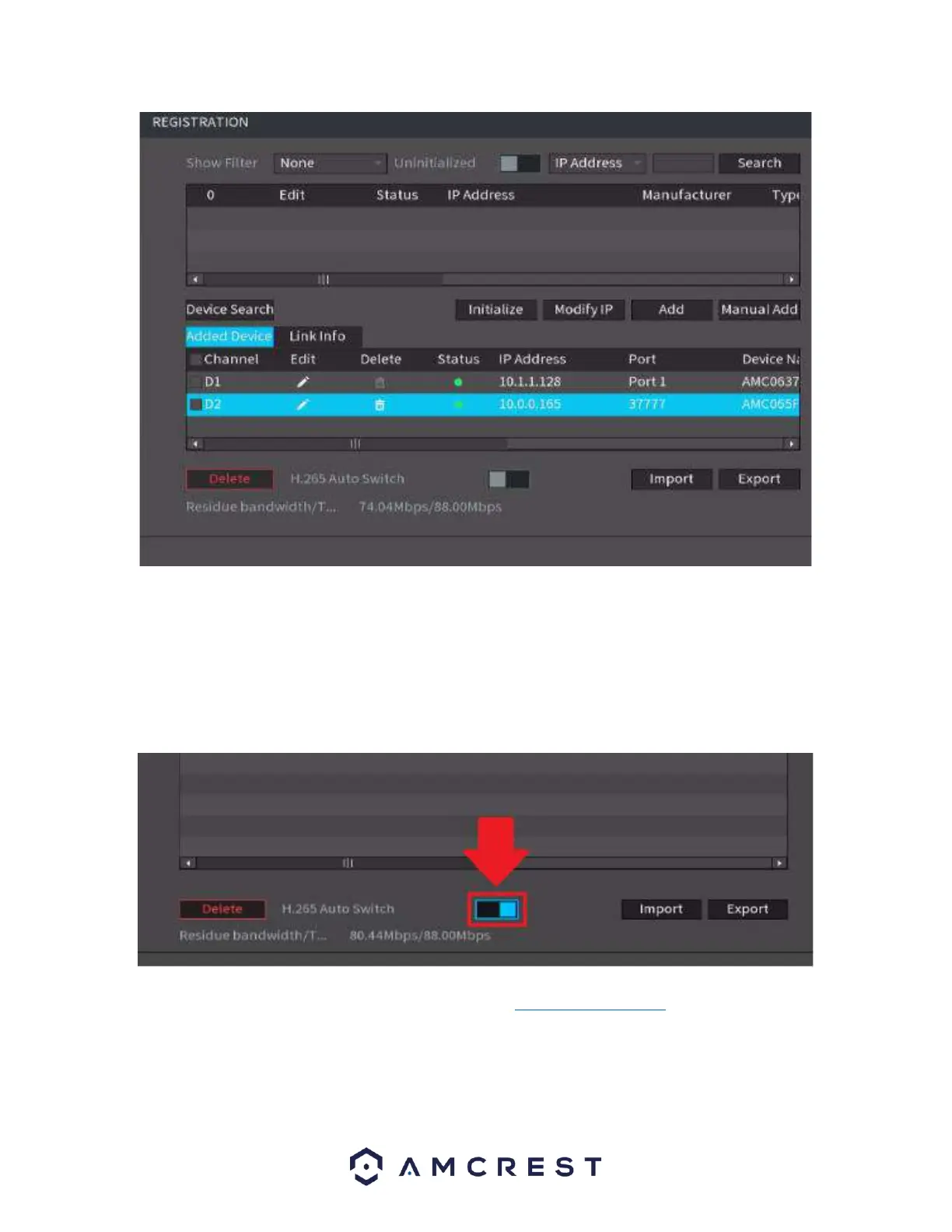
Note: For maximum compatibility when accessing your camera in a web browser or third-party
applications, our H.265 compatible products will be factory defaulted to H.264 but for increased
performance, the camera's settings can be upgraded to H.265 compression. H.265 provides a more
advanced technology than H.264 and allows the device to reduce file size which ultimately helps to reduce
required bandwidth without sacrificing frames per second or resolution. To activate H.265 compression,
click on the H.265 Auto Switch to switch the camera to H.265 compression.
For more information on H.265 compression, please visit: amcrest.com/support
To exit the registration menu, right click on the video wall to display the connected devices. The process
can be repeated to add additional cameras if needed. To add the device manually, click Manual Add and
enter the information for your camera into the interface. Click Save to activate the camera.



 To Next Page