©American Audio® - www.americanaudio.eu VMS2™ User Manual Page 20
12. GENERAL FUNCTIONS AND CONTROLS
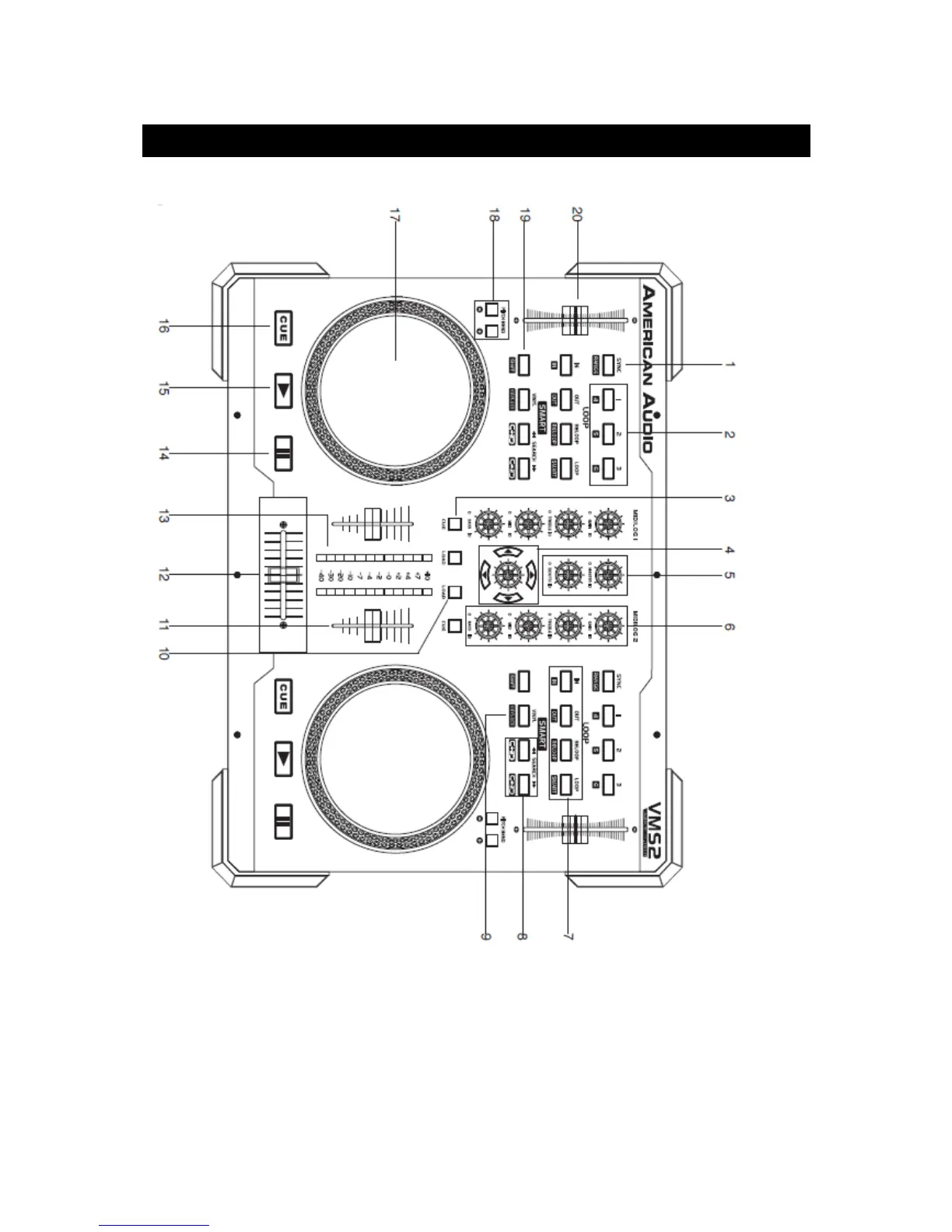
12.1 PLAYER FRONT
(1) Sync Button – Use this button to set this deck to master and auto sync the other deck's
tempo to the master.
(2) Bank Buttons – These buttons are used to store 3 cue points.
(3) Cue Button – These buttons are used to activate a channels‘ Cue mode. The Cue LED will
glow when a channels‘ Cue mode is activated. The Cue function sends a channels‘ incoming
signal to the headphones. The cue level is adjusted by the Cue Level Knob.


 To Next Page